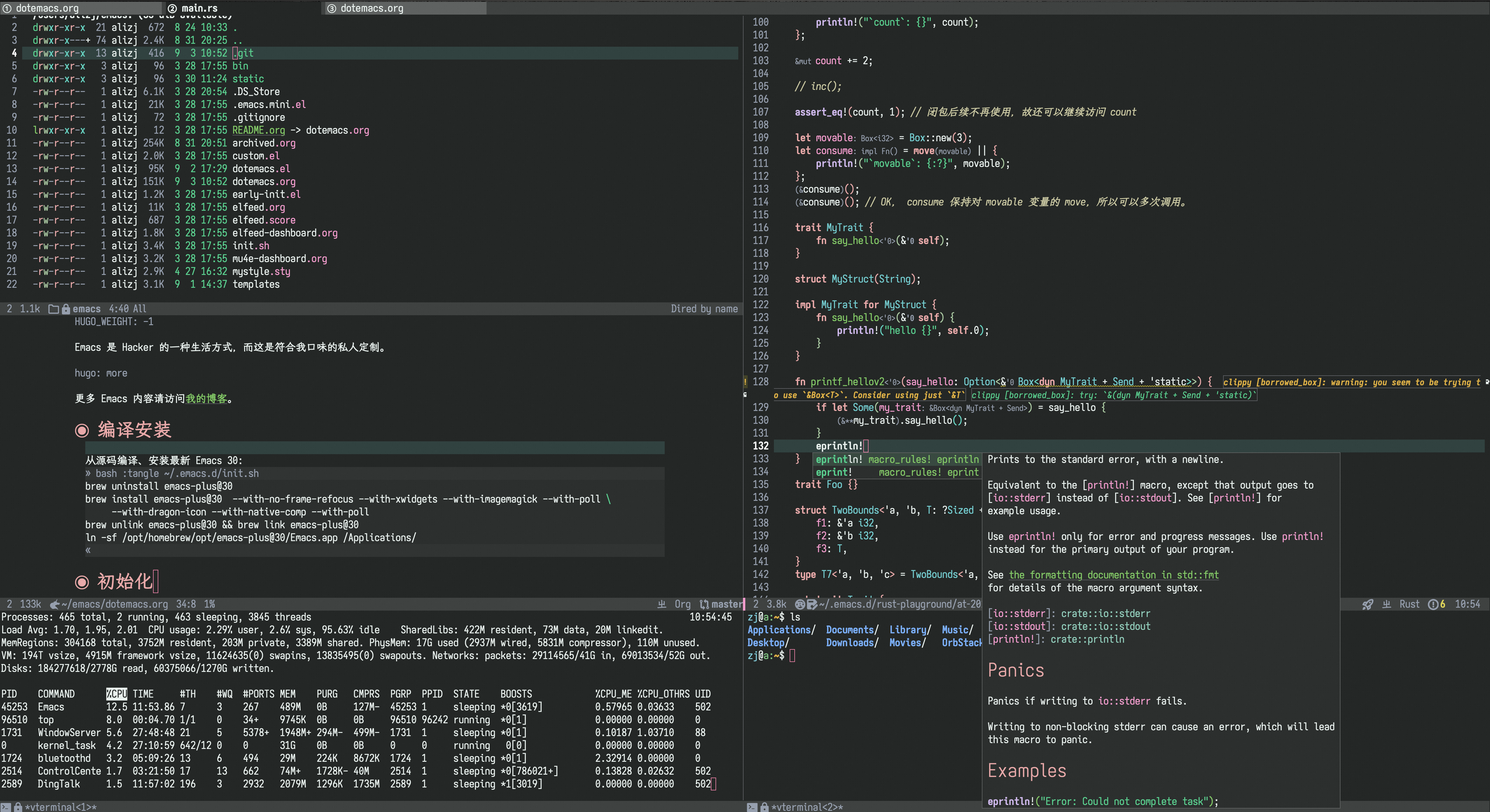
Emacs 是 Hacker 的一种生活方式,而这是符合我口味的私人定制。
更多 Emacs 内容请访问我的博客。
1 编译安装 #
从源码编译、安装最新 Emacs 31 版本:
brew tap d12frosted/emacs-plus
brew uninstall emacs-plus@31
brew install emacs-plus@31 --HEAD --with-xwidgets --with-imagemagick
brew unlink emacs-plus@31 && brew link emacs-plus@31
ln -sf /opt/homebrew/opt/emacs-plus@31/Emacs.app /Applications/
2 初始化 #
安装 native 编译所需的 gcc 工具链:
brew install gcc
current_gcc="/opt/homebrew/opt/gcc/lib/gcc/current"
export LIBRARY_PATH="${LIBRARY_PATH}:${current_gcc}"
early-init.el 是 Emacs 启动早期执行的第一个初始化文件:
;;; -*- lexical-binding: t; -*-

;; 个人信息。
(setq user-full-name "zhangjun")
(setq user-mail-address "geekard@qq.com")

(set-language-environment "UTF-8")

(setq-default lexical-binding t)
(setq lexical-binding t)
;; 不报告缺少 lexical-binding 文件头的警告。
(add-to-list 'warning-suppress-types '(files missing-lexbind-cookie))

;; 在独立文件保存 Emacs 自动写入的配置参数,避免污染 ~/.emacs 文件。
(setq custom-file (expand-file-name "~/.emacs.d/custom.el"))
(add-hook 'after-init-hook
  	  (lambda ()
  	    (when (file-exists-p custom-file)
  	      (load custom-file))))

;; 非系统标准路径的二进制目录列表(越靠后,查找优先级越高)
(setq my-bin-path
      '("/opt/homebrew/bin"
        "/opt/homebrew/opt/findutils/libexec/gnubin"
        "/opt/homebrew/opt/openjdk/bin"
        "/Users/alizj/go/bin"
  	  ;; .cargo/bin 的优先级要高于 rustup/bin,这样优先使用编译安装的命令。
        "/opt/homebrew/opt/rustup/bin"
        "/Users/alizj/.cargo/bin"))

;; 添加到 PATH 环境变量。
(mapc (lambda (p)
  	(setenv "PATH" (concat p ":" (getenv "PATH"))))
      my-bin-path)

;; 添加到 Emacs 搜索路径:Emacs 查找外部程序时使用 `exec-path` 而非 `PATH` 变量。
(let ((paths my-bin-path))
  (dolist (path paths)
    (setq exec-path (cons path exec-path))))
设置软件源:
M-x use-package-report: 查看包加载时间(按 S 排序);M-x package-vc-upgrade-all:更新使用:vc指令配置github包;
;;; -*- lexical-binding: t; -*-

(require 'package)

;; gnu 软件源有限速,这里替换为清华镜像源。
(setq package-archives
      '(("elpa" . "https://mirrors.tuna.tsinghua.edu.cn/elpa/gnu/")
        ("elpa-devel" . "https://mirrors.tuna.tsinghua.edu.cn/elpa/gnu-devel/")
        ("melpa" . "https://mirrors.tuna.tsinghua.edu.cn/elpa/melpa/")
        ("nongnu" . "https://mirrors.tuna.tsinghua.edu.cn/elpa/nongnu/")
        ("nongnu-devel" . "https://mirrors.tuna.tsinghua.edu.cn/elpa/nongnu-devel/")))
(package-initialize)
;; 首次安装或更新包时手动执行 M-x package-refresh-contents,启动不刷新归档。

(setq use-package-verbose t)
(setq use-package-always-ensure t)
(setq use-package-always-demand t)
(setq use-package-compute-statistics t)
(setq use-package-vc-prefer-newest t)

;; 允许升级 Emacs 内置软件包。
;;(setq package-install-upgrade-built-in t)
启用 native 编译和确保使用编译后的字节码文件,提升性能:
;; 启用 native 编译。
(setq package-native-compile t)

(when (fboundp 'native-compile-async)
  (setenv "LIBRARY_PATH"
  	  (concat (getenv "LIBRARY_PATH")
  		  ":/opt/homebrew/opt/gcc/lib/gcc/current/"
		  ))
  (setq native-comp-speed 2)
  (setq native-comp-async-jobs-number 3)
  ;;(setq inhibit-automatic-native-compilation t)
  (setq native-comp-async-report-warnings-errors 'silent))

;; 确保 Emacs 加载编译后的最新 .elc 文件。
(setq-default load-prefer-newer t)
(setq load-prefer-newer t)

(setq native-comp-async-query-on-exit t)
(setq confirm-kill-processes t)

;; 确保所有 Elisp 文件都被原生直接码编译,提升 Emacs 性能。
(use-package compile-angel
  :config
  (setq compile-angel-verbose t)

  ;;只对本地 el 文件启用编译,防止远程卡住。
  (defun my/compile-angel-local-only ()
    "Enable save-time compilation only for local Emacs Lisp buffers."
    (compile-angel-on-save-local-mode
     (if (file-remote-p (or buffer-file-name default-directory)) -1 1)))
  ;; Remove the old hook when re-evaluating this configuration.
  (remove-hook 'emacs-lisp-mode-hook #'compile-angel-on-save-local-mode)
  (add-hook 'emacs-lisp-mode-hook #'my/compile-angel-local-only)

  ;;在 load 或 require .el 文件时进行编译.
  (compile-angel-on-load-mode 1))
提升 IO 性能(参考 doom core 配置参数):
(setq process-adaptive-read-buffering nil)

;; Emacs 通过 Pipe 从子进程一次读取的最大数据量。
;; 对于 GNU/Linux,设置的是 /proc/sys/fs/pipe-max-size 值。
;; 可以提升大项目的 eglot 性能(与 LSP 通过 JSON-RPC 交换数据时,一次可以读取更多数据)。
(setq read-process-output-max (* 1024 1024 1)) ;; default: 4kb

;; This reduces log clutter to improves performance.
(setq jsonrpc-event-hook nil)

;; Garbage Collector Magic Hack, 提升 GC 性能。
(use-package gcmh
  :init
  ;;(setq gcmh-verbose t)
  (setq gcmh-idle-delay 'auto) ;; 缺省 15s
  (setq gcmh-auto-idle-delay-factor 10)
  (setq gcmh-high-cons-threshold (* 64 1024 1024)) ;; 64mb
  (gcmh-mode 1)
  ;;(gcmh-set-high-threshold)
  )

;;(setq garbage-collection-messages t)
(add-hook 'after-init-hook #'garbage-collect t)
安全的自动关闭不活跃的 buffer,节省资源:
(use-package buffer-terminator
  :custom
  (buffer-terminator-verbose nil)
  (buffer-terminator-inactivity-timeout (* 30 60)) ; 30 minutes
  (buffer-terminator-interval (* 10 60)) ; 10 minutes

  :init
  (buffer-terminator-mode 1))
其它性能优化:
;; A second, case-insensitive pass over `auto-mode-alist' is time wasted.
;; No second pass of case-insensitive search over auto-mode-alist.
(setq auto-mode-case-fold nil)

;; Disable bidirectional text scanning for a modest performance boost.
(setq-default bidi-display-reordering 'left-to-right
              bidi-paragraph-direction 'left-to-right)

;; Give up some bidirectional functionality for slightly faster re-display.
(setq bidi-inhibit-bpa t)

;; 用内存换取字体 redisplay CPU;macOS、Nerd Fonts、图标较多时可以保留。
(setq inhibit-compacting-font-caches t)

(setq-default message-log-max 16384)

;; Resizing the Emacs frame can be costly when changing the font. Disable this
;; to improve startup times with fonts larger than the system default.
(setq frame-resize-pixelwise t)

;; Without this, Emacs will try to resize itself to a specific column size
(setq frame-inhibit-implied-resize t)

(setq whitespace-line-column nil)  ; Use the value of `fill-column'.

;; 关闭全局高亮当前行,性能优先。
;;(global-hl-line-mode t)
;;(setq global-hl-line-sticky-flag t)
(global-hl-line-mode -1)
(add-hook 'prog-mode-hook #'hl-line-mode)
;;(add-hook 'text-mode-hook #'hl-line-mode)

;; 关闭全局显示行号,性能优先。
;;(global-display-line-numbers-mode t)
;; 仅编程模式显示行号。
(add-hook 'prog-mode-hook #'display-line-numbers-mode)

;; 避免 undo-more: No further undo information 报错.
;; 10X bump of the undo limits to avoid issues with premature.
;; Emacs GC which truncages the undo history very aggresively
;; 不能设置太大,否则多个大 buffer 同时编辑时,可能显著抬高内存和 GC 压力。
(setq undo-limit (* 1 1024 1024)
      undo-strong-limit (* 16 1024 1024)
      undo-outer-limit (* 64 1024 1024))

(setq global-mark-ring-max 600)
(setq mark-ring-max 600)
(setq kill-ring-max 600)

;; 大文件按当前 buffer 的字符数判断,避免每次检查都访问磁盘或 TRAMP。
(defcustom my-large-file-threshold (* 1024 1024)
  "启用大文件性能配置的字符数阈值。"
  :type 'integer
  :group 'files)

(defvar-local my-large-file-saved-state nil
  "进入大文件配置前的局部设置,退出时恢复。")

(defun my-large-file-performance-setup ()
  "按字符数切换大文件配置;重复执行不会覆盖原始状态。"
  (let ((large (and buffer-file-name
                    (save-restriction
                      (widen)
                      (> (buffer-size) my-large-file-threshold))))
        (modes '(display-line-numbers-mode rainbow-delimiters-mode
                 hl-line-mode show-paren-local-mode)))
    (cond
     (large
      (unless my-large-file-saved-state
        (setq my-large-file-saved-state
              (list (list 'corfu-auto (local-variable-p 'corfu-auto)
                          (boundp 'corfu-auto)
                          (and (boundp 'corfu-auto) corfu-auto))
                    (mapcar (lambda (mode)
                              (cons mode (and (boundp mode) (symbol-value mode))))
                            modes))))
      (setq-local corfu-auto nil)
      (dolist (mode modes)
        (when (fboundp mode) (funcall mode -1))))
     (my-large-file-saved-state
      (let ((corfu-state (car my-large-file-saved-state))
            (mode-state (cadr my-large-file-saved-state)))
        (if (nth 1 corfu-state)
            (setq-local corfu-auto (nth 3 corfu-state))
          (kill-local-variable 'corfu-auto))
        (dolist (entry mode-state)
          (when (fboundp (car entry))
            (funcall (car entry) (if (cdr entry) 1 -1))))
        (setq my-large-file-saved-state nil))))))

(dolist (hook '(find-file-hook after-revert-hook after-save-hook))
  (add-hook hook #'my-large-file-performance-setup))

;; 开启全局自动 revert。
(global-auto-revert-mode 1)
(setq auto-revert-remote-files nil)
(setq revert-without-query (list "\\.png$" "\\.svg$"))
(setq auto-revert-verbose nil)
;; 自动 revert buffer(更新周期由 auto-revert-interval 配置),确保 modeline 上的分支名正确。
(setq auto-revert-check-vc-info t)
(setq auto-revert-interval 30) ;; 缺省:5s,对于大型项目如 zed 会引起卡顿。
设置 GPG 加解密:
;;保存 tramp 登录 machine 等的认证信息(账号密码)。
(setq auth-sources '("~/.authinfo.gpg"))
;;(setq auth-source-debug t)

(use-package epa
  :ensure nil
  :config
  (setq-default
   ;; 缺省使用 email 地址加密。
   epa-file-encrypt-to user-mail-address
   ;; 使用 minibuffer 输入 GPG 密码。
   epa-pinentry-mode 'loopback)

  (require 'epa-file)
  (epa-file-enable))
按键调整:
;; command 作为 Meta 键。
(setq mac-command-modifier 'meta)

;; option 作为 Super 键。
(setq mac-option-modifier 'super)

;; fn 作为 Hyper 键。
(setq ns-function-modifier 'hyper)

;; 关闭容易误操作的按键。
;; s- 表示 Super,S- 表示 Shift, H- 表示 Hyper:
(let ((keys '(
              "s-w"
              "C-z"
              "<mouse-2>"
              "s-k"
              "s-,"
              "s-."
              "s--"
              "s-+"
              "C-<wheel-down>"
              "C-<wheel-up>"
              "C-M-<wheel-down>"
              "C-M-<wheel-up>"
              ;;"<down-mouse-1>"
              ;;"<drag-mouse-1>"
              )))
  (dolist (key keys)
    (global-unset-key (kbd key))))
3 代理 #
MacOS 自带的 curl 不支持 socks5 代理, 这里安装支持 socks5 的 GNU curl 版本:
brew install curl
export PATH="/opt/homebrew/opt/curl/bin:$PATH"
将 GNU curl 添加到 Emacs 的 PATH 环境变量和 exec-path 变量中:
(setq my-coreutils-path "/opt/homebrew/opt/curl/bin/")
(setenv "PATH" (concat my-coreutils-path ":" (getenv "PATH")))
(setq exec-path (cons my-coreutils-path  exec-path))
Emacs 使用 url-retrieve 访问 URL ,默认 HTTP 代理支持 socks5 ,但是 HTTPS 代理不支持。这里设置它使用
curl 后端,这样全局可使用 socks5 代理:
;; socks5 代理信息。
(setq my/socks-host "127.0.0.1")
(setq my/socks-port 1080)
(setq my/socks-proxy (format "socks5h://%s:%d" my/socks-host my/socks-port))

;; 传给外部程序的 NO_PROXY/no_proxy 列表。curl 支持 CIDR 和域名后缀。
(setq my/no-proxy-env
      '(
        "127.0.0.1/32"
        "10.0.0.0/8"
        "172.0.0.0/8"
        "0.0.0.0/32"
        "localhost"
        "192.168.0.0/16"
        ".cn"
        ".alibaba-inc.com"
        ".taobao.com"
        ".antfin-inc.com"
        ".openai.azure.com"
        ".baidu.com"
        ".aliyun-inc.com"
        ".aliyun-inc.test"
        ))

;; `socks-noproxy' 只接受主机名正则表达式,不识别 CIDR。
;; IP 段用前缀正则;域名正则同时匹配根域和子域,并锚定字符串结尾。
(setq my/socks-noproxy
      '("\\`127\\.0\\.0\\.1\\'"
        "\\`10\\."
        "\\`172\\."
        "\\`0\\.0\\.0\\.0\\'"
        "\\`localhost\\'"
        "\\`192\\.168\\."
        "\\.cn\\'"
        "\\(?:\\`\\|\\.\\)alibaba-inc\\.com\\'"
        "\\(?:\\`\\|\\.\\)taobao\\.com\\'"
        "\\(?:\\`\\|\\.\\)antfin-inc\\.com\\'"
        "\\(?:\\`\\|\\.\\)openai\\.azure\\.com\\'"
        "\\(?:\\`\\|\\.\\)baidu\\.com\\'"
        "\\(?:\\`\\|\\.\\)aliyun-inc\\.com\\'"
        "\\(?:\\`\\|\\.\\)aliyun-inc\\.test\\'"))

(setq my/user-agent
      "Mozilla/5.0 (Macintosh; Intel Mac OS X 10_15_7) AppleWebKit/537.36 (KHTML, like Gecko) Chrome/94.0.4606.71 Safari/537.36")

(use-package mb-url-http
  :vc (:url "https://github.com/dochang/mb-url")
  :init
  (require 'auth-source)
  (let ((credential (auth-source-user-and-password "api.github.com")))
    (setq github-user (car credential)
          github-password (cadr credential))
    (setq github-auth (concat github-user ":" github-password))
    (setq mb-url-http-backend 'mb-url-http-curl
          mb-url-http-curl-program "/opt/homebrew/opt/curl/bin/curl"
          mb-url-http-curl-switches
          `(
	    ;;关闭服务端证书校验。
	    "-k"
            "-x" ,my/socks-proxy
            "--keepalive-time" "60"
            "--keepalive"
            "--max-time" "300"
            ;;防止 POST 超过 1024 Bytes 时发送 `Expect: 100-continue` 导致 1s 延迟。
            "-H" "Expect:"
            ;;"-u" ,github-auth
            "--user-agent" ,my/user-agent
            ))))

;; 开启 socks5 代理。
(defun proxy-socks-enable ()
  (interactive)
  (require 'socks)
  (setq url-gateway-method 'socks
        socks-noproxy my/socks-noproxy
        socks-server `("Default server" ,my/socks-host ,my/socks-port 5))
  (let ((no-proxy (mapconcat #'identity my/no-proxy-env ",")))
    (setenv "no_proxy" no-proxy)
    (setenv "NO_PROXY" no-proxy))
  (setenv "all_proxy" my/socks-proxy)
  (setenv "ALL_PROXY" my/socks-proxy)
  (setenv "HTTP_PROXY" nil)
  (setenv "HTTPS_PROXY" nil)
  (advice-add 'url-http :around 'mb-url-http-around-advice))

;; 关闭 socks5 代理。
(defun proxy-socks-disable ()
  (interactive)
  (require 'socks)
  (setq url-gateway-method 'native socks-noproxy nil)
  (setenv "all_proxy" "")
  (setenv "ALL_PROXY" ""))

;; 默认启动时开启 socks5 代理。
(proxy-socks-enable)
4 界面 #
关闭部分 UI 元素:
(when (memq window-system '(mac ns x))
  (tool-bar-mode -1)
  (scroll-bar-mode -1)
  (menu-bar-mode -1)
  ;; 不使用系统对话框,因为不同系统风格完全不一样。
  (setq use-file-dialog nil)
  (setq use-dialog-box nil))
光标和行号:
;; 设置光标样式。
(setq-default cursor-type 'bar)

;; 光标和字符宽度一致(如 TAB)。
(setq x-stretch-cursor t)
frame 设置:
;; frame 边角样式:undecorated, round corner: undecorated-round
(add-to-list 'default-frame-alist '(undecorated . t))
(add-to-list 'default-frame-alist '(ns-transparent-titlebar . t))
(add-to-list 'default-frame-alist '(selected-frame) 'name nil)
(add-to-list 'default-frame-alist '(ns-appearance . dark))
;; 新建 frame window 的大小。
(add-to-list 'default-frame-alist '(height . 24))
(add-to-list 'default-frame-alist '(width . 80))

;; 不在新 frame 打开文件(如 Finder 的 "Open with Emacs") 。
(setq ns-pop-up-frames nil)

;; 复用当前 frame。
(setq display-buffer-reuse-frames t)
(setq frame-resize-pixelwise t)

;; 30: 左右分屏, nil: 上下分屏。
(setq split-width-threshold nil)

;; 刷新显示。
(global-set-key (kbd "<f5>") #'redraw-display)

(setq switch-to-buffer-obey-display-actions t)

;; 帮助和工具 buffer 默认放在底部侧窗;传给 regexp-opt 的是未转义名称。
(add-to-list 'display-buffer-alist
             `(,(concat "\\`" (regexp-opt
                               '("*compilation*" "*Apropos*" "*Help*" "*helpful"
                                 "*info*" "*Summary*" "*vt" "*Org"
                                 "*Google Translate*" "*EGLOT" " *eglot" "*Shell Command Output*")))
               (display-buffer-reuse-window display-buffer-in-side-window)
               (side . bottom)
               (window-height . 0.35)))

;; 启动后显示模式,加 t 参数让 togg-frame-XX 最后运行,这样才生效:
(add-hook 'window-setup-hook 'toggle-frame-maximized t) ;; toggle-frame-fullscreen
窗口和滚动:
;; 切换窗口。
(global-set-key (kbd "s-o") #'other-window)

(setq window-combination-resize t)

;; 像素平滑滚动。
(pixel-scroll-precision-mode t)
(setq fast-but-imprecise-scrolling t)
dashboard:
(use-package dashboard
  :config
  (dashboard-setup-startup-hook)
  (setq-local global-hl-line-mode nil)
  (setq dashboard-banner-logo-title "Happy Hacking & Writing 🎯")
  (setq dashboard-projects-backend #'project-el)
  (setq dashboard-center-content t)
  (setq dashboard-set-heading-icons t)
  (setq dashboard-set-navigator t)
  (setq dashboard-set-file-icons t)
  (setq dashboard-path-max-length 30)
  ;; 显示 org-mode agenda。
  (add-to-list 'dashboard-items '(agenda) t)
  (setq dashboard-items '((recents . 20) (projects . 8) (agenda . 3))))
nerd-icons:
;; doom-modeline 使用 nerd-icons 显示图标。
;; 默认使用 "Symbols Nerd Font Mono" 字体(需要单独安装)。
(use-package nerd-icons
  :custom
  ;; 使用统一的 IoskeleyMonoTerm Nerd Font Mono 字体,它包含的 Nerd Font 含有常见图标和符号。
  (nerd-icons-font-family "IoskeleyMonoTerm Nerd Font Mono"))

;; nerd-icons-dired 为 dired 和 dired-sidebar 提供图标显示能力。
(use-package nerd-icons-dired
  :init
  (defun my/nerd-icons-dired-local-only ()
    (unless (file-remote-p default-directory)
      (nerd-icons-dired-mode 1)))
  :hook (
	 ;; 只对 local mode 启用 nerd-icons-dired-mode,防止查看远程目录时卡住。
	 (dired-mode . my/nerd-icons-dired-local-only)
         ;; 子树展开/收起时执行 nerd-icons-dired 刷新,这样才为子树显示图标。
         (dired-subtree-after-insert . nerd-icons-dired--refresh)
         (dired-subtree-after-remove . nerd-icons-dired--refresh)))
doom-modeline:
(use-package doom-modeline
  :demand t
  :hook (after-init . doom-modeline-mode)
  :custom
  (doom-modeline-buffer-encoding nil)
  (doom-modeline-env-version nil)
  (doom-modeline-env-enable-rust nil)
  (doom-modeline-env-enable-go nil)
  ;;显示文件相对于项目的精简路径(鼠标 hover 时显示完整路径)。truncate-nil 显示完整路径。
  (doom-modeline-buffer-file-name-style 'truncate-with-project)
  (doom-modeline-vcs-max-length 30)
  (doom-modeline-github nil)
  (doom-modeline-time-icon nil)
  (doom-modeline-check-simple-format t)
  :config

  ;; 对于远程目录或文件不查找对应的 project,防止卡住。
  (defun my/doom-modeline-remote-file-name (orig &rest args)
    "Render remote file names without resolving symlinks or project roots."
    (if (and buffer-file-name (file-remote-p buffer-file-name))
        (propertize
         (concat (file-remote-p buffer-file-name 'host)
                 ":" (file-name-nondirectory buffer-file-name))
         'face 'doom-modeline-buffer-file
         'mouse-face 'mode-line-highlight
         'help-echo buffer-file-name
         'local-map mode-line-buffer-identification-keymap)
      (apply orig args)))
  (advice-add 'doom-modeline-buffer-file-name :around
              #'my/doom-modeline-remote-file-name)

  (display-battery-mode 0)
  (column-number-mode t)
  (display-time-mode t)
  (setq display-time-24hr-format t)
  (setq display-time-default-load-average nil)
  (setq display-time-load-average-threshold 20)
  (setq display-time-format "%H:%M ") ;; 默认:"%m/%d[%w]%H:%M "
  (setq indicate-buffer-boundaries (quote left)))
dired-sidebar:使用 dired 显示目录,相比 treemacs/neotree 的优势是速度快和使用 dired 按键:
;;; dired
;; MacOS 安装 gnu coreutils 提供的 ls 命令。
(setq my-coreutils-path "/opt/homebrew/opt/coreutils/libexec/gnubin")
(setenv "PATH" (concat my-coreutils-path ":" (getenv "PATH")))
(setq exec-path (cons my-coreutils-path  exec-path))
(use-package emacs
  :config
  (setq dired-dwim-target t)
  ;; @see
  ;; https://emacs.stackexchange.com/questions/5649/sort-file-names-numbered-in-dired/5650#5650
  ;; 下面的参数只对安装了 coreutils (brew install coreutils) 的包有效,否则会报错。
  (setq dired-listing-switches "-laGh1v --group-directories-first"))

;; diredfl 为 dired 提供丰富的高亮特性(如文件时间、扩展名等高亮)。
(use-package diredfl :config (diredfl-global-mode))

;; dired-subtree 提供目录的原地展开能力,像文件树一样浏览,而不用进入另一个目录 buffer。
;; 在 dired-mode 中按 ( 来关闭 dired detail mode,从而只显示目录树。
(use-package dired-subtree
  :ensure t
  :commands (dired-subtree-toggle dired-subtree-cycle)
  :bind (:map dired-mode-map
	      ;; 在 dire-mode 中使用 subtree 显示目录。
              ("TAB" . dired-subtree-toggle)
	      ;; 循环递归展开或收起子树目录。<backtab> 对应 Shift-TAB。
              ("<backtab>" . dired-subtree-cycle))
  :config
  (setq dired-subtree-line-prefix " ") ;;子层级缩进前缀
  (setq dired-subtree-use-backgrounds nil)

  ;; 对于 tramp 远程 dired 列表,子目录行的权限字段前有 4 个空格,而 dired-subtree 固定检查第 3 个字符是否为 d 或 l,
  ;; 因此误判成非目录,从而导致按 TAB 的子目录展开失败。这里修复该问题。
  (defun my/dired-subtree-directory-or-link-p ()
    "Recognize directory and symlink lines with variable listing padding."
    ;; TRAMP 的 listing 自带空格,子树插入后权限字段不一定在第 3 列。
    ;; 保留首列的 Dired 标记位;只读当前行,避免额外远程文件查询。
    (save-excursion
      (beginning-of-line)
      (looking-at-p "^.[ \t]+[dl]")))
  (advice-add 'dired-subtree--dired-line-is-directory-or-link-p :override
              #'my/dired-subtree-directory-or-link-p))

(use-package dired-sidebar
  :ensure t
  :bind (("C-M-0" . dired-sidebar-toggle-sidebar))
  :commands (dired-sidebar-toggle-sidebar)
  :init
  (add-hook 'dired-sidebar-mode-hook
            (lambda ()
	      (display-line-numbers-mode -1)
              (unless (file-remote-p default-directory)
                (auto-revert-mode))))
  :config
  (push 'toggle-window-split dired-sidebar-toggle-hidden-commands)
  (push 'rotate-windows dired-sidebar-toggle-hidden-commands)
  ;; 使用 nerd-icons 和 nerd-icons-dired 显示图标。
  (setq dired-sidebar-theme 'nerd-icons)
  (setq dired-sidebar-use-term-integration t)
  (setq dired-sidebar-use-one-instance t)
  (setq dired-sidebar-use-custom-font t)
  ;; 可以手动调整宽度和高度。
  (setq dired-sidebar-window-fixed nil)
  (setq dired-sidebar-resize-on-open t)

  ;; 对于远程 sidebar,不 follow 文件或目录变化,防止卡住。
  (defun my/dired-sidebar-follow-local-only (orig &rest args)
    "Skip automatic following when either source or sidebar is remote."
    (with-selected-window (selected-window)
      (let ((sidebar (dired-sidebar-buffer)))
        (unless (or (file-remote-p default-directory)
                    (and (buffer-live-p sidebar)
                         (with-current-buffer sidebar
                           (file-remote-p default-directory))))
          (apply orig args)))))
  ;; Guard the callback itself, including already-running follow timers.
  (advice-add 'dired-sidebar-follow-file :around
              #'my/dired-sidebar-follow-local-only)

  ;; 本地继续自动跟随;远程由上面的 callback guard 跳过。
  (setq dired-sidebar-should-follow-file t)
  (setq dired-sidebar-follow-file-idle-delay 1.5))
字体:
- 英文和图标符号等缺省字体:
IoskeleyMonoTerm Nerd Font Mono。 - 中文:霞鹜文楷屏幕阅读版 LxgwWenKai-Screen,对字体做了加粗,便于屏幕阅读。
常用字体命令:
- 查看 Emacs 支持的字体名称:
M-: (print (font-family-list)) - 查看光标处字体:
M-x describe-char
(use-package fontaine
  :config
  (setq fontaine-latest-state-file (locate-user-emacs-file "fontaine-latest-state.eld"))
  (setq fontaine-presets
	'((regular) ;; 使用缺省配置。
	  (t
	   :default-family "IoskeleyMonoTerm Nerd Font Mono"
	   :default-weight regular
	   :default-height 160 ;; 默认字号, 需要是偶数才能实现中英文等宽等高。
	   :fixed-pitch-family "IoskeleyMonoTerm Nerd Font Mono"
	   :fixed-pitch-weight nil
	   :fixed-pitch-height 1.0
	   :fixed-pitch-serif-family "IoskeleyMonoTerm Nerd Font Mono"
	   :fixed-pitch-serif-weight nil
	   :fixed-pitch-serif-height 1.0
	   :variable-pitch-family "IoskeleyMonoTerm Nerd Font Mono"
	   :variable-pitch-weight nil
	   :variable-pitch-height 1.0
	   :line-spacing nil)))
  (fontaine-mode 1)
  (fontaine-set-preset (or (fontaine-restore-latest-preset) 'regular))
  (add-hook 'kill-emacs-hook #'fontaine-store-latest-preset))

;; 设置 emoji/symbol 和中文字体。
(defun my/set-font ()
  (interactive)
  (when window-system
    (setq use-default-font-for-symbols nil)
    ;; Noto Color Emoji
    (set-fontset-font t 'emoji (font-spec :family "Apple Color Emoji"))
    ;; Apple Symbols, Symbola,Symbols Nerd Font Mono, IoskeleyMonoTerm Nerd Font Mono
    (set-fontset-font t 'symbol (font-spec :family "Symbols Nerd Font Mono"))
    (let ((font (frame-parameter nil 'font))
	  (font-spec (font-spec :family "LXGW WenKai Mono Screen")))
      (dolist (charset '(kana han hangul cjk-misc bopomofo))
	(set-fontset-font font charset font-spec)))))

;; Emacs 启动后或 fontaine preset 切换时设置字体。
(add-hook 'after-init-hook 'my/set-font)
(add-hook 'fontaine-set-preset-hook 'my/set-font)

;; 设置字体缩放比例,设置为 1.172 可以确保 2 倍放大后对应的是 22 号偶数字体,这样表格
;; 可以对齐。16 * 1.172 * 1.172 = 21.97(Emacs 取整为 22)。
(setq text-scale-mode-step 1.172)

;; org-table 只使用中英文严格等宽的 LXGW WenKai Mono Screen 字体, 避免中英文不对齐。
(custom-theme-set-faces 'user '(org-table ((t (:family "LXGW WenKai Mono Screen")))))
ef-themes: Emacs 主题列表:https://emacsthemes.com/popular/index.html
(use-package ef-themes
  :ensure t
  :init
  ;; 最新的 ef-theme 基于 modus theme 重构。
  ;; 启用后,所有 modus theme 命令只考虑 Ef themes。
  (ef-themes-take-over-modus-themes-mode 1)
  :config
  (setq modus-themes-italic-constructs t)
  (setq modus-themes-bold-constructs t)
  ;;使用混合字体(variable-pitch-mode)显示空格敏感的内容,如 org-mode 或 code block。
  ;;需要事先在 fontaine 中设置 default, fixed-pitch 和 variable-pitch 字体类型。
  (setq modus-themes-mixed-fonts t)
  ;;使用 variable-pitch font 来显示 UI 元素,如 modeline/headline/tabbar/tabline 等。
  (setq modus-themes-variable-pitch-ui t)
  ;; 启用 ef/modus theme 时关闭其他 theme,防止不同 theme 间冲突。
  (setq modus-themes-disable-other-themes t)
  (setq modus-themes-headings
        '(
          ;; level 0 是文档 title,1-8 是文档 header,t 是缺省。
          (0 . (variable-pitch light 1.8))
          (1 . (variable-pitch light 1.7))
          (2 . (variable-pitch regular 1.6))
          (3 . (variable-pitch regular 1.5))
          (4 . (variable-pitch regular 1.4))
          (5 . (variable-pitch 1.6))
          (4 . (variable-pitch 1.3))
          (7 . (variable-pitch 1.2))
          (8 . (variable-pitch 1.1))
          (agenda-date . (1.3))
          (agenda-structure . (variable-pitch light 1.8))
          (section-minibuffer . (variable-pitch light 0.9))
          (section-other . (regular 1.3))
          (commit-summary . (bold 1.1))
          (t . (variable-pitch 1.1))))
  ;;(modus-themes-load-theme 'ef-summer)
  )

;; 定制 ef/modus theme 显示效果。
(setq modus-themes-common-palette-overrides
      '(
	;; tab-bar:浅蓝色背景。
	(bg-tab-bar bg-cyan-nuanced)
        (bg-tab-current bg-cyan-intense)
        (bg-tab-other bg-cyan-subtle)

	;; header:彩色标题。
	(fg-heading-1 blue)
        (fg-heading-2 cyan)
        (fg-heading-3 green)

	;; code block:使用浅蓝色背景。
	(bg-prose-block-contents bg-cyan-nuanced)
        (bg-prose-block-delimiter bg-cyan-nuanced)
        (fg-prose-block-delimiter cyan-cooler)
	))
自动切换深浅主题:
(defun my/load-theme (appearance)
  (interactive)
  (pcase appearance
    ('light (load-theme 'ef-light t))
    ('dark (load-theme 'ef-elea-dark t))))
(add-hook 'ns-system-appearance-change-functions 'my/load-theme)
(add-hook 'after-init-hook (lambda () (my/load-theme ns-system-appearance)))
tab-bar:
(use-package tab-bar
  :custom
  (tab-bar-close-button-show nil)
  (tab-bar-new-button-show nil)
  (tab-bar-history-limit 20)
  (tab-bar-new-tab-choice "*dashboard*")
  (tab-bar-show 1)
  ;; 使用 super + N 切换 tab。
  (tab-bar-select-tab-modifiers '(super))
  :config
  ;; 去掉最左侧的 < 和 > 。
  (setq tab-bar-format '(tab-bar-format-tabs tab-bar-separator))

  ;; 开启 tar-bar history mode 后才支持 history-back/forward 命令。
  ;; tab-bar-history-mode 可以替换老的 winner mode(它不感知 tab 切换)。
  (tab-bar-history-mode t)
  (global-set-key (kbd "s-f") 'tab-bar-history-forward)
  (global-set-key (kbd "s-b") 'tab-bar-history-back)
  (global-set-key (kbd "s-t") 'tab-bar-new-tab)
  (keymap-global-set "s-n" 'tab-bar-switch-to-next-tab)
  (keymap-global-set "s-p" 'tab-bar-switch-to-prev-tab)
  (keymap-global-set "s-w" 'tab-bar-close-tab)

  ;; 为 tab 添加序号,用于快速切换。
  (defvar ct/circle-numbers-alist
    '((0 . "⓪")
      (1 . "①")
      (2 . "②")
      (3 . "③")
      (4 . "④")
      (5 . "⑤")
      (6 . "⑥")
      (7 . "⑦")
      (8 . "⑧")
      (9 . "⑨"))
    "Alist of integers to strings of circled unicode numbers.")
  (setq tab-bar-tab-hints t)
  (defun ct/tab-bar-tab-name-format-default (tab i)
    (let ((current-p (eq (car tab) 'current-tab))
          (tab-num (if (and tab-bar-tab-hints (< i 10))
                       (alist-get i ct/circle-numbers-alist) "")))
      (propertize
       (concat tab-num
               " "
               (alist-get 'name tab)
               (or (and tab-bar-close-button-show
                        (not (eq tab-bar-close-button-show
                                 (if current-p 'non-selected 'selected)))
                        tab-bar-close-button)
                   "")
               " ")
       'face (funcall tab-bar-tab-face-function tab))))
  (setq tab-bar-tab-name-format-function #'ct/tab-bar-tab-name-format-default)

  (global-set-key (kbd "s-1") 'tab-bar-select-tab)
  (global-set-key (kbd "s-2") 'tab-bar-select-tab)
  (global-set-key (kbd "s-3") 'tab-bar-select-tab)
  (global-set-key (kbd "s-4") 'tab-bar-select-tab)
  (global-set-key (kbd "s-5") 'tab-bar-select-tab)
  (global-set-key (kbd "s-6") 'tab-bar-select-tab)
  (global-set-key (kbd "s-7") 'tab-bar-select-tab)
  (global-set-key (kbd "s-8") 'tab-bar-select-tab)
  (global-set-key (kbd "s-9") 'tab-bar-select-tab))
5 输入法 #
使用 RIME 输入法 + iDevel/rime-ice 雾凇拼音输入法方案。
安装 RIME 输入法后端引擎 librime : emacs-rime 直接和该引擎打交道,不需要安装前端程序"鼠须管
squirrel"。
wget Https://github.com/rime/librime/releases/download/1.17.0/rime-33e7814-macOS-universal.tar.bz2
tar -xvf rime-33e7814-macOS-universal.tar.bz2
#mv ~/.emacs.d/librime/dist{,.bak}
mv dist ~/.emacs.d/librime
# 如果 MacOS Gatekeeper 阻止第三方软件运行,可以暂时关闭它:
sudo spctl --master-disable
# 后续再开启:sudo spctl --master-enable
下载 iDvel/rime-ice 雾凇拼音输入法方案:
mv ~/Library/Rime ~/Library/Rime.bak
git clone https://github.com/iDvel/rime-ice --depth=1
mv rime-ice ~/Library/Rime
# 后续可以 git pull 更新 rime-ice。
cd ~/Library/Rime
# 自定义词频文件
cp custom_phrase.txt  opsnull_custom_phrase.txt
# 修改其中的 db_name
sed -i -e 's/custom_phrase.txt/opsnull_custom_phrase/g' opsnull_custom_phrase.txt
rime_ice 如模糊音(拼音方案调整,动态词频,自定义词语文件等):
- 自定义短语:向自定义短语词典文件
opsnull_custom_phrase.txt添加自定义短语,custom_prase/db_class 为 stabledb,是只读的,不会动态调频。(可以设置为 tabledb 来动态调频)。 - 首次添加该文件后需要执行
M-x rime-deploy和M-x rime-sync生效。
patch:
  switches:
  - name: ascii_mode
    states: [ 中, A ]
  - name: ascii_punct  # 中英标点
    states: [ ¥, $ ]
  # 下面这些开关一般用不到, 故关闭(如候选词中不再显示 emoji).
  # - name: traditionalization
  #   states: [ 简, 繁 ]
  #   reset: 0
  # - name: emoji
  #   states: [ 💀, 😄 ]
  #   reset: 1
  # - name: full_shape
  #   states: [ 半角, 全角 ]
  #   reset: 0
  # - name: search_single_char  # search.lua 的功能开关,辅码查词时是否单字优先
  #   abbrev: [词, 单]
  #   states: [正常, 单字]
  #   reset: 0

  translator/spelling_hints: 0           # 不显示候选词的拼音。
  translator/always_show_comments: false #不显示候选者的拼音。
  translator/enable_user_dict: true      # 根据上屏自动调整词频, 否则根据 *.dict.yaml 中的静态定义的词频率。
  custom_phrase/user_dict: "opsnull_custom_phrase"  # 自定义短语词典文件,权重最高。

  speller/algebra:
  # 模糊拼音
  # 声母
  - derive/^([zcs])h/$1/          # z c s → zh ch sh
  - derive/^([zcs])([^h])/$1h$2/  # zh ch sh → z c s
  #- derive/^l/n/  # n → l
  #- derive/^n/l/  # l → n
  # 韵母
  - derive/eng$/en/
  - derive/en$/eng/
  - derive/in/ing/
  - derive/ing/in/

  # 自动纠错(后者用前者替换)
  # ai
  - derive/^([wghk])ai$/$1ia/  # wia → wai
  # ei
  - derive/([wfghkz])ei$/$1ie/  # wie → wei
  # ie
  - derive/([jqx])ie$/$1ei/  # jei → jie
Rime 输入法全局配置,详细参考 iDvel/rime-ice
patch:
  schema_list:
  - schema: rime_ice  # 只启用 rime_ice 雾凇拼音输入法方案。
  menu/page_size: 9   # 显示 9 个候选词。
  # 方案选单切换
  switcher/hotkeys:
  - F4
  - "Control+plus" # 按 C-Shit-= 调出方案选单。
  switcher/fold_options: false # 呼出时不折叠。
  switcher/abbreviate_options: false # 折叠时不缩写选项
  ascii_composer: # 中英文切换
    switch_key:   # 关闭左边 Shift 中西文切换,而是使用右侧 Shift(避免频繁误按)。
      Shift_L: noop
      Shift_R: commit_code
  key_binder/bindings:
  - { when: has_menu, accept: equal, send: Page_Down }             # 下一页:=
  - { when: paging, accept: minus, send: Page_Up }                 # 上一页:-
  - { when: always, accept: "Control+period", toggle: ascii_mode}  # 中英文切换:ctrl-.
  - { when: always, accept: "Control+comma", toggle: ascii_punct}  # 中英文标点切换:ctrl-,
  #- { when: always, accept: "Control+comma", toggle: full_shape}  # 全角/半角切换

  # 开启 emacs 绑定惯例,这样可以使用 C-x 来修正拼音。需要将这些按键加到
  # rime-translate-keybindings变量里后才会生效。 composing 指的是出现候选词列表的时机。
  - { when: composing, accept: Control+p, send: Up }
  - { when: composing, accept: Control+n, send: Down }
  - { when: composing, accept: Control+b, send: Left }
  - { when: composing, accept: Control+f, send: Right }
  - { when: composing, accept: Control+a, send: Home }
  - { when: composing, accept: Control+e, send: End }
  - { when: composing, accept: Control+d, send: Delete }
  # 从用户数据库中删除误上屏的词语
  - { when: composing, accept: Control+k, send: Shift+Delete }
  - { when: composing, accept: Control+h, send: BackSpace }
  - { when: composing, accept: Control+g, send: Escape }
  - { when: composing, accept: Control+bracketleft, send: Escape }
  - { when: composing, accept: Control+y, send: Page_Up }
  - { when: composing, accept: Alt+v, send: Page_Up }
  - { when: composing, accept: Control+v, send: Page_Down }

  # 更多按键名称参考: https://github.com/LEOYoon-Tsaw/Rime_collections/blob/master/Rime_description.md
配置 Emacs:
rime-disable-predicates定义了一组断言函数,当任一函数断言成立时,Rime 自动将输入法切换为英文(inline、ascii-inline、ascii-mode 都指的是英文)。如果同时定义了rime-inline-predicates 变量,则当这两组函数都至少有一个断言成立时才会切换为英文。rime-predicate-after-alphabet-char-p和rime-predicate-in-code-string-p条件都会导致不能正确的中英文混排。
(use-package rime
  :custom
  (rime-user-data-dir "~/Library/Rime/")
  (rime-librime-root "~/.emacs.d/librime/dist")
  (rime-emacs-module-header-root "/opt/homebrew/opt/emacs-plus@31/include")
  :hook
  (emacs-startup . (lambda () (setq default-input-method "rime")))
  :bind
  (
   :map rime-active-mode-map
   ;; 在已经激活 Rime 候选菜单时,强制切换到英文直到按回车。
   ("M-j" . 'rime-inline-ascii)
   :map rime-mode-map
   ;; 强制切换到中文模式.
   ("M-j" . 'rime-force-enable)
   ;; 下面这些快捷键需要发送给 rime 来处理, 需要与 default.custom.yaml 文件中的
   ;; key_binder/bindings配置相匹配。
   ("C-+" . 'rime-send-keybinding)      ;; 输入法菜单
   ("C-." . 'rime-send-keybinding)      ;; 中英文切换
   ("C-," . 'rime-send-keybinding)      ;; 中英文标点切换
   ;;("C-," . 'rime-send-keybinding)    ;; 全半角切换
   )
  :config
  ;; 在 modline 高亮输入法图标, 可用来快速分辨分中英文输入状态。
  (setq mode-line-mule-info '((:eval (rime-lighter))))
  ;; 将如下快捷键发送给 rime,同时需要在 rime 的 key_binder/bindings 的部分配置才会生效。
  (add-to-list 'rime-translate-keybindings "C-h") ;; 删除拼音字符
  (add-to-list 'rime-translate-keybindings "C-d")
  (add-to-list 'rime-translate-keybindings "C-k") ;; 删除误上屏的词语
  (add-to-list 'rime-translate-keybindings "C-a") ;; 跳转到第一个拼音字符
  (add-to-list 'rime-translate-keybindings "C-e") ;; 跳转到最后一个拼音字符support
  ;; shift-l, shift-r, control-l, control-r, 只有当使用系统 RIME 输入法时才有效。
  (setq rime-inline-ascii-trigger 'shift-r)

  ;; 临时英文模式, 该列表中任何一个断言返回 t 时自动切换到英文。如果
  ;; rime-inline-predicates 不为空,则当其中任意一个断言也返回 t 时才会自动切换到英文
  ;; (inline 等效于 ascii-mode)。自定义 avy 断言函数。
  (defun rime-predicate-avy-p () (bound-and-true-p avy-command))
  (setq rime-disable-predicates
        '(rime-predicate-ace-window-p
          rime-predicate-hydra-p
          ;;rime-predicate-current-uppercase-letter-p
          ;; 在上一个字符是英文时才自动切换到英文,适合字符串中中英文混合的情况。
          ;;rime-predicate-in-code-string-after-ascii-p
          ;; 代码块内不能输入中文, 但注释和字符串不受影响。
          ;;rime-predicate-prog-in-code-p
          ;;rime-predicate-avy-p
          ))

  (setq rime-show-candidate 'posframe)
  (setq default-input-method "rime")

  ;;设置输入法 frame 样式。
  (setq rime-posframe-properties
        (list :background-color "#333333"
              :foreground-color "#dcdccc"
              :internal-border-width 2))

  ;; 只在进入模式时设置初始状态;切换 buffer 不覆盖用户手动选择。
  (defun my/rime-disable-in-special-buffer ()
    ;; 保留 default-input-method,用户仍可用 C-\\ 手动开启 Rime。
    (deactivate-input-method))

  (dolist (hook '(ghostel-mode-hook dired-mode-hook image-mode-hook compilation-mode-hook))
    (add-hook hook #'my/rime-disable-in-special-buffer)))
6 补全和预览 #
本部分使用的三方包说明:
- vertico:minibuffer 补全;
- corfu:光标处补全;
- orderless:提供 flex/regex 过滤风格;
- consult:实时预览和高级过滤;
- embark:为 minibuffer/buffer 选中的内容提供快捷操作;
- marginalia:为候选者提供元数据(如 dired 风格的权限、修改时间等);
vertico 提供 minibuffer 自动补全(corfu 提供光标处的自动补全), 可以使用 orderless 过滤候选者。
常用快捷键:
C-] (abort-recursive-edit):快速关闭 minibuffer、echo-area 的编辑输入或补全状态。M-RET(vertico-exit-input):退出输入候选模式,直接使用输入的内容,可以是 file 或 buffer 名称。M-} (vertico-next-group):选择候选者列表中的下一个分组,如不同的 file 或 project。TAB (vertico-insert):插入当前选中的候选者;
(use-package vertico
  :config
  (setq vertico-count 15)
  (vertico-mode 1)
  ;;使用鼠标滚动选择列表中的候选项,左键点击确认(相当于 RET),右键插入候选(相当于 TAB)。
  (vertico-mouse-mode 1)
  (define-key vertico-map (kbd "<backspace>") #'vertico-directory-delete-char)
  (define-key vertico-map (kbd "RET") #'vertico-directory-enter))

(use-package emacs
  :init
  ;; minibuffer 不显示光标。
  (setq minibuffer-prompt-properties '(read-only t cursor-intangible t face minibuffer-prompt))
  (add-hook 'minibuffer-setup-hook #'cursor-intangible-mode)
  ;; M-x 只显示当前 mode 支持的命令。
  (setq read-extended-command-predicate #'command-completion-default-include-p)
  ;; 开启 minibuffer 递归编辑。
  (setq enable-recursive-minibuffers t))
corf 在光标处显示候选列表和文档, 可以使用 orderless 来过滤候选者:
(use-package corfu
  :init
  (global-corfu-mode 1)
  (corfu-popupinfo-mode 1) ;; 显示候选者文档。
  :bind
  ;; 滚动显示 corfu-popupinfo 内容。
  (:map corfu-popupinfo-map
        ("C-M-j" . corfu-popupinfo-scroll-up)
        ("C-M-k" . corfu-popupinfo-scroll-down))
  :custom
  (corfu-cycle t)                ;; 自动轮转。
  (corfu-auto t)                 ;; 自动补全(不需要按 TAB)。
  (corfu-auto-prefix 2)          ;; 触发自动补全的前缀长度。
  (corfu-auto-delay 0.25)        ;; 触发自动补全的延迟, 当满足前缀长度或延迟时, 都会自动补全。
  (corfu-separator ?\s)          ;; 使用 Orderless 过滤分隔符。
  (corfu-preselect 'prompt)      ;; Preselect the prompt
  (corfu-scroll-margin 5)
  (corfu-on-exact-match nil)     ;; 默认不选中候选者(即使只有一个)。
  (corfu-popupinfo-delay '(0.5 . 0.2)) ;; 候选者帮助文档显示延迟。
  (corfu-popupinfo-max-width 80)
  (corfu-popupinfo-max-height 50)
  (corfu-popupinfo-direction '(force-right)) ;; 强制在右侧显示文档。
  :config
  (defun corfu-enable-always-in-minibuffer ()
    (setq-local corfu-auto nil)
    (corfu-mode 1))
  (add-hook 'minibuffer-setup-hook #'corfu-enable-always-in-minibuffer 1)

  ;; corfu 支持 eshell 的 pcomplete 自动补全。
  (add-hook 'eshell-mode-hook
            (lambda ()
              (setq-local corfu-auto nil)
              (corfu-mode))))

;; 记录 minibuffer 和 corfu 补全历史,后续显示候选者时按照频率排序。
(use-package savehist
  :hook (after-init . savehist-mode)
  :config
  (setq history-length 100)
  (setq savehist-save-minibuffer-history t)
  (setq savehist-autosave-interval 300)
  (add-to-list 'savehist-additional-variables #'corfu-history)
  (add-to-list 'savehist-additional-variables 'mark-ring)
  (add-to-list 'savehist-additional-variables 'global-mark-ring)
  (add-to-list 'savehist-additional-variables 'extended-command-history))

(use-package emacs
  :init
  ;; 总是在弹出菜单中显示候选者。
  (setq completion-cycle-threshold nil)
  ;; 使用 TAB 来 indentation + completion(completion-at-point 默认是 M-TAB) 。
  (setq tab-always-indent 'complete))
orderless 补全风格:使用空格分割一个或多个匹配模式,模式无顺序,是 AND 关系。
orderless 默认使用 orderless-matching-styles 变量配置的 正则和字面量 匹配方式,通过给各模式指定前缀或后缀字符, 也可以灵活指定其它匹配模式:
=:orderless-literal, 字面量匹配;~:orderless-flex, 模糊匹配,如 abc 实际对应正则 a.*b.*c;^:orderless-literal-prefix,前缀匹配;&:orderless-annotation,使用 marginalia 等提供的 meta 信息来过滤;,:orderless-initialism, 首字母缩写,如 ,abc 实际对应正则 \<a.*\<b.*\c;!: 使用orderless-without-literal对模式的其余部分进行匹配,即!bad和bad!都会匹配不包含字面量子串bad的字符串。%: 匹配时忽略变音符号及类似的字符变体,内部使用char-fold-to-regexp函数实现。
! 只能对 字面量 匹配取反(orderless-without-literal) ,和其他 dispatch 字符连用时, ! 需要前缀形式,如 !=.go 将不匹配含有字面量 .go 的候选者。
(use-package orderless
  :demand t
  :config
  ;; https://github.com/minad/consult/wiki#minads-orderless-configuration
  (defun +orderless--consult-suffix ()
    "Regexp which matches the end of string with Consult to support."
    (if (and (boundp 'consult--tofu-char) (boundp 'consult--tofu-range))
        (format "[%c-%c]*$"
                consult--tofu-char
                (+ consult--tofu-char consult--tofu-range -1))
      "$"))

  ;; Recognizes the following patterns:
  ;; * .ext (file extension)
  ;; * regexp$ (regexp matching at end)
  (defun +orderless-consult-dispatch (word _index _total)
    (cond
     ;; Ensure that $ works with Consult commands, which add disambiguation suffixes
     ((string-suffix-p "$" word)
      `(orderless-regexp . ,(concat (substring word 0 -1) (+orderless--consult-suffix))))
     ;; File extensions
     ((and (or minibuffer-completing-file-name
               (derived-mode-p 'eshell-mode))
           (string-match-p "\\`\\.." word))
      `(orderless-regexp . ,(concat "\\." (substring word 1) (+orderless--consult-suffix))))))

  ;; 在 orderless-affix-dispatch 的基础上添加上面支持文件名扩展和正则表达式的 dispatchers。
  (setq orderless-style-dispatchers
        (list #'+orderless-consult-dispatch
              #'orderless-affix-dispatch))

  ;; 自定义名为 +orderless-with-initialism 的 orderless 风格。
  (orderless-define-completion-style +orderless-with-initialism
    (orderless-matching-styles '(orderless-initialism orderless-literal orderless-regexp)))

  ;; 使用 orderless 和 Emacs 原生的 basic 补全风格,但 orderless 的优先级更高。
  (setq completion-styles '(orderless basic))
  (setq completion-category-defaults nil)

  ;; 设置 Emacs minibuffer 各 category 使用的补全风格。
  (setq completion-category-overrides
        '(
          ;; buffer name 补全
          ;;(buffer (styles +orderless-with-initialism))

          ;; 文件名和路径补全, partial-completion 提供了 wildcard 支持。
          (file (styles partial-completion))
          (command (styles +orderless-with-initialism))
          (variable (styles +orderless-with-initialism))
          (symbol (styles +orderless-with-initialism))

          ;; eglot will change the completion-category-defaults to flex, BAD!
          ;; https://github.com/minad/corfu/issues/136#issuecomment-eglot
          ;; 使用 M-SPC 来分隔光标处的多个筛选条件。
          (eglot (styles . (orderless basic)))
          (eglot-capf (styles . (orderless basic)))
          ))

  ;; 使用 SPACE 来分割过滤字符串。
  (setq orderless-component-separator #'orderless-escapable-split-on-space))
- partial-completion 支持 shell wildcards 和部分文件路径,如 /u/s/l 对应 /usr/share/local;
- 已知的 completion categories;
在多个过滤模式间插入分隔符:
- 对于 buffer 中光标处的连续输入, 使用
M-SPC(corfu-insert-separator)插入 orderless 分隔符; - 对于 minibuffer 区域的补全, 使用
SPC(orderless 默认的分隔符) 分割多个过滤条件,如果要插入 SPC 本身,需要使用 \ 转义,如results\ no.
consult:提供候选者实时过滤和预览等功能:
(use-package consult
  :hook
  (completion-list-mode . consult-preview-at-point-mode)
  :init
  ;; 如果搜索字符少于 3,可以添加后缀 # 开始搜索,如 #gr#。
  (setq consult-async-min-input 3)
  ;; 从头开始搜索(而非前位置)。
  (setq consult-line-start-from-top t)
  ;; 寄存器预览。
  (setq register-preview-function #'consult-register-format)
  (advice-add #'register-preview :override #'consult-register-window)
  :config
  ;; 不搜索常见语言的缓存目录。
  (setq consult-ripgrep-args
        (concat consult-ripgrep-args
                " --glob !vendor/**"
                " --glob !target/**"
                " --glob !node_modules/**"
                " --glob !**/vendor/**"
                " --glob !**/target/**"
                " --glob !**/node_modules/**"))
  ;; 按 C-l 才激活预览,否则 Buffer 列表中有大文件或远程文件时会卡住。
  (setq consult-preview-key "C-l")
  ;; 不对 consult-line 结果进行排序(按行号排序)。
  (consult-customize consult-line :prompt "Search: " :sort nil)
  ;; Buffer 列表中不显示的 Buffer 名称。
  (mapcar
   (lambda (pattern) (add-to-list 'consult-buffer-filter pattern))
   '("\\*scratch\\*"
     "\\*Warnings\\*"
     "\\*helpful.*"
     "\\*Help\\*"
     "\\*Org Src.*"
     "Pfuture-Callback.*"
     "\\*epc con"
     "\\*dashboard"
     "\\*Ibuffer"
     "\\*sort-tab"
     "\\*Google Translate\\*"
     "\\*straight-process\\*"
     "\\*[Nn]ative-compile-[Ll]og\\*"
     "\\*Async-native-compile-log\\*"
     "\\*EGLOT"
     "[0-9]+.gpg")))

;; 执行 consult-line 命令时自动展开 org 内容。
;; https://github.com/minad/consult/issues/563#issuecomment-1186612641
(defun my/org-show-entry (fn &rest args)
  (interactive)
  (when-let* ((pos (apply fn args)))
    (when (derived-mode-p 'org-mode)
      (org-fold-show-entry))))
(advice-add 'consult-line :around #'my/org-show-entry)

;; 显示 mode 相关的命令。
(global-set-key (kbd "C-c M-x") #'consult-mode-command)

;; 搜索 Emacs 各 package/mode 的 info 和 man 文档。
(global-set-key (kbd "C-c i") #'consult-info)
(global-set-key (kbd "C-c m") #'consult-man)

;; 使用 savehist 持久化保存的 minibuffer 历史。
(global-set-key (kbd "C-M-;") #'consult-complex-command)

;; consult-buffer 显示的 File 列表来源于变量 recentf-list。
(global-set-key (kbd "C-x b") #'consult-buffer)
(global-set-key (kbd "C-x 4 b") #'consult-buffer-other-window)
(global-set-key (kbd "C-x 5 b") #'consult-buffer-other-frame)
(global-set-key (kbd "C-x r b") #'consult-bookmark)
(global-set-key (kbd "C-x p b") #'consult-project-buffer)

(global-set-key (kbd "M-y") #'consult-yank-pop)
(global-set-key (kbd "M-Y") #'consult-yank-from-kill-ring)

(global-set-key (kbd "M-g g") #'consult-goto-line)
(global-set-key (kbd "M-g o") #'consult-outline)

;; 寄存器,保存 point、file、window、frame 的位置。
(global-set-key (kbd "C-'") #'consult-register-store)
(global-set-key (kbd "C-M-'") #'consult-register)

;; 显示编译错误列表。
(global-set-key (kbd "M-g e") #'consult-compile-error)
;; 显示 flymake 诊断错误列表。
(global-set-key (kbd "M-g f") #'consult-flymake)

;; consult-buffer 默认已包含 recent file。
;;(global-set-key (kbd "M-g r") #'consult-recent-file)

(global-set-key (kbd "M-g m") #'consult-mark)
(global-set-key (kbd "M-g k") #'consult-global-mark)

;; 预览当前 buffer 的 imenu。
(global-set-key (kbd "M-g i") #'consult-imenu)
;; 预览当前 project 打开的所有 buffer 的 imenu。
(global-set-key (kbd "M-g I") #'consult-imenu-multi)

;; 搜索文件内容。
(global-set-key (kbd "M-s g") #'consult-grep)
(global-set-key (kbd "M-s G") #'consult-git-grep)
(global-set-key (kbd "M-s r") #'consult-ripgrep)

;; 搜索文件名(正则匹配)。
(global-set-key (kbd "M-s d") #'consult-find)
(global-set-key (kbd "M-s D") #'consult-locate)

;; 搜索当前 buffer
(global-set-key (kbd "M-s l") #'consult-line)
(global-set-key (kbd "M-s M-l") #'consult-line)
;; 搜索多个 buffers,默认为 project 的多个 buffers。
;; 如果使用前缀参数,则搜索所有 buffers。
(global-set-key (kbd "M-s L") #'consult-line-multi)

;; Isearch 集成。
(global-set-key (kbd "M-s e") #'consult-isearch-history)
;;:map isearch-mode-map
(define-key isearch-mode-map (kbd "M-e") #'consult-isearch-history)
(define-key isearch-mode-map (kbd "M-s e") #'consult-isearch-history)
(define-key isearch-mode-map (kbd "M-s l") #'consult-line)
(define-key isearch-mode-map (kbd "M-s L") #'consult-line-multi)

;; Minibuffer 历史。
;;:map minibuffer-local-map
(define-key minibuffer-local-map (kbd "M-s") #'consult-history)
(define-key minibuffer-local-map (kbd "M-r") #'consult-history)

;; 使用 consult 来预览 xref 的引用定义和跳转。
(setq xref-show-xrefs-function #'consult-xref)
(setq xref-show-definitions-function #'consult-xref)
embark:为选中的内容提供快捷操作命令:
(use-package embark
  :init
  ;; 使用 C-h 显示 key preifx 绑定。
  (setq prefix-help-command #'embark-prefix-help-command)
  :config
  (setq embark-prompter 'embark-keymap-prompter)
  (global-set-key (kbd "C-;") #'embark-act) ;; embark-dwim
  ;; 根据当前 buffer 的 mode,显示可以使用的快捷键。
  (define-key global-map [remap describe-bindings] #'embark-bindings))

;; embark-consult 导出的 grep/line 结果使用内置 Grep/Occur Edit 编辑。
(use-package embark-consult
  :after (embark consult)
  :hook  (embark-collect-mode . consult-preview-at-point-mode))

;; Emacs 31:Grep 结果按 e 编辑,C-c C-c 返回 Grep 模式。
;; 修改即时同步到源 buffer;用 C-x s 选择保存,不自动写盘或绕过只读保护。
marginalia:为候选者提供元数据(如 dired 风格的权限、修改时间等):
(use-package marginalia
  :init
  ;; 显示绝对时间。
  (setq marginalia-max-relative-age 0)
  (marginalia-mode))
7 org #
配置 org-mode:
(use-package org
  :config
  (setq
   org-ellipsis "..." ;; " ⭍"

   ;; 使用 UTF-8 显示 LaTeX 或 \xxx 特殊字符,M-x org-entities-help 查看所有特殊字符。
   org-pretty-entities t
   org-highlight-latex-and-related '(latex)

   ;; 技术文档默认排版公式;展示 LaTeX 源码时使用代码块或文档级 tex:verbatim。
   org-export-with-latex t
   org-export-with-broken-links 'mark
   ;; export 时不处理 super/sub scripting, 等效于 #+OPTIONS: ^:nil 。
   org-export-with-sub-superscripts nil
   org-export-default-language "zh-CN"
   org-export-coding-system 'utf-8

   ;; 使用 R_{s} 形式的下标(默认是 R_s, 容易与正常内容混淆) 。
   org-use-sub-superscripts '{}

   ;; 文件链接使用相对路径, 解决 hugo 等 image 引用的问题。
   org-link-file-path-type 'relative
   org-html-validation-link nil
   ;; 关闭鼠标点击链接。
   org-mouse-1-follows-link nil

   org-hide-emphasis-markers t
   org-hide-block-startup t
   org-hidden-keywords '(title)
   org-hide-leading-stars t

   org-cycle-separator-lines 2
   org-cycle-level-faces t
   org-n-level-faces 4
   org-indent-indentation-per-level 2

   ;; 内容缩进与对应 headerline 一致。
   org-adapt-indentation t
   org-list-indent-offset 2

   ;; 代码块缩进。
   org-src-preserve-indentation t
   org-edit-src-content-indentation 0

   ;; TODO 状态更新记录到 LOGBOOK Drawer 中。
   org-log-into-drawer t
   ;; TODO 状态更新时记录 note.
   org-log-done 'note ;; note, time

   ;; 不显示图片(手动点击显示更容易控制大小)。
   org-startup-with-inline-images nil
   org-startup-folded 'content
   org-cycle-inline-images-display nil

   ;; 只控制编辑器中的 org-num-mode,与导出编号和目录无关。
   org-startup-numerated nil
   org-startup-indented t

   ;; 先从 #+ATTR.* 获取宽度,如果没有设置则默认为 300 。
   org-image-actual-width '(300)

   ;; org-timer 到期时发送声音提示。
   org-clock-sound t
   ;; 关闭容易误按的 archive 命令。
   org-archive-default-command nil

   ;; 不自动对齐 tag。
   org-tags-column 0
   org-auto-align-tags nil

   ;; 显示不可见的编辑。
   org-catch-invisible-edits 'show-and-error
   org-fold-catch-invisible-edits t

   ;; 使用 ID property 作为 internal link target(默认是 CUSTOM_ID 属性)
   ;; 这会在格 section 下面自动添加 :ID: 属性。
   org-id-link-to-org-use-id t
   org-M-RET-may-split-line nil

   ;; 关闭频繁弹出的 org-element-cache 警告 buffer 。
   ;;org-element-use-cache nil

   org-todo-keywords
   '((sequence "TODO(t!)" "DOING(d@)" "|" "DONE(D)")
     (sequence "WAITING(w@/!)" "NEXT(n!/!)" "SOMEDAY(S)" "|" "CANCELLED(c@/!)"))

   org-special-ctrl-a/e t
   org-insert-heading-respect-content t)

  ;;(add-hook 'org-mode-hook 'turn-on-auto-fill)
  (add-hook 'org-mode-hook (lambda () (display-line-numbers-mode 0))))

(global-set-key (kbd "C-c l") #'org-store-link)
(global-set-key (kbd "C-c a") #'org-agenda)
(global-set-key (kbd "C-c c") #'org-capture)
(global-set-key (kbd "C-c b") #'org-switchb)

;; 关闭 org-mode 的 C-c C-j 快捷键, 与 journal 冲突.
(define-key org-mode-map (kbd "C-c C-j") nil)
;; 关闭 org-mode 的 C-' 对应的 org-cycle-agenda-files 命令, 与 consult-register-store 冲突。
(define-key org-mode-map (kbd "C-'") nil)

;; C-c C-f 保留 Org 同级标题导航;C-c d f 格式化当前源码块。
(defun my/format-src-block ()
  "缩进当前 Org 源码块,保留编辑异常时的源码编辑 buffer。"
  (interactive)
  (unless (org-in-src-block-p)
    (user-error "光标不在 Org 源码块中"))
  (org-edit-special)
  (indent-region (point-min) (point-max))
  (org-edit-src-exit))
(define-key org-mode-map (kbd "C-c d f") #'my/format-src-block)

;; 建立 org 相关目录。
(dolist (dir '("~/docs/org" "~/docs/org/journal"))
  (unless (file-directory-p dir)
    (make-directory dir)))
配置 babel:
;; 关闭 C-c C-c 触发执行代码.
(setq org-babel-no-eval-on-ctrl-c-ctrl-c t)

;; 确认执行代码的操作。
(setq org-confirm-babel-evaluate t)

;; 使用语言的 mode 来格式化代码.
(setq org-src-fontify-natively t)

;; 使用各语言的 Major Mode 来编辑 src block。
(setq org-src-tab-acts-natively t)

;; yaml 从外部的 yaml-mode 切换到内置的 yaml-ts-mode,告诉 babel 使用该内置 mode,否则编辑 yaml src
;; block 时提示找不到 yaml-mode。
(add-to-list 'org-src-lang-modes '("yaml" . yaml-ts))
(add-to-list 'org-src-lang-modes '("cue" . cue))

(require 'org)
;; org bable 完整支持的语言列表(ob- 开头的文件):
;; https://git.savannah.gnu.org/cgit/emacs/org-mode.git/tree/lisp 对于官方不支持的语言,可以通过
;; use-pacakge 来安装。
(use-package ob-go)
(use-package ob-rust)
(org-babel-do-load-languages
 'org-babel-load-languages
 '((shell . t)
   (js . t)
   (makefile . t)
   (go . t)
   (emacs-lisp . t)
   (rust . t)
   (python . t)
   (C . t) ;; 支持 C/C++/D
   (java . t)
   (awk . t)
   (css . t)))

(use-package org-contrib)
org-mode 内容居中显示:
(use-package olivetti
  :config
  ;; 文本区域宽度,超过后自动折行。
  (setq-default olivetti-body-width 130)
  (add-hook 'org-mode-hook 'olivetti-mode))

;; fill-column 值要小于 olivetti-body-width 才能正常折行。
(setq-default fill-column 100)

;; 由于 auto-fill 可能会打乱代码的字符串和注释,故为 prog-mode/text-mode 等全局关闭 auto-fill。
;;(add-hook 'text-mode-hook 'turn-on-auto-fill)
org-modern 和 org-appear 美化:
(use-package org-modern
  :after (org)
  :config
  ;; 各种符号字体:https://github.com/rime/rime-prelude/blob/master/symbols.yaml
  ;;(setq org-modern-star '("◉" "○" "✸" "✿" "✤" "✜" "◆" "▶"))
  (setq org-modern-star '("⚀" "⚁" "⚂" "⚃" "⚄" "⚅"))
  (setq org-modern-block-fringe nil)
  (setq org-modern-block-name
        '((t . t)
          ("src" "»" "«")
          ("SRC" "»" "«")
          ("example" "»–" "–«")
          ("quote" "❝" "❞")))
  ;; 美化表格。
  (setq org-modern-table t)
  (setq org-modern-list
        '(
          (?* . "✤")
          (?+ . "▶")
          (?- . "◆")))
  (with-eval-after-load 'org (global-org-modern-mode)))

;; 显示转义字符。
(use-package org-appear
  :custom
  (org-appear-autolinks t)
  :hook (org-mode . org-appear-mode))
org-download:拖拽图片或将剪贴板中图片插入到 org-mode buffer 中:
- 需要编译 Emacs 时指定
--with-imagemagick参数,Emacs 使用 imagemagick 命令来实时转换图片大小。 - 安装依赖的 pngpaste 工具:
brew install pngpaste
(use-package org-download
  :config
  ;; 保存路径包含 /static/ 时, ox-hugo 在导出时保留后面的目录层次。
  (setq-default org-download-image-dir "./static/images/")
  (setq org-download-method 'directory
        org-download-display-inline-images 'posframe
        org-download-screenshot-method "pngpaste %s"
        org-download-image-attr-list '("#+ATTR_HTML: :width 400 :align center"))
  (add-hook 'dired-mode-hook 'org-download-enable)
  (org-download-enable)
  (global-set-key (kbd "<f6>") #'org-download-screenshot)
  ;; 不添加 #+DOWNLOADED: 注释。
  (setq org-download-annotate-function (lambda (link) (previous-line 1) "")))
7.1 PDF 导出 #
使用 LuaLaTeX + CTeX,代码高亮由 engrave-faces 提供,固定使用 ef-light 主题。安装、模板、写作和排错见 Org 导出 PDF 使用手册。
回归命令与样张见 PDF 导出回归说明;字体或复制层变更还需在阅读器中验证选择与复制。
在 macOS 安装 TeX Live: brew install texlive 和缩放图片需要的 ImageMagick: brew install imagemagick
安装如下 PDF 使用的字体,注意 Noto 需要下载和安装静态 OTC 字体(而不能是可变字体):
| 字体家族 | 需要的字重 | 用途与来源 |
|---|---|---|
| Noto Serif CJK SC | Regular、Bold | 中文及西文正文;Noto CJK Serif 的简体中文静态 OTF |
| Noto Sans CJK SC | Regular、Bold | 无衬线文字;Noto CJK Sans 的简体中文静态 OTF |
| Noto Sans Mono CJK SC | Regular、Bold | 中文代码与复制层;同一 Sans 下载页中的 Mono 字体 |
| Menlo | 系统常规、粗体及斜体 | macOS 西文代码字体 |
| Apple Color Emoji | 系统字形 | macOS emoji 回退 |
7.1.1 导出配置 #
使用 lualatex 编译器,需要在文档 header 指定: #+LATEX_COMPILER: lualatex 和 #+LATEX_CLASS: ctexart
(见后文的 Tempel 模板)。
;; MacTeX 使用此目录;Homebrew TeX Live 使用已有的 /opt/homebrew/bin。
(setq my-tex-path "/Library/TeX/texbin")
(when (file-directory-p my-tex-path)
  (add-to-list 'exec-path my-tex-path)
  (unless (member my-tex-path (parse-colon-path (getenv "PATH")))
    (setenv "PATH" (concat my-tex-path path-separator (getenv "PATH")))))

(defcustom my/org-pdf-style-directory (expand-file-name "~/emacs/")
  "PDF 样式和模板的加载目录;迁移时还需修改对应 :tangle 目标。"
  :type 'directory :group 'org-export-latex)

(defun my/org-pdf-preflight ()
  "检查讲义导出的工具、样式和 LuaLaTeX 字体。"
  (interactive)
  (dolist (tool '("latexmk" "lualatex" "luaotfload-tool"))
    (unless (executable-find tool)
      (user-error "缺少 %s;请安装 TeX Live 并检查 exec-path" tool)))
  (dolist (file '("mystyle.sty" "org-pdf-copy.sty" "org-pdf-copy.lua"))
    (unless (file-readable-p (expand-file-name file my/org-pdf-style-directory))
      (user-error "缺少 %s;请先 tangle dotemacs.org 的 PDF 样式" file)))
  (dolist (font '("Noto Serif CJK SC" "Noto Sans CJK SC"
                  "Noto Sans Mono CJK SC" "Menlo" "Apple Color Emoji"))
    ;; luaotfload-tool 找不到字体也可能返回 0,必须检查实际解析结果。
    (unless (with-temp-buffer
              (and (eq 0 (call-process "luaotfload-tool" nil (list t t) nil
                                      "--no-reload" (concat "--find=" font)))
                   (progn (goto-char (point-min))
                          (search-forward "Resolved file name" nil t))))
      (user-error "LuaLaTeX 找不到字体 %s;安装后运行 luaotfload-tool --update" font)))
  (message "PDF 导出预检通过"))

(defun my/org-export-pdf (&optional publish)
  "预检后导出当前讲义并打开 PDF。
带前缀参数 PUBLISH 时,Org 无法解析的内部引用立即报错。
不检查外部网址或扫描排版警告;编译日志始终保留。"
  (interactive "P")
  (require 'ox-latex)
  (unless (derived-mode-p 'org-mode) (user-error "请在 Org 文档中执行"))
  (my/org-pdf-preflight)
  (let* ((info (org-export-get-environment 'latex))
         (org-export-with-broken-links (if publish nil org-export-with-broken-links))
         (org-export-filter-options-functions
          (if publish
              (cons (lambda (options _backend)
                      (plist-put options :with-broken-links nil))
                    org-export-filter-options-functions)
            org-export-filter-options-functions)))
    (unless (and (equal (plist-get info :latex-class) "ctexart")
                 (equal (plist-get info :latex-compiler) "lualatex"))
      (user-error "讲义需要 LATEX_CLASS: ctexart 和 LATEX_COMPILER: lualatex;请插入 my-latex 模板"))
    (let ((pdf (org-latex-export-to-pdf nil nil nil nil
                 (when publish '(:with-broken-links nil)))))
      (when pdf (org-open-file pdf)))))

;; 使用各语言模式的 font-lock 高亮,不需要外部语法着色程序。
(use-package engrave-faces
  :after ox-latex
  :config
  (require 'engrave-faces-latex)
  (setq org-latex-src-block-backend 'engraved)
  ;; 代码块左侧添加行号。
  (add-to-list 'org-latex-engraved-options '("numbers" . "left"))
  ;; PDF 始终默认使用 ef-light 原始语法高亮,与编辑器主题无关。
  (setq org-latex-engraved-theme 'ef-light))

(defun my/export-pdf (backend)
  "保留 LaTeX/PDF 的三级标题,避免三级标题退化成列表项。"
  (when (org-export-derived-backend-p backend 'latex)
    (setq-local org-export-headline-levels 3)))
(add-hook 'org-export-before-processing-functions #'my/export-pdf)

;; 仅对明确标为照片/装饰图的图片生成 PDF 用 JPEG;保留原图和 HTML 导出。
;; 用法:图片前添加 #+ATTR_LATEX: :pdf-photo t :width 0.7\linewidth
;; 依赖 ImageMagick;未安装时继续使用原图。缓存可随时删除。
(defun my/org-pdf-optimize-photos (backend)
  "仅在导出副本中压缩显式标记的照片;失败时提示并保留原图。"
  (when (org-export-derived-backend-p backend 'latex)
    (let (photos)
      (org-element-map (org-element-parse-buffer) 'link
        (lambda (link)
          (when (and (equal (org-element-property :type link) "file")
                     (equal "t" (org-export-read-attribute
                                 :attr_latex (org-export-get-parent-element link) :pdf-photo)))
            (push (list (org-element-property :begin link)
                        (org-element-property :end link)
                        (org-element-property :path link)) photos))))
      (if (and photos (not (executable-find "magick")))
          (display-warning 'org-pdf "未安装 ImageMagick;照片使用原图。")
        ;; 从后向前替换,保持尚未处理链接的位置有效。
        (dolist (photo photos)
          (pcase-let* ((`(,beg ,end ,path) photo)
                       (source (expand-file-name (org-link-unescape path))))
            (condition-case err
                (let* ((attrs (file-attributes source))
                       (cache (expand-file-name ".org-pdf-images/"))
                       (key (secure-hash 'sha256
                              (format "%s:%s:%s:1800:88" (file-truename source)
                                      (file-attribute-size attrs)
                                      (file-attribute-modification-time attrs))))
                       (target (expand-file-name (concat key ".jpg") cache)))
                  (unless (file-readable-p source) (error "原图不可读"))
                  (make-directory cache t)
                  (unless (file-exists-p target)
                    (let ((tmp (make-temp-file (expand-file-name "photo-" cache) nil ".jpg")))
                      (unwind-protect
                          (if (eq 0 (call-process "magick" nil nil nil source
                                      "-auto-orient" "-resize" "1800x1800>"
                                      "-background" "white" "-alpha" "remove"
                                      "-alpha" "off" "-strip" "-quality" "88" tmp))
                              (rename-file tmp target t)
                            (error "ImageMagick 转换失败"))
                        (when (file-exists-p tmp) (delete-file tmp)))))
                  (goto-char beg)
                  (when (search-forward (concat "file:" path) end t)
                    (replace-match (concat "file:" (org-link-escape
                                                   (file-relative-name target))) t t)))
              (error (display-warning 'org-pdf
                       (format "照片 %s 未优化,保留原图:%s" path (error-message-string err)))))))))))
(add-hook 'org-export-before-parsing-functions #'my/org-pdf-optimize-photos)


;; ox- 为 org-mode 的导出后端包的惯例前缀。
(use-package ox-gfm :defer t) ;; github flavor markdown

(require 'ox-latex)
(with-eval-after-load 'ox-latex
  ;; Org 的 longtable 续页提示缺少中文翻译;仅补充中文,不改变其它语言。
  (dolist (entry '(("Continued from previous page" . "接上页")
                   ("Continued on next page" . "续下页")))
    (let ((translations (assoc (car entry) org-export-dictionary)))
      (dolist (language '("zh" "zh-CN" "zh-TW"))
        (setf (alist-get language (cdr translations) nil nil #'equal)
              (list :default (cdr entry))))))
  ;; latex image 的默认宽度, 可以通过 #+ATTR_LATEX :width xx 配置。
  (setq org-latex-image-default-width "0.7\\linewidth")
  ;; 默认使用 booktabs 横线;隔行底色通过 DocumentTable 环境按需启用。
  (setq org-latex-tables-booktabs t)
  ;; 保留日志,便于检查缺字、溢出、未解析引用等编译警告。
  (setq org-latex-remove-logfiles nil)
  ;; 模板指定 LuaLaTeX;engraved 和当前字体回退不需要 unrestricted shell escape。
  ;; %o/%f 的 shell 引用由 Org 负责,支持带空格的导出路径。
  (setq org-latex-pdf-process
	'("latexmk -%latex -interaction=nonstopmode -halt-on-error -output-directory=%o %f"))
  (add-to-list 'org-latex-classes
	       '("ctexart"
                 "\\documentclass[11pt,a4paper,table,fontset=none]{ctexart}
                    [NO-DEFAULT-PACKAGES]
                    [PACKAGES]
                    [EXTRA]"
                 ("\\section{%s}" . "\\section*{%s}")
                 ("\\subsection{%s}" . "\\subsection*{%s}")
                 ("\\subsubsection{%s}" . "\\subsubsection*{%s}")
                 ("\\paragraph{%s}" . "\\paragraph*{%s}")
                 ("\\subparagraph{%s}" . "\\subparagraph*{%s}"))))

;; org export html 时需要 htmlize.el 包来格式化代码。
(use-package htmlize)
7.1.2 LaTeX 样式 #
样式控制字体、版心、图表和代码框;高亮颜色由 Org 提供。
需要在文档 header 指定使用该样式: #+LATEX_HEADER: \usepackage{/Users/alizj/emacs/mystyle} (见后文的 Tempel 模板)。
% 技术讲义样式。支持中英文混排、emoji 字符、代码块原样复制和长行复制。
\usepackage{iftex}
\RequireLuaTeX
\usepackage{xcolor}
\definecolor{winered}{rgb}{0.5,0,0}
\definecolor{lightgrey}{gray}{0.96}
\definecolor{tableheadcolor}{gray}{0.92}
\definecolor{commentcolor}{RGB}{0,100,0}
\definecolor{frenchplum}{RGB}{190,20,83}
\definecolor{documentlink}{HTML}{245A81}

\usepackage{fontspec}
% 定义 emoji fallback 字体指令:appleemoji
\directlua{
  luaotfload.add_fallback("appleemoji", {
    "Apple Color Emoji:mode=harf;script=DFLT;"
  })
}

% 设置英文字体
% Noto CJK 字体没有原生西文斜体:明确使用合成倾斜,避免隐式字形替代。
% Noto CJK 也没有 emoji 字体,需要 fallback 到 appleemoji。
\setmainfont{Noto Serif CJK SC}[
  ItalicFont=*, ItalicFeatures={FakeSlant=0.15},
  SlantedFont=*, SlantedFeatures={FakeSlant=0.15},
  BoldItalicFont=* Bold, BoldItalicFeatures={FakeSlant=0.15},
  BoldSlantedFont=* Bold, BoldSlantedFeatures={FakeSlant=0.15},
  RawFeature={fallback=appleemoji}
]
\setsansfont{Noto Sans CJK SC}[
  Scale=MatchLowercase,
  ItalicFont=*, ItalicFeatures={FakeSlant=0.15},
  SlantedFont=*, SlantedFeatures={FakeSlant=0.15},
  BoldItalicFont=* Bold, BoldItalicFeatures={FakeSlant=0.15},
  BoldSlantedFont=* Bold, BoldSlantedFeatures={FakeSlant=0.15},
  RawFeature={fallback=appleemoji}
]
% 英文 mono(如格式化代码块场景)使用苹果的 Menlo 字体。
\setmonofont{Menlo}[Scale=MatchLowercase,RawFeature={fallback=appleemoji}]

% 设置中文字体。
% 中文强调使用粗体,不伪造中文斜体。
\setCJKmainfont{Noto Serif CJK SC}[ItalicFont=* Bold,SlantedFont=* Bold]
\setCJKsansfont{Noto Sans CJK SC}[ItalicFont=* Bold,SlantedFont=* Bold]
\setCJKmonofont{Noto Sans Mono CJK SC}[Scale=0.9,ItalicFont=*,SlantedFont=*]
\ltjdefcharrange{100}{"2600-"27BF,"1F000-"1FAFF,"FE0E-"FE0F,"200D}
\ltjsetparameter{jacharrange={-100}}

\usepackage[left=18mm,right=18mm,top=22mm,bottom=22mm,headheight=15pt]{geometry}
\usepackage{parskip}
\setlength{\parskip}{0.5em plus 0.1em minus 0.1em}
\setlength{\parindent}{0pt}
\linespread{1.1}
\clubpenalty=10000
\widowpenalty=10000
\displaywidowpenalty=10000
\setlength{\emergencystretch}{1.5em}
\usepackage{etoolbox}
\usepackage{needspace}
% 普通节连续排版;需要另起页的大篇章在正文显式调用 \DocumentPartBreak。
\newcommand{\DocumentPartBreak}{\clearpage}
\newcommand{\DocumentContents}{\begingroup\setlength{\parskip}{0pt}\linespread{1}\selectfont\tableofcontents\endgroup}
\ctexset{
  section={format=\normalfont\Large\bfseries,beforeskip=1.2ex plus .3ex,afterskip=.8ex},
  subsection={format=\normalfont\large\bfseries,beforeskip=1ex plus .2ex,afterskip=.6ex},
  subsubsection={format=\normalfont\normalsize\bfseries,beforeskip=.8ex,afterskip=.4ex}
}
\AddToHook{cmd/section/before}{\Needspace{5\baselineskip}}
\AddToHook{cmd/subsection/before}{\Needspace{4\baselineskip}}
\AddToHook{cmd/subsubsection/before}{\Needspace{4\baselineskip}}

\usepackage{hyperref}
\usepackage{xurl}
\hypersetup{pdfborder={0 0 0},colorlinks=true,
  bookmarksopen=false,bookmarksnumbered=true,
  linkcolor=black,urlcolor=documentlink,filecolor=documentlink,
  citecolor=documentlink,linktoc=all}
\urlstyle{same}
\newcommand\email[1]{\href{mailto:#1}{\nolinkurl{#1}}}
\usepackage{graphicx}
\usepackage{wallpaper} % 兼容已有文档的封面命令。
\graphicspath{{image/}{figure/}{fig/}{img/}{images/}}
\usepackage{titling}
\makeatletter
% title:nil 仅抑制 Org 自动封面,不应清空 PDF 的标题元数据。
% Org 把副标题格式合入 \@title;元数据中将其转为空格,避免 hyperref 警告。
\pdfstringdefDisableCommands{\def\\{ }\def\medskip{}\def\large{}}
\AtBeginDocument{\hypersetup{pdftitle={\@title},pdfauthor={\@author},
  pdfcreator={Org mode / LuaLaTeX}}}
\newcommand{\MakeDocumentCover}[1]{%
  \begin{titlepage}\thispagestyle{empty}\centering
  \vspace*{0.10\textheight}
  {\fontsize{24}{34}\selectfont\bfseries\@title\par}
  \vspace{1.5em}
  {\normalsize\@author\par\vspace{0.5em}\@date\par}
  \ifstrempty{#1}{}{\vspace{3em}%
    \includegraphics[width=0.72\linewidth,height=0.35\textheight,keepaspectratio]{#1}\par}
  \vfill
  \end{titlepage}}
\makeatother

\usepackage{rotfloat}
\usepackage{tabularx}
\usepackage{longtable} % 跨页表格;tabularx 本身不支持跨页。
\usepackage{wrapfig} % Org :float wrap 图片。
\usepackage{booktabs}
% 隔行底色只在显式选择的表格分组内生效,不污染标题内部的 tabular。
% 用法:\begin{DocumentTable} ... tabular/tabularx ... \end{DocumentTable}
\newenvironment{DocumentTable}{\begingroup\rowcolors{2}{lightgrey}{white}}{\endgroup}
\renewcommand{\arraystretch}{1.15}
\usepackage{calc}
\usepackage{amsthm}
\usepackage{amsmath}
\usepackage{amssymb}
\usepackage{multicol}
\usepackage{multirow}
\usepackage{fancyvrb}
\usepackage{abstract}
\renewcommand{\abstractnamefont}{\normalfont\Large\bfseries}
\renewcommand{\abstracttextfont}{\normalfont\normalsize}
\setlength{\abstitleskip}{0.8em}
\usepackage{hologo}
\usepackage[font=small,labelfont=bf]{caption}
\captionsetup{skip=6pt,hypcap=false}
\usepackage[normalem]{ulem}
\usepackage[shortlabels,inline]{enumitem}
\setlist{topsep=0.4em,itemsep=0.2em,parsep=0.1em,
  beginpenalty=10000,midpenalty=2000}
\setlist[itemize]{label=$\bullet$}

% Org 在样式包之后声明 Code;这里只调整代码框,保留主题的高亮宏。
\makeatletter
\AtBeginDocument{%
  \@ifundefined{Code}{}{%
    % 默认在空格和标点处折行,但是对于 URL 和路径,可能不满足该要求,导致不会被折行而显示溢出。
    % 解决办法:设置在空格、/ 和 - 字符处折行。
    \fvset{breaklines=true,breakanywhere=false,breakafter={/-},breaknonspaceingroup=true}%
    \RenewTColorBox{Code}{o}{%
      colback=EfD,colframe=EfD!80!EFD,colupper=EFD,
      fontupper=\fontsize{9.5}{12}\selectfont\setlength{\fboxsep}{0pt},
      boxsep=2pt,arc=2pt,boxrule=0.4pt,left=4pt,right=4pt,top=3pt,bottom=3pt,
      before skip=0.6em,after skip=0.6em,breakable,lines before break=5,
      title after break={代码(续)},fonttitle=\normalfont\small,
      coltitle=EFD,colbacktitle=EfD!90!EFD,
      IfNoValueTF={#1}{}{boxrule=0pt,leftrule=1pt}}
  }%
}
\makeatother

% 从 mystle.sty 所在目录加载自定义的 org-pdf-copy package。
% org-pdf-copy 提供代码块复制能力:
% 1. 不复制行号;
% 2. 保留代码的缩进和换行;
% 3. 支持长行复制(视觉显示换行,但是拷贝后是物理单行);
% 文档可在加载样式前用 \newcommand{\OrgPDFCopyDisabled}{} 关闭复制特性。
\makeatletter
\@ifundefined{OrgPDFCopyDisabled}{\RequirePackage{\@currpath org-pdf-copy}}{}
\makeatother
7.1.3 代码复制层 #
代码复制层包含 org-pdf-copy.sty 和 org-pdf-copy.lua ,它们由 mystyle.sty 自动加载(位于同一个目录下)。
自定义的 org-pdf-copy package 提供代码块原样复制能力:
- 不复制行号;
- 保留代码的缩进和换行;
- 支持长行复制(视觉显示换行, 但拷贝后是物理单行);
\NeedsTeXFormat{LaTeX2e}
\ProvidesPackage{org-pdf-copy}[2026/09/12 Copyable numbered code]
% Load from mystyle.sty; no changes to Org source blocks are required.
\RequirePackage{iftex}
\RequireLuaTeX
\RequirePackage{fvextra}
\RequirePackage{xcolor}
\directlua{orgpdfcopy=dofile("\luaescapestring{\@currpath}org-pdf-copy.lua")}
\RequirePackage{fontspec}
\newfontfamily\OrgPDFCopyAnchorFont{Noto Sans Mono CJK SC}[Scale=0.7]
\begingroup\OrgPDFCopyAnchorFont
\directlua{orgpdfcopy.anchorfont=font.current()}
\endgroup
\newcount\OrgPDFCopyBlock
\AddToHook{env/Verbatim/before}{\global\advance\OrgPDFCopyBlock by 1 }
\AtBeginDocument{%
  \fvset{breaksymbolleft={\hbox{\directlua{orgpdfcopy.arrow()}}},breaksymbolright={},breakanywheresymbolpre={},breakbeforesymbolpre={},breakaftersymbolpre={}}%
  \let\OrgPDFCopyFormatText\FancyVerbFormatText
  \renewcommand\FancyVerbFormatText[1]{%
    \begingroup
    \directlua{tex.setattribute(orgpdfcopy.block_attr,\number\OrgPDFCopyBlock)
      tex.setattribute(orgpdfcopy.line_attr,\number\c@FancyVerbLine)}%
    \directlua{orgpdfcopy.begin_line()}%
    \let\OrgPDFCopySpace\FV@Space
    % Flush TeX's pending character before writing a marker (notably after >).
    \def\FV@Space{\relax\directlua{orgpdfcopy.space()}\OrgPDFCopySpace}%
    \let\OrgPDFCopyTab\FV@Tab
    \def\FV@Tab{\relax\directlua{orgpdfcopy.space(true)}\OrgPDFCopyTab}%
    \OrgPDFCopyFormatText{#1}%
    \endgroup}%
  \renewcommand\theFancyVerbLine{%
    \footnotesize\color{black!40!white}%
    \directlua{orgpdfcopy.number("\arabic{FancyVerbLine}")}}%
}
\AddToHook{shipout/before}{\directlua{orgpdfcopy.shipout(tex.box[\number\ShipoutBox])}}
\endinput
-- Copyable code for Org's engraved/fvextra backend (LuaLaTeX).
-- Only attributed code glyphs are changed, after shaping and page breaking.
-- Preview ignores ActualText, so whitespace is carried by private ToUnicode
-- mappings. Original fonts and ordinary document text are never mutated.
local M = {}
local glyph_id, hlist_id, vlist_id = node.id('glyph'), node.id('hlist'), node.id('vlist')
local marker_id = luatexbase.new_whatsit('orgpdfcopy.space')
M.block_attr = luatexbase.new_attribute('orgpdfcopy.block')
M.line_attr = luatexbase.new_attribute('orgpdfcopy.line')
M.unit_attr = luatexbase.new_attribute('orgpdfcopy.spacewidth')
local copies, shapes, states, blocks = {}, {}, {}, {}
local serial = 0
local generatedfonts = {}
local sources = {}
local outline
local bitmapfonts = {}
local function linekey(b,l) return b .. ":" .. l end
local function shallow(t)
  local c = {}; for k, v in pairs(t) do c[k] = v end; return c
end
local function hex(cp)
  if cp < 0x10000 then return string.format('%04X', cp) end
  cp = cp - 0x10000
  return string.format('%04X%04X', 0xD800 + (cp // 1024), 0xDC00 + (cp % 1024))
end
local function prefix_glyph(n, prefix, suffix)
  suffix = suffix or ''
  if prefix == '' and suffix == '' then return end
  local key = n.font .. ':' .. n.char .. ':' .. prefix .. ':' .. suffix
  local fid = copies[key]
  if not fid then
    local old = generatedfonts[n.font] or font.getfont(n.font)
    assert(old, 'org-pdf-copy: missing source font ' .. tostring(n.font))
    local char = old.characters[n.char]
    if not char or char.commands then return end
    local f, c = shallow(old), shallow(char)
    c.tounicode = prefix .. (type(c.tounicode) == 'string' and c.tounicode or hex(n.char)) .. suffix
    -- A sparse, uniquely named font prevents mappings for different indentation
    -- levels from being merged. Keep generated tables: getfont() can return nil
    -- for a newly defined font before the PDF backend has initialized it.
    f.characters = {[n.char] = c}
    -- LuaTeX derives fallback ascent/cap height/descent/stem width from h/H/y/.
    -- Keep those metrics even when their glyphs are not drawn by this font.
    for _, cp in ipairs({72, 104, 121, 46}) do
      if cp ~= n.char and old.characters[cp] then
        f.characters[cp] = shallow(old.characters[cp])
      end
    end
    serial = serial + 1
    f.name = 'OrgCodeCopy' .. serial
    f.fullname, f.psname = f.name, f.name
    f.shared, f.resources, f.descriptions, f.hb, f.properties = nil, nil, nil, nil, nil
    f.specification, f.unscaled = nil, nil
    fid = font.define(f)
    generatedfonts[fid] = f
    copies[key] = fid
  end
  n.font = fid
end
function M.space(tab)
  -- Marker values: 0 = source-line start, 1 = space, -1 = rendered tab.
  local n = node.new('whatsit', 'user_defined')
  n.user_id, n.type, n.value = marker_id, 100, tab and -1 or 1
  n.attr = node.current_attr()
  node.set_attribute(n, M.unit_attr, math.floor(font.getfont(font.current()).parameters.space + 0.5))
  node.write(n)
end
function M.begin_line()
  local n = node.new('whatsit', 'user_defined')
  n.user_id, n.type, n.value = marker_id, 100, 0
  n.attr = node.current_attr()
  node.write(n)
end
local function state(n)
  local b, l = node.has_attribute(n, M.block_attr), node.has_attribute(n, M.line_attr)
  if not b or not l or b < 1 then return end
  local key = b .. ':' .. l
  if not states[key] then states[key] = {spaces = 0, started = false} end
  return states[key], b, l
end
local function unicodechar(n)
 local f=font.getfont(n.font)
 local c=f.characters[n.char]
 local h=c and c.tounicode
 if type(h) ~= 'string' then return utf8.char(n.char) end
 local out={};local high
 for chunk in h:gmatch('%x%x%x%x') do
  local cp=tonumber(chunk,16)
  if cp>=0xD800 and cp<=0xDBFF then high=cp
  elseif cp>=0xDC00 and cp<=0xDFFF and high then
   out[#out+1]=utf8.char(0x10000+(high-0xD800)*1024+cp-0xDC00);high=nil
  else out[#out+1]=utf8.char(cp) end
 end
 return table.concat(out)
end
local function capture(head, parts)
 for n in node.traverse(head) do
  local st,b,l=state(n)
  if st then
   local k=linekey(b,l);parts[k]=parts[k] or {}
   if n.id==glyph_id then parts[k][#parts[k]+1]=unicodechar(n)
   elseif n.id==node.id('whatsit') and n.subtype==node.subtype('user_defined') and n.user_id==marker_id then
    if n.value==1 then parts[k][#parts[k]+1]=' '
    elseif n.value==-1 then parts[k][#parts[k]+1]='\t' end
   end
  end
  if (n.id==hlist_id or n.id==vlist_id) and n.head then capture(n.head,parts)
  elseif n.id==node.id('disc') and n.replace then capture(n.replace,parts) end
 end
end
luatexbase.add_to_callback('pre_linebreak_filter', function(head)
 local parts={};capture(head,parts)
 for k,p in pairs(parts) do sources[k]=table.concat(p) end
 return head
end, 'orgpdfcopy.capture')
local function countrows(head,row)
 for n in node.traverse(head) do
  if n.id==hlist_id or n.id==vlist_id then
   local childrow=n.id==hlist_id and n.subtype==1 and n or row
   if n.head then countrows(n.head,childrow) end
  elseif n.id==glyph_id then
   local st,b,l=state(n)
   if st and row then
    st.rows=st.rows or {};st.rows[row]=true
    local count=0;for _ in pairs(st.rows) do count=count+1 end
    if count>1 then st.wraptext=sources[linekey(b,l)] end
   end
  end
 end
end
local function literal(data)
 local n=node.new('whatsit','pdf_literal');n.mode=0;n.data=data;return n
end
-- Short mappings keep horizontal font stretching within LuaTeX's limits.
-- Keep surrogate pairs together and avoid whitespace-only chunks, which
-- PDFKit may discard (in particular the source line's indentation).
local function chunks(text)
 local result,part,units={}, {}, 0
 for _,cp in utf8.codes(text) do
  local size=cp>0xFFFF and 2 or 1
  if units+size>6 and table.concat(part):match("%S") then result[#result+1]=table.concat(part);part={};units=0 end
  part[#part+1]=utf8.char(cp);units=units+size
 end
 if #part>0 then result[#result+1]=table.concat(part) end
 return result
end
-- luaotfload paints bitmap emoji with image commands plus a searchable dummy
-- glyph. Keep the image and omit the duplicate text in the display layer.
local function bitmaponly(n)
 local f=font.getfont(n.font);local c=f.characters[n.char]
 if not c.commands then return false end
 local image=false
 for _,cmd in ipairs(c.commands) do if cmd[1]=='image' then image=true end end
 if not image then return false end
 local key=n.font..':'..n.char
 local fid=bitmapfonts[key]
 if not fid then
  local commands={}
  for _,cmd in ipairs(c.commands) do
   if cmd[1]~='char' and cmd[1]~='slot' then commands[#commands+1]=cmd end
  end
  local ch=shallow(c);ch.commands=commands
  serial=serial+1
  fid=font.define{type='virtual',name='OrgCopyImage'..serial,size=f.size,
    parameters=f.parameters,characters={[n.char]=ch},fonts={}}
  bitmapfonts[key]=fid
 end
 n.font=fid;return true
end
-- Reuse Noto's full-block glyph (U+2588) as invisible copy geometry.
-- Its ink fills the advance width, avoiding inferred spaces between chunks.
-- Separate font instances give the same glyph different Unicode mappings.
local function wrapanchors(n,parts,width)
 local old=font.getfont(M.anchorfont)
 local step=math.floor(width/#parts)
 local result={}
 for _,part in ipairs(parts) do
  local f=shallow(old);local c=shallow(old.characters[0x2588])
  c.tounicode='';for _,u in utf8.codes(part) do c.tounicode=c.tounicode..hex(u) end
  f.characters={[0x2588]=c}
  for _,cp in ipairs({72,104,121,46}) do f.characters[cp]=shallow(old.characters[cp]) end
  f.extend=math.ceil(step/c.width*1000)
  serial=serial+1;f.name='OrgCopyLine'..serial;f.fullname=f.name;f.psname=f.name
  f.shared,f.resources,f.descriptions,f.hb,f.properties=nil,nil,nil,nil,nil
  f.specification,f.unscaled=nil,nil
  local g=node.new('glyph');g.font=font.define(f);g.char=0x2588;result[#result+1]=g
 end
 return result
end

local function walk(head, x, parent, row)
  x = x or 0
  local n=head
  while n do
    local nextnode=n.next
    local originalwidth=n.width
    local removed=false
    if n.id == hlist_id or n.id == vlist_id then
      local childx = x + (parent and parent.id == vlist_id and n.shift or 0)
      local childrow = n.id == hlist_id and n.subtype == 1 and n or row
      if n.head then n.head=walk(n.head, childx, n, childrow) end
    elseif n.id == node.id('disc') then
      if n.replace then n.replace=walk(n.replace, x, parent, row) end
    elseif n.id == node.id('whatsit') and n.subtype == node.subtype('user_defined') and n.user_id == marker_id then
      local s,b,l = state(n)
      if s then
        if n.value == 0 then
          s.origin = s.origin or x
          local block = blocks[b] or {blank = 0}
          if block.line ~= l then
            if block.previous and not block.previous.started then block.blank = block.blank + 1 end
            block.line, block.previous = l, s
          end
          blocks[b] = block
        else
          if n.value < 0 then s.tab = true else s.spaces = s.spaces + n.value end
          s.unit = node.has_attribute(n, M.unit_attr) or s.unit
        end
      end
    elseif n.id == glyph_id then
      local s,b = state(n)
      if s then
        local block = blocks[b]
        local blanks = not s.started and block and block.blank or 0
        if s.wraptext then
          if not s.started then
            local prefix=string.rep('\n',blanks)
            local width=(row and row.width or 200*65536)-(x-(s.origin or x))
            -- Do not wrap these text nodes in q/Q: that would invalidate
            -- LuaTeX's cached text matrix and misplace subsequent contents.
            head=node.insert_before(head,n,literal('3 Tr'))
            local parts=chunks(prefix..s.wraptext)
            local usedwidth=0
            for _,anchor in ipairs(wrapanchors(n,parts,width)) do
              head=node.insert_before(head,n,anchor);usedwidth=usedwidth+anchor.width
              local k=node.new('kern');k.kern=math.floor(width/#parts)-anchor.width
              head=node.insert_before(head,n,k);usedwidth=usedwidth+k.kern
            end
            head=node.insert_before(head,n,literal('0 Tr'))
            local k=node.new('kern');k.kern=-usedwidth;head=node.insert_before(head,n,k)
          end
          if not bitmaponly(n) then
            local path,scale=outline(n.font,n.char)
            head=node.insert_before(head,n,literal(string.format('q %.10f 0 0 %.10f 0 0 cm\n%s\nf Q',scale,scale,path)))
            local k=node.new('kern');k.kern=n.width;head=node.insert_before(head,n,k)
            head=node.remove(head,n);removed=true
          end
          if block then block.blank=0 end
          s.started=true;s.spaces=0;s.row=row
        else
        if s.tab then
          s.spaces = math.max(0, math.floor((x - (s.last_end or s.origin)) / s.unit + 0.5))
          s.tab = false
        end
        -- A soft-wrapped line copies as displayed, including its visual indent.
        -- It is intentionally not reconstructed as a single source-code line.
        local continuation = s.started and row ~= s.row
        if continuation then
          local unit = s.unit or font.getfont(n.font).parameters.space
          local indent = math.max(0, math.floor((x - s.origin) / unit + 0.5))
          prefix_glyph(n, string.rep('0020', indent))
        elseif s.started and s.lastglyph then
          -- A suffix prevents PDFKit from synthesizing an additional gap before
          -- the next glyph. Leading whitespace instead belongs to that glyph.
          -- PDFKit reconstructs ordinary ASCII single spaces. Mapping those
          -- too creates unnecessary font runs and can strand punctuation.
          -- CJK gaps and repeated spaces still need explicit Unicode mappings.
          if s.spaces > 1 or (s.spaces > 0 and s.lastglyph.char > 127) then prefix_glyph(s.lastglyph, '', string.rep('0020', s.spaces)) end
        else
          prefix_glyph(n, string.rep('000A', blanks) .. string.rep('0020', s.spaces))
        end
        if block then block.blank = 0 end
        s.spaces = 0
        s.started = true
        s.lastglyph = n
        s.last_end = x + n.width
        s.row = row
        end
      end
    end
    if parent and parent.id == hlist_id then
      if n.id == node.id('glue') then x = x + node.effective_glue(n, parent)
      elseif n.id == node.id('kern') then x = x + n.kern
      elseif n.id == node.id('math') then x = x + n.surround
      elseif originalwidth and originalwidth > -1000000000 then x = x + originalwidth end
    end
    if removed then node.free(n) end
    n=nextnode
  end
  return head
end
function M.shipout(box)
  if box and box.head then countrows(box.head,nil);box.head=walk(box.head, 0, box, nil) end
  -- The engine frees shipped nodes; never retain their pointers across pages.
  for _,s in pairs(states) do s.lastglyph, s.row, s.rows = nil, nil, nil end
end
function M.arrow()
  local literal = node.new('whatsit', 'pdf_literal')
  literal.mode = 0
  literal.data = 'q 0.65 G 0.4 w 0 3 m 0 0 l 5 0 l 3.5 1.5 m 5 0 l 3.5 -1.5 l S Q'
  node.write(literal)
  local k = node.new('kern'); k.kern = math.floor(6 * 65536 * 72.27 / 72); node.write(k)
end
outline = function(fid, ch)
  -- Preserve the existing number font using its actual vector outlines.
  local f = font.getfont(fid)
  assert(f.filename, 'no outline file: '..tostring(f.name)..' char '..ch)
  local key = f.filename .. ':' .. tostring(f.subfont)
  local data = shapes[key]
  if not data then
    data = fonts.handlers.otf.readers.loadshapes(f.filename, f.subfont)
    shapes[key] = data
  end
  local glyph = data.glyphs[f.characters[ch].index]
  assert(glyph and glyph.segments, 'org-pdf-copy: font has no outlines for character '..ch)
  local ops, x, y = {}, 0, 0
  for _, s in ipairs(glyph.segments) do
    local op = s[#s]
    if op == 'm' or op == 'l' then
      ops[#ops+1] = string.format('%g %g %s', s[1], s[2], op)
      x, y = s[1], s[2]
    elseif op == 'c' then
      ops[#ops+1] = string.format('%g %g %g %g %g %g c', table.unpack(s,1,6))
      x, y = s[5], s[6]
    elseif op == 'q' then
      ops[#ops+1] = string.format('%g %g %g %g %g %g c', x+2*(s[1]-x)/3, y+2*(s[2]-y)/3,
        s[3]+2*(s[1]-s[3])/3, s[4]+2*(s[2]-s[4])/3, s[3], s[4])
      x, y = s[3], s[4]
    end
  end
  return table.concat(ops, '\n'), f.size / data.units / (65536 * 72.27 / 72), f.characters[ch]
end
function M.number(s)
  for _, ch in utf8.codes(s) do
    local path, scale, c = outline(font.current(), ch)
    local literal = node.new('whatsit', 'pdf_literal')
    literal.mode = 0
    literal.data = string.format('q %.10f 0 0 %.10f 0 0 cm\n%s\nf Q', scale, scale, path)
    node.write(literal)
    local k = node.new('kern'); k.kern = c.width; node.write(k)
  end
end
return M
7.1.4 文档模板 #
为了方便为 org-mode 文档添加导出 pdf 的 latex header,如 #+LATEX_COMPILER: lualatex ,
#+LATEX_CLASS: ctexart=, =#+LATEX_HEADER: \usepackage{/Users/alizj/emacs/mystyle} 等,这里定义两个
Tempel 模板(保存到 ~/emacs/templates-pdf 文件):
my-latex:插入长技术文档 pdf 配置(如包含封面图片、摘要、目录);my-latex-short:插入短技术文档 pdf 配置;
org-mode

(my-latex "#+TITLE: " (p "标题") n
 "#+SUBTITLE: " (p "副标题(可留空)") n
 "#+AUTHOR: 张俊(zj@opsnull.com)" n
 "#+DATE: " (format-time-string "%Y-%m-%d") n
 "#+LANGUAGE: zh-CN
#+OPTIONS: prop:nil title:nil H:3 num:3 toc:nil tex:t ^:nil
#+LATEX_COMPILER: lualatex
#+LATEX_CLASS: ctexart
"
 (format "#+LATEX_HEADER: \\usepackage{%s}\n"
         (file-name-sans-extension (expand-file-name "mystyle.sty" my/org-pdf-style-directory)))
 "
#+begin_export latex
% 空参数省略封面图,也可填入图片路径。Org 默认将 SUBTITLE 合入标题。
\\hypersetup{pageanchor=false}
\\MakeDocumentCover{}
\\pagenumbering{roman}
\\hypersetup{pageanchor=true}
\\begin{abstract}
这是一个摘要。
\\end{abstract}
\\clearpage
% 编号深度由 num 控制;目录深度单独控制。
\\setcounter{tocdepth}{2}
\\DocumentContents
\\clearpage
\\pagenumbering{arabic}
#+end_export

"
 "代码复制:折行代码请从逻辑行的第一显示行开始选择,续行或局部选择可能不完整;完整示例见 [["
 (p "配套源码 URL(发布前填写)") "][配套源码]]。" n n q)


(my-latex-short "#+TITLE: " (p "标题") n
 "#+AUTHOR: 张俊(zj@opsnull.com)" n
 "#+DATE: " (format-time-string "%Y-%m-%d") n
 "#+LANGUAGE: zh-CN
#+OPTIONS: prop:nil title:t H:3 num:3 toc:nil tex:t ^:nil
#+LATEX_COMPILER: lualatex
#+LATEX_CLASS: ctexart
"
 (format "#+LATEX_HEADER: \\usepackage{%s}\n"
         (file-name-sans-extension (expand-file-name "mystyle.sty" my/org-pdf-style-directory)))
 n
 "代码复制:折行代码请从逻辑行的第一显示行开始选择,续行或局部选择可能不完整;完整示例见 [["
 (p "配套源码 URL(发布前填写)") "][配套源码]]。" n n q)
7.2 幻灯片与其它导出 #
slide 演示:org-tree-slide 不再活跃维护了,dslide 是它的的替代品。
(use-package dslide
  :vc(:url "https://github.com/positron-solutions/dslide.git")
  :hook
  ((dslide-start
    .
    (lambda ()
      (org-fold-hide-block-all)
      (setq-default x-stretch-cursor -1)
      (redraw-display)
      (blink-cursor-mode -1)
      (setq cursor-type 'bar)
      ;;(hl-line-mode -1)
      (text-scale-increase 2)
      (read-only-mode 1)))
   (dslide-stop
    .
    (lambda ()
      (blink-cursor-mode +1)
      (setq-default x-stretch-cursor t)
      (setq cursor-type t)
      (text-scale-increase 0)
      ;;(hl-line-mode 1)
      (read-only-mode -1))))
  :config
  ;; 隐藏整行区域时,首个可见行仍需使用它自己的 Org 缩进。
  ;; 不切换 org-indent-mode:它会在间接缓冲区重启 font-lock 并导致着色失效。
  (defun my/dslide-preserve-indentation (overlay)
    "Preserve the next visible line's indentation after a hidden OVERLAY."
    (when (and (bound-and-true-p org-indent-mode)
               (equal (overlay-get overlay 'display) "")
               (save-excursion (goto-char (overlay-end overlay)) (bolp)))
      (dolist (property '(line-prefix wrap-prefix))
        (overlay-put overlay property
                     (get-text-property (overlay-end overlay) property))))
    overlay)
  (advice-add 'dslide-hide-region :filter-return #'my/dslide-preserve-indentation)

  ;; 演示时只展示代码而不提示执行 babel 代码块。
  (setq dslide-default-actions
        (remq 'dslide-action-babel dslide-default-actions))

  ;; 默认的 U+1F892 箭头在当前字体中缺字。
  (setq dslide-breadcrumb-separator " > ")
  (setq dslide-margin-content 0.9)
  (setq dslide-animation-duration 0.5)
  (setq dslide-margin-title-above 0.3)
  (setq dslide-margin-title-below 0.3)
  (setq dslide-header-email nil)
  (setq dslide-header-date nil)
  (define-key org-mode-map (kbd "<f8>") #'dslide-deck-start)
  (define-key dslide-mode-map (kbd "<f9>") #'dslide-deck-stop))
journal 日记:
(use-package org-journal
  :commands org-journal-new-entry
  :bind (("C-c j" . org-journal-new-entry))
  :init
  (setq org-journal-prefix-key "C-c j")
  (defun org-journal-save-entry-and-exit()
    (interactive)
    (save-buffer)
    (kill-buffer-and-window))
  :config
  (define-key org-journal-mode-map (kbd "C-c C-e") #'org-journal-save-entry-and-exit)
  (define-key org-journal-mode-map (kbd "C-c C-j") #'org-journal-new-entry)
  (global-set-key (kbd "C-c C-j") #'org-journal-new-entry)

  ;; 设置日志文件头。
  (defun org-journal-file-header-func (time)
    "Custom function to create journal header."
    (concat
     (pcase org-journal-file-type
       (`daily "#+TITLE: Daily Journal\n#+STARTUP: showeverything")
       (`weekly "#+TITLE: Weekly Journal\n#+STARTUP: folded")
       (`monthly "#+TITLE: Monthly Journal\n#+STARTUP: folded")
       (`yearly "#+TITLE: Yearly Journal\n#+STARTUP: folded"))))
  (setq org-journal-file-header 'org-journal-file-header-func)
  (setq org-journal-file-type 'daily) ;; 按天记录。

  (setq org-journal-dir "~/docs/org/journal")
  (setq org-journal-find-file 'find-file)

  ;; 加密日记文件。
  (setq org-journal-enable-encryption t)
  (setq org-journal-encrypt-journal t)
  (defun my-old-carryover (old_carryover)
    (save-excursion
      (let ((matcher (cdr (org-make-tags-matcher org-journal-carryover-items))))
	(dolist (entry (reverse old_carryover))
          (save-restriction
            (narrow-to-region (car entry) (cadr entry))
            (goto-char (point-min))
            (org-scan-tags '(lambda ()
                              (org-set-tags ":carried:"))
                           matcher org--matcher-tags-todo-only))))))
  (setq org-journal-handle-old-carryover 'my-old-carryover))
创建一个 templ 模板,便于在文件开头添加内容,可避免每次打开时提示选择 GPG key:
;; 插入自己的 GnuPG 加密 key。
(my-gpg "# -*- mode:org; epa-file-encrypt-to: (\"geekard@qq.com\") -*-")
ox-hugo 博客:
(use-package ox-hugo
  :demand
  :config
  (setq org-hugo-base-dir (expand-file-name "~/blog/blog.opsnull.com/"))
  (setq org-hugo-section "posts")
  (setq org-hugo-front-matter-format "yaml")
  (setq org-hugo-export-with-section-numbers t)
  (setq org-export-backends '(go md gfm html latex man hugo))
  (setq org-export-with-properties nil) ;; 不导出 section 下的 property,如 ID。
  (setq org-hugo-auto-set-lastmod t))
8 编程开发 #
8.1 缩进 #
缩进层次可视化:
(use-package indent-bars
  :vc (:url "https://github.com/jdtsmith/indent-bars")
  :config
  (require 'indent-bars-ts)
  :custom
  (indent-bars-treesit-support t)
  (indent-bars-treesit-ignore-blank-lines-types '("module"))
  (indent-bars-treesit-scope
   '((python
      function_definition
      class_definition
      for_statement
      if_statement
      with_statement
      while_statement)))
  :hook
  ((python-base-mode
    yaml-ts-mode
    json-ts-mode
    js-ts-mode) . indent-bars-mode))
缩进风格:c/c++/go-mode/kernel 均使用 tab 缩进:
;;(setq indent-tabs-mode t)
(setq c-ts-mode-indent-offset 8)
(setq c-ts-common-indent-offset 8)
(setq c-basic-offset 8)
;; kernel 风格:table 和 offset 都是 tab 缩进,而且都是 8 字符。
;; https://www.kernel.org/doc/html/latest/process/coding-style.html
(setq c-default-style "linux")
(setq tab-width 8)
8.2 括号 #
彩色括号:
(use-package rainbow-delimiters
  :hook (prog-mode . rainbow-delimiters-mode))
高亮匹配的括号:
(use-package paren
  :hook (after-init . show-paren-mode)
  :init
  (setq show-paren-delay 0.1)
  (setq show-paren-when-point-inside-paren t
        show-paren-when-point-in-periphery t)
  (setq show-paren-style 'parenthesis) ;; parenthesis, expression
  (set-face-attribute 'show-paren-match nil :weight 'extra-bold))
智能补全括号:
(electric-pair-mode 1)
(setq electric-pair-pairs
      '(
        (?\" . ?\")
        (?\{ . ?\})))
(setq electric-pair-preserve-balance t
      electric-pair-delete-adjacent-pairs t
      electric-pair-skip-self 'electric-pair-default-skip-self
      electric-pair-open-newline-between-pairs t)
8.3 project #
project 使用 top-down 方式来检查项目路径中是否存在 .project 文件,所以在上层各路径的目录中不应该存在 .project 文件,否则会导致判断失败。
- 手动标记项目根目录:在目录下创建
.project文件 - 查看当前项目的 project root:
(project-current) - 手动添加 project 目录:
M-x project-remember-projects-under - 调试目录的 project root 识别情况:
(my/project-try-local "/path/to/directory")
(use-package project
  :custom
  (project-switch-commands
   '(
     (consult-project-buffer "buffer" ?b)
     (project-dired "dired" ?d)
     (magit-project-status "magit status" ?g)
     (project-find-file "find file" ?p)
     (consult-ripgrep "rigprep" ?r)))
  (project-vc-merge-submodules nil)
  :config
  ;; project-find-file 忽略的目录或文件列表。
  (add-to-list 'vc-directory-exclusion-list "vendor") ;; go
  (add-to-list 'vc-directory-exclusion-list "node_modules") ;; node
  (add-to-list 'vc-directory-exclusion-list "target") ;; rust
  )

(defun my/project-try-explicit-marker (dir)
  (when-let* ((root (locate-dominating-file dir ".project")))
    (cons 'local root)))

(defun my/project-try-local (dir)
  "Determine if DIR is a non-Git project."
  (catch 'ret
    (let ((pr-flags '(
		      ;; 顺着目录 top-down 查找第一个匹配的文件。所以中间目录不能有
		      ;; .project 等文件,否则判断 project root 错误。
		      ("go.mod" "Cargo.toml" "pom.xml" "package.json")
                      ;; 以下文件容易导致 project root 判断错误, 故不添加。
                      ;; ("Makefile" "README.org" "README.md")
                      )))
      (dolist (current-level pr-flags)
        (dolist (f current-level)
          (when-let* ((root (locate-dominating-file dir f)))
            (throw 'ret (cons 'local root))))))))

;; 先查找 .project 文件,然后根据 git 查找项目 root,最后使用自定义逻辑。
(setq project-find-functions
      '(my/project-try-explicit-marker
        project-try-vc
        my/project-try-local))

(cl-defmethod project-root ((project (head local)))
  (cdr project))

(defun my/project-discover ()
  (interactive)
  ;; 去掉 "~/go/src/k8s.io/*" 目录。
  (dolist (search-path
	   '("~/go/src/github.com/*"
	     "~/go/src/github.com/*/*"
	     "~/go/src/gitlab.*/*/*"))
    (dolist (file (file-expand-wildcards search-path))
      (when (file-directory-p file)
        (message "dir %s" file)
        ;; project-remember-projects-under 列出 file 下的目录, 分别加到
        ;; project-list-file 中。
        (project-remember-projects-under file nil)
        (message "added project %s" file)))))

;; 在记录前排除远程项目,避免 dashboard 扫描远程路径。
(defun my/project-remote-p (project)
  "判断 PROJECT 是否位于远程文件系统。"
  (file-remote-p (project-root project)))
(add-to-list 'project-list-exclude #'my/project-remote-p)

;; 在 project-current 入口跳过远程目录,避免向上查找 .git 等项目标记,本地项目功能保留:
;; 自动探测时返回 nil;显式执行需要项目的命令时给出提示。file-remote-p 在这里仅判断路径,不建立远程连接。
(with-eval-after-load 'project
  (defun my/project-current-local-only
      (orig &optional maybe-prompt directory)
    "禁止在远程目录中查找项目。"
    (if (file-remote-p
         (or directory
             project-current-directory-override
             default-directory))
        (when maybe-prompt
          (user-error "远程目录已禁用项目定位"))
      (funcall orig maybe-prompt directory)))

  (advice-add 'project-current :around
              #'my/project-current-local-only))
8.4 magit #
(setq vc-follow-symlinks t)

(use-package magit
  :custom
  ;; 在当前 window 中显示 magit buffer。
  (magit-display-buffer-function #'magit-display-buffer-same-window-except-diff-v1)
  (magit-log-arguments '("-n256" "--graph" "--decorate" "--color"))
  ;; 按照 word 展示 diff。
  (magit-diff-refine-hunk t)
  (magit-clone-default-directory "~/go/src/")
  :config
  ;; diff org-mode 时展开内容。
  (add-hook 'magit-diff-visit-file-hook (lambda() (when (derived-mode-p 'org-mode)(org-fold-show-entry)))))
git-link 为光标位置生成 git 仓库 URL:
(use-package git-link
  :config
  (setq git-link-use-commit t)
  ;; 重写 gitlab 的 format 字符串以匹配内部系统。
  (defun git-link-commit-gitlab (hostname dirname commit)
    (format "%s/%s/commit/%s" hostname dirname commit))
  (defun git-link-gitlab (hostname dirname filename branch commit start end)
    (format "%s/%s/blob/%s/%s" hostname dirname
	    (or branch commit)
            (concat filename
                    (when start
                      (concat "#"
                              (if end
                                  (format "L%s-%s" start end)
				(format "L%s" start))))))))
8.5 treesit #
Emacs 31 内置 tree-sitter 模式切换和缺失 grammar 的安装提示。 treesit-enabled-modes 通过 Custom
setter 更新模式映射,不能只用 setq。
(use-package treesit
  :ensure nil
  :demand t
  :custom
  (treesit-auto-install-grammar 'ask)
  (treesit-enabled-modes t))
grammar 默认安装到 ~/.emacs.d/tree-sitter
- 打开相应文件时,按提示安装缺失的 grammar。
- 手动安装或更新:
M-x treesit-install-language-grammar,选择语言。
Emacs 31 的 buffer 在启用使用 tree-sitter 的 XX-ts-mode 以及启用 hs-minor-mode 后,才能按语法折叠。
C-c f f/o 折叠/展开当前块, C-c f F/u 折叠/展开全部, C-c f t 切换。 C-c f O 同样展开当前块(含其内部折叠)。
(use-package hideshow
  :ensure nil
  :hook (
	 ;;为主要编程语言启用。其他支持 Hideshow 的模式可手动执行 M-x hs-minor-mode。
	 (c-ts-mode
	  c++-ts-mode
	  go-ts-mode
	  rust-ts-mode
          python-ts-mode
	  yaml-ts-mode
	  json-ts-mode
	  bash-ts-mode) . hs-minor-mode)
  :bind (("C-c f f" . hs-hide-block) ;; hide 当前 block
         ("C-c f o" . hs-show-block)
         ("C-c f c" . hs-cycle) ;; Cycle the visibility state of the current block.
	 ("C-c f l" . hs-hide-level) ;;Hide all blocks ARG levels below this block.
         ("C-c f F" . hs-hide-all) ;; hide 所有 top level 的 blocks
         ("C-c f u" . hs-show-all)
         ("C-c f t" . hs-toggle-hiding)))
8.6 flymake #
flymake 为当前 buffer 提供错误检查/诊断功能,它在如下情况检查(诊断)buffer 是否有错误,错误信息直接显示在 buffer 区域,并发送给 eldoc:
- 执行
M-x flymake-start; - 超过
flymake-no-changes-timeout(默认 0.5); - 保存 buffer 时 (除非设置 flymake-start-on-save-buffer 为 nil);
将 flymake-no-changes-timeout 设置为 nil 后,eglot 不会显示 LSP 实时诊断消息,而是当保存 buffer 后经过 eglot-send-changes-idle-time 时间后才显示诊断消息,这样可以避免显示编码过程无意义的错误。
(use-package flymake
  :config
  ;; 不自动检查 buffer 错误。
  (setq flymake-no-changes-timeout nil)

  ;; 在行尾显示诊断消息(Emacs 30 开始支持), 'short 只显示一条最重要信息,t 显示所有信息。
  (setq flymake-show-diagnostics-at-end-of-line 'short)

  ;; 如果 buffer 出现错误的诊断消息,执行 flymake-start 重新触发诊断。
  (define-key flymake-mode-map (kbd "C-c d e") #'flymake-start)

  ;; 显示诊断错误列表
  (global-set-key (kbd "C-s-l") #'consult-flymake)
  (define-key flymake-mode-map (kbd "C-s-n") #'flymake-goto-next-error)
  (define-key flymake-mode-map (kbd "C-s-p") #'flymake-goto-prev-error))

;; 解决 flymake-no-changes-timeout 为 nil 时诊断延迟的问题。
;;; https://github.com/joaotavora/eglot/issues/1296
;; (cl-defmethod eglot-handle-notification :after
;;   (_server (_method (eql textDocument/publishDiagnostics)) &key uri
;;            &allow-other-keys)
;;   (when-let* ((buffer (find-buffer-visiting (eglot-uri-to-path uri))))
;;     (with-current-buffer buffer
;;       (if (and (eq nil flymake-no-changes-timeout)
;;                (not (buffer-modified-p)))
;;           (flymake-start t)))))
8.7 eglot #
elgot 使用 Emacs 内置的 flymake(而非 flycheck)、xref、eldoc、project 等包。
eglot 使用 flymake 来接收和显示 LSP Server 发送的 publishDiagnostics 事件,这是通过向 flymake-diagnostic-functions hook 添加 ’eglot-flymake-backend 实现的。
eglot 默认将 flymake 的 backend 清空,只保留 eglot 自身,可以通过配置 (add-to-list 'eglot-stay-out-of 'flymake) 来关闭 eglot 对 flymake 的清空行为,这样可以使用自定义的
flymake backends,但后续需要添加 hook 来手动启动和配置 eglot-flymake-backend。
(use-package eglot
  :demand
  :after (flymake)
  :preface
  (defun my/eglot-eldoc ()
    ;; eglot will change the completion-category-defaults to flex, BAD!
    ;; https://github.com/minad/corfu/issues/136#issuecomment-eglot
    ;; 这里将 completion-category-defaults 设置为 nil,然后在 completion-category-overrides
    ;; 中设置 eglot 使用 orderless 补全风格。
    (setq completion-category-defaults nil)

    ;; 在 eldoc buffer 开始优先显示 flymake 诊断信息。
    ;; 自动 Eldoc 保留诊断/签名;hover 由 C-c d d 显式请求。
    (setq-local eldoc-documentation-functions
                (cons #'flymake-eldoc-function
                      (remq #'eglot-hover-eldoc-function
                            (remq #'flymake-eldoc-function eldoc-documentation-functions))))
    )
  :hook ((eglot-managed-mode . my/eglot-eldoc))
  :bind
  (:map eglot-mode-map
        ("C-c C-a" . eglot-code-actions)
        ("C-c C-f" . my/format-buffer)
        ("C-c C-r" . eglot-rename))
  :config

  ;;; 性能优化:https://www.jamescherti.com/emacs-eglot-performance/
  ;; 将 eglot event log buffer 设置为 0 后将关闭显示 *EGLOT event* bufer,不便于调
  ;; 试问题。但不能设置的太大,否则影响性能。
  ;; 注意:需要直接设置 :size 的数值,而不能使用 :size (* 1024 1) 的计算方式。
  (setq eglot-events-buffer-config '(:size 1048576 :format short))
  ;; 降低最大文件 watch 数量,节省资源。
  (setq eglot-max-file-watches 5000) ;; 缺省:10000
  ;; 当 project 的最后一个源码 buffer 关闭时自动关闭 eglot server,节省资源。
  (customize-set-variable 'eglot-autoshutdown t)
  ;; xref 打开的项目外源码复用来源项目的服务器,避免为依赖另启服务器,加快代码文件打开和关闭时间。
  (setq eglot-extend-to-xref t)
  ;; 不在 mode-line 上显示进展。
  (setq eglot-report-progress nil)
  ;; 关闭后台的自动 code action 查询(按需手动触发 code action)。
  (setq eglot-code-action-indications nil)
  ;; 关闭一些 LSP 服务端能力。
  (setq eglot-ignored-server-capabilities
        '(
  	     ;;:documentOnTypeFormattingProvider ;; 自动格式化
         :semanticTokensProvider ;; 使用 Tree-sitter 提供的语法高亮
         :documentHighlightProvider ;; 高亮当前符号
         :inlayHintProvider ;; 显示 inlay hint 提示

	 ;;忽略 :hoverProvider 后,内置 hover 文档函数不会请求文档;即使手动按
	 ;; eldoc-box-help-at-point,也不会自动恢复这项能力
        ))

  ;; 将 flymake-no-changes-timeout 设置为 nil 后,eglot 保存 buffer 内容后,经过 idle
  ;; time 才会向 LSP 发送诊断请求。
  (setq eglot-send-changes-idle-time 0.5)

  ;; eglot-sync-connect 设置为 nil 表示 LSP 初始化是不 block Emacs UI。
  ;; 缺省:3。先 block UI 3s,然后后台初始化,等待 eglot-connect-timeout 后超时。
  (setq eglot-sync-connect nil)
  (customize-set-variable 'eglot-connect-timeout 60)

  (defun my/eglot-ensure-local ()
    "本地自动启动 Eglot,远程由用户按需启动。"
    (unless (file-remote-p default-directory)
      (eglot-ensure)))

  ;;不给所有 prog-mode 都开启 eglot,否则当它没有 language server 时 eglot 报错。
  ;;
  ;;由于内置 treesit 已经对 major-mode 做了 remap ,需要对 xx-ts-mode-hook 添加 hook,
  ;;而不是以前的 xx-mode-hook, 否则添加到 xx-mode-hook 的内容不会被自动执行。
  (add-hook 'c-ts-mode-hook #'my/eglot-ensure-local)
  (add-hook 'c++-ts-mode-hook #'my/eglot-ensure-local)
  (add-hook 'go-ts-mode-hook #'my/eglot-ensure-local)
  (add-hook 'bash-ts-mode-hook #'my/eglot-ensure-local)
  (add-hook 'python-mode-hook #'my/eglot-ensure-local)
  (add-hook 'python-ts-mode-hook #'my/eglot-ensure-local)
  (add-hook 'rust-ts-mode-hook #'my/eglot-ensure-local)
  (add-hook 'yaml-mode-hook #'my/eglot-ensure-local)
  (add-hook 'yaml-ts-mode-hook #'my/eglot-ensure-local)

  ;; 加强高亮的 symbol 效果。
  ;;(set-face-attribute 'eglot-highlight-symbol-face nil :background "#b3d7ff")
)
consult-eglot 提供 consult-eglot-symbols 函数,方便选择 workspace 中的 symbol:
(use-package consult-eglot
  :after (eglot consult))
下载 emacs-lsp-booster 可执行程序,然后使用 emacs-lsp-booster 来加速 eglot 的响应性能:
(use-package eglot-booster
  :disabled
  :vc (:url "https://github.com/jdtsmith/eglot-booster")
  :after (eglot)
  :config (eglot-booster-mode))
8.8 xref #
xref 配置:
;; 限制 xref history 仅局限于当前窗口(默认全局)。
(setq xref-history-storage 'xref-window-local-history)

;; xref 返回项目后,关闭刚离开的项目外源码 buffer。
;; 需要设置 (setq eglot-extend-to-xref t),否则每次都打开和新建 LSP Server,关闭 buffer 时延迟较大。
(defun my/xref-back-and-close-external-buffer (orig-fun &rest args)
  "返回后关闭项目外、未修改且不再显示的文件 buffer。
以返回位置的 project.el 根目录为边界;无法识别项目时保留。"
  (let ((source (current-buffer))
        (file buffer-file-name))
    (prog1 (apply orig-fun args)
      (when (and file
                 (buffer-live-p source)
                 (not (eq source (current-buffer)))
                 (not (buffer-modified-p source))
                 (not (get-buffer-window source t))
                 (ignore-errors
                   (when-let* ((project (project-current nil)))
                     (not (file-in-directory-p file (project-root project))))))
        (kill-buffer source)))))

(with-eval-after-load 'xref
  (require 'project)
  (unless (advice-member-p #'my/xref-back-and-close-external-buffer
                          'xref-go-back)
    (advice-add 'xref-go-back :around
                #'my/xref-back-and-close-external-buffer)))


;; 在其它窗口查看定义。
(global-set-key (kbd "C-M-.") 'xref-find-definitions-other-window)
8.9 eldoc #
:ID: 42001BF2-8B96-44F6-A92A-86412A702603
eldoc 在 minibuffer echo-area 或 eldoc buffer 中显示文档和函数签名信息。
(use-package eldoc
  :after (eglot)
  :config
  (setq eldoc-idle-delay 0.4)

  ;;; 设置默认在 minibuffer 的 echo-area 单行显示 eldoc 信息,防止多行信息
  ;; 打开 eldoc-buffer 时关闭 echo-area 显示,
  (setq eldoc-echo-area-prefer-doc-buffer t)

  ;;; 将窗口设置为 1 后,很多场景显示的信息不全,故关闭。
  ;; 将 minibuffer 窗口高度设为 1,确保只显示一行(默认为小数,表示 frame 高度占比,会导致显示多行)。
  ;;(setq max-mini-window-height 1)
  ;; 为 nil 时只单行显示 eldoc 信息.
  ;;(setq eldoc-echo-area-use-multiline-p nil)

  ;; 在屏幕右侧显示 eldoc-buffer,这样内容比较多时方便查看。
  ;; eldoc-buffer 会跟随显示当前光标出的信息, 如函数签名。
  (add-to-list 'display-buffer-alist
               '("^\\*eldoc.*\\*"
                 (display-buffer-reuse-window display-buffer-in-side-window)
                 (dedicated . t)
                 (side . right)
                 (inhibit-same-window . t)))
  ;; 使用实际文档 buffer,不依赖会随文档内容变化的名字。
  (global-set-key (kbd "M-`")
                  (lambda ()
                    (interactive)
                    (let* ((buffer (eldoc-doc-buffer))
                           (window (get-buffer-window buffer)))
                      (if window (quit-window nil window)
                        (eldoc-doc-buffer t))))))
自动 Eldoc 显示诊断和签名;=C-c d d= 按需请求 hover 文档,=M-`= 切换文档窗口。
eldoc-box 在 frame 右上角或光标位置显示 eldoc-doc-buffer 的内容。
(use-package eldoc-box
  :after (eglot eldoc)
  :bind (:map eglot-mode-map ("C-c d d" . my/eglot-documentation))
  :preface
  (defun my/eglot-documentation ()
    "按需请求 hover 文档;在原位置显示 Eldoc 浮窗。"
    (interactive)
    (let ((buffer (current-buffer)) (position (point))
          (tick (buffer-chars-modified-tick)))
      (unless (eglot-hover-eldoc-function
               (lambda (doc &rest properties)
                 (when (and doc (buffer-live-p buffer))
                   (with-current-buffer buffer
                     (when (and (= (point) position)
                                (= (buffer-chars-modified-tick) tick)
                                (eq (window-buffer (selected-window)) buffer))
                       (eldoc-display-in-buffer (list (cons doc properties)) nil)
                       (eldoc-box-quit-frame)
                       (eldoc-box-help-at-point))))))
        (user-error "当前语言服务器不提供 hover 文档"))))

  :config
  (setq eldoc-box-max-pixel-height 600)
  (setq eldoc-box-max-pixel-width 1200)

  ;; C-g 关闭弹出的 child frame。
  (setq eldoc-box-clear-with-C-g t)

  ;; 美化 TypeScript 报错信息。
  (add-hook 'eldoc-box-buffer-setup-hook #'eldoc-box-prettify-ts-errors)

  ;; 在右上角显示 eldoc 帮助;
  ;;(add-hook 'eglot-managed-mode-hook #'eldoc-box-hover-mode t)

  ;; 在光标位置显示 eldoc 帮助;
  ;;(add-hook 'eglot-managed-mode-hook #'eldoc-box-hover-at-point-mode t)

  ;; eldoc-box 还支持 eldoc-box-mouse-mode(需要启用 track-mouse),但是可能会让 Emacs 变慢。
  )
8.10 python #
使用 uv 管理 python 环境和项目。
创建一个用户级别的 python 虚拟环境目录 ~/.venv , 然后将 pip 包安装到该环境中: uv venv ~/.venv
配置 Emacs 使用内置的 python-ts-mode 和 venv 虚拟环境:
;; 将 ~/.venv/bin 添加到 PATH 环境变量和 exec-path 变量中。
(setq my-venv-path "/Users/alizj/.venv/bin")
(setenv "PATH" (concat my-venv-path ":" (getenv "PATH")))
(setq exec-path (cons my-venv-path  exec-path))

;; 指定 python.el 使用虚拟环境目录。
(setq python-shell-virtualenv-root "/Users/alizj/.venv")

(defun my/python-setup-shell (&rest args)
  (if (executable-find "ipython3")
      (progn
        ;; 使用 ipython3 作为 python shell.
        (setq python-shell-interpreter "ipython3")
        (setq python-shell-interpreter-args "--simple-prompt -i --InteractiveShell.display_page=True"))
    (progn
      ;; 查找 python-shell-virtualenv-root 中的解释器.
      (setq python-shell-interpreter "python3")
      (setq python-interpreter "python3")
      (setq python-shell-interpreter-args "-i"))))

;; 使用内置 python mode 和 LSP 来格式化代码(不适用 yapfify)
(use-package python
  :init
  ;;(setq python-indent-guess-indent-offset t)
  ;;(setq python-indent-guess-indent-offset-verbose nil)
  ;;(setq python-indent-offset 2)
  :hook
  (python-base-mode . my/python-setup-shell))
Python LSP Server 使用 basedpyright,它是微软 VSCode 使用的 pyright 和 pyglance 的开源 fork 版本。
安装 basepyright:
❯ uv tool install basedpyright

❯ which basedpyright
/Users/alizj/.local/bin/basedpyright

❯ ls -l /Users/alizj/.local/bin/basedpyright
lrwxr-xr-x 1 alizj 64  9月  7 14:07 /Users/alizj/.local/bin/basedpyright -> /Users/alizj/.local/share/uv/tools/basedpyright/bin/basedpyright*
配置 eglot 使用 basedpyright:
(add-to-list 'eglot-server-programs
             '((python-mode python-ts-mode)
               "basedpyright-langserver" "--stdio"))

;;设置 basedpyright 的 eglot 规则。
;;这里设置全局诊断检查规则。也可以在项目的 pyproject.toml 中的 [tool.basedpyright] 部分配置检查规则。
(with-eval-after-load 'eglot
  (setq-default
   eglot-workspace-configuration
   (cons
    '(:basedpyright
      . (:analysis
         (:typeCheckingMode "standard" ;; 缺省检查基准

          :diagnosticSeverityOverrides ;; 覆盖默认基准的规则。这些 reportXX 规则名称可以从 flymake 错误列表中查看。
          (:reportUnusedImport "warning" ;; 未使用的导入:警告
           :reportMissingTypeStubs "none" ;; 缺少类型存根:不报告
           :reportUnknownMemberType "none" ;; 成员类型未知:不报告
           :reportArgumentType "error" ;; 参数类型不匹配:错误
	   ))))
    (assq-delete-all
     :basedpyright
     (default-value 'eglot-workspace-configuration)))))
8.11 go #
安装最新 gopls 工具:
go install golang.org/x/tools/gopls@latest
使用 Emacs 内置的 go-ts-mode, 故不需要再单独安装 go-mode 包:
(require 'go-ts-mode)
;; go 使用 TAB 缩进。
(add-hook 'go-ts-mode-hook (lambda () (setq indent-tabs-mode t)))

;; t: true, false: :json-false(注意:不是 nil)。
;; gopls 配置参数: https://github.com/golang/tools/blob/master/gopls/doc/settings.setq
(with-eval-after-load 'eglot
  (setq-default
   eglot-workspace-configuration
   (cons
    '(:gopls
      . ((staticcheck . t)
         (usePlaceholders . :json-false)
         ;; gopls 默认设置 GOPROXY=Off, 可能会导致 package 缺失进
         ;; 而引起补全异常. 开启 allowImplicitNetworkAccess 后将
         ;; 关闭 GOPROXY=Off.
         ;;(allowImplicitNetworkAccess . t)
         ))
    (assq-delete-all
     :gopls
     (default-value 'eglot-workspace-configuration)))))
设置 go 环境变量, eglot 启动 gopls 时传递它们:
(dolist (env '(("GOPATH" "/Users/alizj/go")
               ("GOPROXY" "http://goproxy.alibaba-inc.com,direct")
               ("GONOSUMDB" "*.alibaba-inc.com")
	       ("GOOS" "linux")
	       ("GOARCH" "arm64")))
  (setenv (car env) (cadr env)))
查看本地和在线 go 文档:
(require 'go-ts-mode)
;; 查看光标处符号的本地文档.
(define-key go-ts-mode-map (kbd "C-c d .") #'godoc-at-point)

;; 查看 go std 文档。
(defun my/browser-gostd ()
  (interactive)
  (xwidget-webkit-browse-url "https://pkg.go.dev/std"))
(define-key go-ts-mode-map (kbd "C-c d s") 'my/browser-gostd)

;; 搜索 pkg.go.dev 在线 web 文档。
(defun my/browser-pkggo (query)
  (interactive "ssearch: ")
  (xwidget-webkit-browse-url
   (concat "https://pkg.go.dev/search?q=" (string-replace " " "%20" query)) t))
(define-key go-ts-mode-map (kbd "C-c d w") 'my/browser-pkggo) ;; 助记: w -> web
安装或更新工具:
;; (setq gofmt-command "golangci-lint")
;; (setq gofmt-args "run --config /Users/alizj/.golangci.yml --fix")

(defvar go--tools '("golang.org/x/tools/gopls"
                    "github.com/rogpeppe/godef"
                    "golang.org/x/tools/cmd/goimports"
                    "honnef.co/go/tools/cmd/staticcheck"
                    "github.com/go-delve/delve/cmd/dlv"
                    "github.com/zmb3/gogetdoc"
                    "github.com/josharian/impl"
                    "github.com/cweill/gotests/..."
                    "github.com/fatih/gomodifytags"
                    "github.com/golangci/golangci-lint/cmd/golangci-lint"
                    "github.com/davidrjenni/reftools/cmd/fillstruct"))

(defun go-update-tools ()
  (interactive)
  (unless (executable-find "go")
    (user-error "Unable to find `go' in `exec-path'!"))
  (message "Installing go tools...")
  (dolist (pkg go--tools)
    (set-process-sentinel
     (start-process "go-tools" "*Go Tools*" "go" "install" "-v" "-x" (concat pkg "@latest"))
     (lambda (proc _)))))

(use-package go-fill-struct)

(use-package go-impl)

;; 自动为 struct field 添加 json tag。
(use-package go-tag
  :init
  (setq go-tag-args (list "-transform" "camelcase"))
  :config
  (require 'go-ts-mode)
  (define-key go-ts-mode-map (kbd "C-c t a") #'go-tag-add)
  (define-key go-ts-mode-map (kbd "C-c t r") #'go-tag-remove))

(use-package go-playground
  :demand nil
  :defer t
  :commands (go-playground go-playground-mode)
  :config
  (setq go-playground-init-command "go mod init"))
调试:
-
如果一个 git 项目下有多个 go module, 则需要在上层目录创建 workspace, 并将各 module 加入其中,否则可能出现 package import 失败的情况:
go work init go work use ./path/to/module1 ./path/to/module2 -
如果补全或自动提示异常, 执行
M-x eglot-events-buffer看是否有报错(例如 GOPROXY=Off导致的问题.)
8.12 rust #
将 Rust 工具链目录添加到 PATH 环境变量和 Emacs 变量 exec-path 中:
~/.cargo/bin和/opt/homebrew/opt/rustup/bin目录已经在初始化时添加到 PATH 和 exec-path 中。
使用 Emacs 内置的 rust-ts-mode ,需要 Rust tree-sitter grammar:
(use-package rust-ts-mode
  :ensure nil
  :mode ("\\.rs\\'" . rust-ts-mode)
  :init
  (add-to-list 'major-mode-remap-alist '(rust-mode . rust-ts-mode))
  :config
  (require 'eglot)
  ;; Rust 建议使用空格而非 TAB 来缩进。
  (add-hook 'rust-ts-mode-hook (lambda () (setq-local indent-tabs-mode nil)))

  ;; 参数列表参考:https://rust-analyzer.github.io/manual.html#configuration
  (add-to-list
   'eglot-server-programs
   '(rust-ts-mode .
     ("rust-analyzer"
      :initializationOptions
      (
       :rustfmt
       (
	:extraArgs ["+nightly"]
	)
       ;;:completion (:fullFunctionSignatures (:enable t)) ;; 默认关闭,启用后会增加补全文档,影响性能。
       ;; 20240910 不能关闭 checkOnSave,否则 flymake diagnose 可能不生效。
       ;;:checkOnSave :json-false
       :check
       (
        :command "check" ;; clippy 比 cargo check 更重,影响性能。
        ;;https://esp-rs.github.io/book/tooling/visual-studio-code.html#using-rust-analyzer-with-no_std
        :allTargets :json-false
	;; 不发送 --workspace 给 cargo check, 只检查当前 package.
	;; 20240910 可能导致基于 workspace 的 标准库 lsp 不生效,故不能设置。
        :workspace :json-false
        )
       ;;:procMacro (:attributes (:enable t) :enable :json-false)
       :cargo
       (
        ;;:buildScripts (:enable :json-false)
        ;;:features "all"
        ;;:noDefaultFeatures t
        :cfgs ["tokio_unstable"]
        ;;:autoreload :json-false
        )
       :diagnostics
       (
	;;:enable :json-false
	:disabled ["unresolved-proc-macro" "unresolved-macro-call"]
	)
       :inlayHints
       (
	:bindingModeHints (:enable t)
	:closureCaptureHints (:enable t)
	:closureReturnTypeHints (:enable t)
	:lifetimeElisionHints (:enable t)
	:expressionAdjustmentHints (:enable t)
	)
       ;; :linkedProjects
       ;; [
       ;;  "/Users/alizj/.rustup/toolchains/stable-aarch64-apple-darwin/lib/rustlib/src/rust/library/std/Cargo.toml",
       ;;  "/Users/alizj/.rustup/toolchains/stable-aarch64-apple-darwin/lib/rustlib/src/rust/library/core/Cargo.toml",
       ;;  "/Users/alizj/.rustup/toolchains/stable-aarch64-apple-darwin/lib/rustlib/src/rust/library/proc_macro/Cargo.toml",
       ;;  "/Users/alizj/.rustup/toolchains/stable-aarch64-apple-darwin/lib/rustlib/src/rust/library/test/Cargo.toml"
       ;;  ]
       )))))
创建如下全局 rustfmt 配置文件;
# 配置选项参考:
# https://rust-lang.github.io/rustfmt/?version=v1.7.1&search=#chain_width
edition = "2021"
# 确保方法链式调用时,每行一个方法调用,这样 inlayhint 会显示上一个方法的返回值类型。
chain_width = 0
# 是否格式化为单行函数。
fn_single_line = true
# 最大行长度,超过后自动折行。
max_width = 80
# 函数各参数单独一行
fn_args_layout = "Vertical"

# 以下是 unstable features,只能在 nightly channel 使用。
wrap_comments = true
normalize_comments = true
format_code_in_doc_comments = true
comment_width = 80
format_strings = true
imports_granularity = "Crate"
enum_discrim_align_threshold = 20
rust-playground 快速测试环境:
- BUGFIX: https://github.com/grafov/rust-playground/pull/11/files
- 设置 Cargo.toml 模板文件变量中 edition 值为 2021(默认是 2018);
(use-package rust-playground
  :demand nil
  :defer t
  :commands rust-playground
  :config
  (setq rust-playground-cargo-toml-template
        "[package]
name = \"foo\"
version = \"0.1.0\"
authors = [\"opsnull <geekard@qq.com>\"]
edition = \"2021\"

[dependencies]"))
eglot-x 为 Rust 提供了几个好用的命令:
M-x eglot-x-reload-workspace:在 Cargo.toml 文件发生变化时手动执行而不需要重启 eglot;M-x eglot-x-expand-macro:展开宏定义(或者使用 cargo expand 命令来显示宏展开后的定义);M-x eglot-x-open-external-documentation:用浏览器查看光标处的 rust 文档;
(use-package eglot-x
  :after (eglot rust-ts-mode)
  :vc (:url "https://github.com/nemethf/eglot-x")
  :config
  (eglot-x-setup))
查看本地和在线文档:
(with-eval-after-load 'rust-ts-mode
  ;; 使用 xwidget 打开光标处 symbol 的本地 crate 文档(需要先执行 cargo doc 命令来生成本地文档)
  ;; RA bug 导致查看 macro 文档的链接是错的:https://github.com/rust-lang/rust-analyzer/issues/16724
  (define-key rust-ts-mode-map (kbd "C-c d .") #'eglot-x-open-external-documentation)

  ;; 查看本地 rust std 文档;
  (defun my/browser-ruststd ()
    (interactive)
    (xwidget-webkit-browse-url "file:///Users/alizj/.rustup/toolchains/stable-aarch64-apple-darwin/share/doc/rust/html/std/index.html"  t))
  (define-key rust-ts-mode-map (kbd "C-c d s") 'my/browser-ruststd)

  ;; 在线 https:://docs.rs/ 搜索文档.
  (defun my/browser-docsrs (query)
    (interactive "ssearch: ")
    (xwidget-webkit-browse-url
     (concat "https://docs.rs/releases/search?query=" (string-replace " " "%20" query)) t))
  (define-key rust-ts-mode-map (kbd "C-c d w") 'my/browser-docsrs) ;; 助记: w -> web

  ;; 在线搜索 crate 包。
  (defun my/search-crates.io (query)
    (interactive "ssearch: ")
    (xwidget-webkit-browse-url
     (concat "https://crates.io/search?q=" (string-replace " " "%20" query)) t))
  (global-set-key (kbd "C-c d c") 'my/search-crates.io) ;; 助记: c -> crates.io
  )
cargo package 不再维护, 故切换到 cargo-mode package, 它提供了 Cargo.toml 管理命令。
- C-c a e(cargo-execute-task) :列出所有支持的 cargo task,如 build/test 等,同时可以添加和删除依赖(需要指定 PREFIX 命令来输入依赖名称)。
(use-package cargo-mode
  :after (rust-ts-mode)
  :custom
  ;; cargo-mode 缺省为 compilation buffer 使用 comint mode, 设置为 nil 使用 compilation。
  (cargo-mode-use-comint nil)
  :hook
  (rust-ts-mode . cargo-minor-mode)
  :config
  ;; 自动滚动显示 compilation buffer 内容。
  (setq compilation-scroll-output t))
其他技巧:
- 创建一个 struct 对象时, 可以使用 eglot code-action 来自动填充对象成员;
- Cargo.toml 文件发生变化时, rust-analyzer 不会自动更新处理, 需要重启 eglot 才能自动补全新的 crate。两个解决办法:
- 使用 eglot-x 中的 M-x eglot-x-reload-workspace 命令;
- 或者先将
所有依赖提前添加到 Cargo.toml 文件, 然后再启动 eglot;
8.13 markdown #
使用 Emacs 31 内置的 markdown-ts-mode 打开 Markdown 文件(含 README.md)。会自动安装 markdown 和
markdown-inline 两个 tree-sitter grammar。
(use-package markdown-ts-mode
:ensure nil ;; Emacs 31 内置。
:mode (("\\.md\\'" . markdown-ts-mode)
("\\.markdown\\'" . markdown-ts-mode))
:init
(add-to-list 'major-mode-remap-alist '(markdown-mode . markdown-ts-mode))
(add-to-list 'major-mode-remap-alist '(gfm-mode . markdown-ts-mode))
:custom
(markdown-ts-unchecked-checkbox '("" . "□"))
(markdown-ts-checked-checkbox '("" . "■"))
(markdown-ts-fontify-code-blocks-natively t))
使用内置目录功能:先在目录位置执行 M-x markdown-ts-toc-insert-template ,选择 basic,再按 C-c r 生成或刷新目录。
(use-package markdown-ts-mode-x
  :ensure nil
  :after markdown-ts-mode
  :commands markdown-ts-toc-insert-template
  :bind (:map markdown-ts-mode-map
              ("C-c r" . markdown-ts-toc-generate)))
markdown 在线渲染: M-x markdown-ts-view-mode
后续使用 ruff 来格式化 markdown 文件。
8.14 yaml #
使用 Emacs 31 内置的 yaml-ts-mode 打开 YAML 文件。
eglot 对于 YAML 使用 yaml-language-server 语言服务器:
which yaml-language-server || npm install -g yaml-language-server
yaml 格式说明:
- 不使用 TAB 而使用空格缩进;
- 对于多行字符串,使用 name: | 格式,后续第一行缩进必须大于 name: 所在行,而且以后续以第一行缩进为准来删除后续各行前面的空白,所以各行的缩进必须大于等于第一行的缩进,超过的部分空白得以保留;
后续使用 ruff 来格式化 YAML 文件。
8.15 shell #
Emacs 使用 bash-ts-mode 来编辑 shell 脚本。
安装 bash-language-server:
npm i -g bash-language-server
配置 eglot 给 bash-language-server 传递的 shfmt 格式化规则:
(with-eval-after-load 'eglot
  (setq-default
   eglot-workspace-configuration
   (cons
    '(:bashIde ;; bashIde 对应的 sh/bash 代码配置。
      . (:shfmt ;; 配置 shfmt
         (
	  ;;:ignoreEditorconfig t 表示统一采用语言服务器配置;设为 :json-false 则允许使用 .editorconfig
	  :ignoreEditorconfig t

          ;;设置格式化规则。
          :indent_style "space" ;; 使用空格缩进(默认是 TAB)
          :indent_size 4
          :binaryNextLine t
          :caseIndent t
          :spaceRedirects t)))
    (assq-delete-all
     :bashIde
     (default-value 'eglot-workspace-configuration)))))
bash-language-server 使用 shellcheck 工具来做语法检查和静态分析,使用 shfmt 做格式化:
brew install shellcheck shfmt
设置 shell 脚本缩进规则:
(defun my/shell-indent-setup ()
  (setq-local indent-tabs-mode nil)
  (setq-local tab-width 4)
  (setq-local sh-basic-offset 4)
  (setq-local sh-indentation 4))

(add-hook 'sh-mode-hook #'my/shell-indent-setup)
(add-hook 'bash-ts-mode-hook #'my/shell-indent-setup)
参考:
8.16 format #
Python 使用 Ruff;前端代码、YAML、JSON、Markdown 使用 Prettier;其他语言使用 Eglot。
| 语言 | LSP 服务端 | 格式化方式 |
|---|---|---|
| Bash | bash-language-server | 默认使用 shfmt |
| Go | gopls | 默认使用 gofmt |
| Rust | rust-analyzer | 默认调用 rustfmt |
安装相关工具:
brew install shfmt shellcheck
rustup component add rustfmt
uv tool install ruff
npm install -g prettier
配置:
(require 'cl-lib)

(defconst my/prettier-mode-extensions
  '((tsx-ts-mode . "tsx") (typescript-ts-mode . "ts")
    (typescript-mode . "ts") (js-jsx-mode . "jsx")
    (js-ts-mode . "js") (js-mode . "js") (js2-mode . "js")
    (json-ts-mode . "json") (json-mode . "json")
    (scss-mode . "scss") (less-css-mode . "less")
    (css-ts-mode . "css") (css-mode . "css")
    (html-ts-mode . "html") (html-mode . "html")
    (mhtml-mode . "html") (vue-mode . "vue")
    (yaml-ts-mode . "yaml") (yaml-mode . "yaml")
    (markdown-ts-mode . "md") (markdown-mode . "md")
    (gfm-mode . "md"))
  "使用 Prettier 的模式,以及无文件 buffer 使用的扩展名。")

(defun my/prettier-extension ()
  "返回当前 buffer 对应的 Prettier 扩展名,不适用时返回 nil。"
  (let ((extension (and buffer-file-name
                        (file-name-extension buffer-file-name))))
    (if (member extension '("js" "mjs" "cjs" "jsx" "ts" "mts" "cts"
                            "tsx" "html" "htm" "css" "scss" "less" "vue"
                            "yaml" "yml" "json" "jsonc" "json5" "md"
                            "markdown" "mdx"))
        extension
      (cdr (cl-find-if (lambda (entry) (derived-mode-p (car entry)))
                       my/prettier-mode-extensions)))))

(defun my/format-with-command (program &rest args)
  "将整个 buffer 送入 PROGRAM,成功后用其标准输出替换内容。"
  (barf-if-buffer-read-only)
  (when (file-remote-p default-directory)
    (user-error "此格式化命令仅支持本地 buffer"))
  (unless (executable-find program)
    (user-error "找不到 %s,请检查 exec-path" program))
  (let ((output (generate-new-buffer " *formatter-output*"))
        (errors (make-temp-file "formatter-errors-"))
        (coding-system-for-read 'utf-8-unix)
        (coding-system-for-write 'utf-8-unix))
    (unwind-protect
        (save-restriction
          (widen)
          (let ((status (apply #'call-process-region
                               (point-min) (point-max) program
                               nil (list output errors) nil args)))
            (if (equal status 0)
                (atomic-change-group (replace-buffer-contents output))
              (user-error "%s 格式化失败(%s):%s" program status
                          (with-temp-buffer
                            (insert-file-contents errors)
                            (buffer-string))))))
      (kill-buffer output)
      (delete-file errors))))

(defun my/python-ruff-format-buffer ()
  "用 Ruff 格式化当前 Python buffer。"
  (interactive)
  (my/format-with-command
   "ruff" "format" "--stdin-filename"
   (or buffer-file-name (expand-file-name "stdin.py" default-directory))
   "-"))

(defun my/prettier-format-buffer ()
  "用 Prettier 格式化当前 buffer,读取项目格式化配置。"
  (interactive)
  (let ((extension (my/prettier-extension)))
    (unless extension (user-error "当前 buffer 不属于已配置的 Prettier 类型"))
    (my/format-with-command
     "prettier" "--stdin-filepath"
     (or buffer-file-name
         (expand-file-name (concat "stdin." extension) default-directory)))))

(defun my/format-buffer ()
  "Python 用 Ruff,前端、YAML、JSON、Markdown 用 Prettier,其余用 Eglot。"
  (interactive)
  (cond
   ((derived-mode-p 'python-mode 'python-ts-mode)
    (my/python-ruff-format-buffer))
   ((my/prettier-extension) (my/prettier-format-buffer))
   (t (call-interactively #'eglot-format-buffer))))

(defun my/setup-format-key ()
  "在支持的 buffer 中绑定统一格式化快捷键。"
  (when (or (derived-mode-p 'python-mode 'python-ts-mode)
            (my/prettier-extension))
    (local-set-key (kbd "C-c C-f") #'my/format-buffer)))

;; 未启动 Eglot 的 Markdown、YAML 等 buffer 也能使用此快捷键。
(add-hook 'after-change-major-mode-hook #'my/setup-format-key)
(with-eval-after-load 'eglot
  (define-key eglot-mode-map (kbd "C-c C-f") #'my/format-buffer))
8.17 outline #
使用 imenu-list 在一个 side-window 中显示当前 buffer 的标题、源码结构:
- 使用 major-mode 的 Imenu 索引,不依赖 project 和 LSP。
- 支持层级折叠、跳转、自动刷新。
(use-package imenu-list
  :ensure t
  :commands imenu-list-smart-toggle
  :custom
  (imenu-list-position 'right)
  (imenu-list-size 0.25)
  (imenu-list-focus-after-activation t))
执行 M-x imenu-list-smart-toggle 开关侧栏。在侧栏中:
• RET:跳转到条目。• SPC:显示条目对应位置,焦点保留在侧栏。• TAB:展开或折叠。• g:手动刷新。• q:关闭侧栏。
imenu-list 默认启用 Emacs 内置的 hs-minor-mode(Hideshow) ,因此可以直接使用它的折叠命令来按照级别、block 等方式折叠。
8.18 clang #
:ID: 823F4EF0-F04F-4FA7-9E45-48FD2E55D3CD
安装 llvm/clang/clang-format 包:
brew install llvm lld clang-format

export LDFLAGS="-L/opt/homebrew/opt/llvm/lib"
export CPPFLAGS="-I/opt/homebrew/opt/llvm/include"
export PATH="/opt/homebrew/opt/llvm/bin:$PATH"

# 打印格式化配置参数
clang-format --dump-config
将 llvm bin 目录添加到 emacs:
(setq my-llvm-path "/opt/homebrew/opt/llvm/bin")
(setenv "PATH" (concat my-llvm-path ":" (getenv "PATH")))
(setq exec-path (cons my-llvm-path  exec-path))
创建全局 ~/.clang-format 文件,也可以在各 project root 目录创建项目配置文件,主要配置的是:
- Tab 和 Indent 缩进;
- 不对头文件进行排序,防止编译报错;
# clang-format configuration file. Intended for clang-format >= 11.
#
# For more information, see:
#
#   Documentation/process/clang-format.rst
#   https://clang.llvm.org/docs/ClangFormat.html
#   https://clang.llvm.org/docs/ClangFormatStyleOptions.html

# linux 内核开发风格:
# https://raw.githubusercontent.com/torvalds/linux/master/.clang-format
---
# 基本配置
DisableFormat: false
Language:        Cpp  # 可以是 'Cpp', 'Java', 'JavaScript', 'Proto', 'TableGen' 等等
BasedOnStyle:    WebKit  # 基于 WebKit 风格,因为它最接近 Linux 内核的风格

# 缩进
IndentWidth:     8  # 缩进宽度
TabWidth:        8  # 制表符宽度
UseTab:          ForIndentation  # 使用制表符进行缩进,空格用于对齐

# 换行
AllowShortIfStatementsOnASingleLine: false  # 禁止 if 语句在单行内
AllowShortLoopsOnASingleLine: false  # 禁止循环语句在单行内
AlwaysBreakBeforeMultilineStrings: true  # 多行字符串之前总是换行
BreakBeforeBraces: Linux  # 使用 Linux 风格的大括号位置
ColumnLimit: 100  # 每行的字符限制

# 空格
SpaceBeforeParens: ControlStatements  # 在控制语句的括号前加空格(if, for, while, 等)
SpaceAfterCStyleCast: true  # C 风格的强制类型转换后加空格

# 注释
CommentPragmas: '^ IWYU pragma:'  # 支持 IWYU pragmas 注释
IndentExternBlock: AfterExternBlock  # 在 extern "C" 块后进行缩进

# 包含文件
SortIncludes: false  # 禁用头文件排序,防止编译出错。
IncludeBlocks: Preserve  # 保持头文件分组

# 函数定义
AlignTrailingComments: true  # 尾部注释对齐
AlignConsecutiveDeclarations: true  # 连续的声明对齐

# 其他
NamespaceIndentation: All  # 所有命名空间内的代码都缩进
ReflowComments: true  # 重新格式化注释

# 特定于 C 语言的设置
Standard:        Cpp11  # 使用 C++11 标准
8.19 tempel #
每次补全时都会调用,可能影响 xref 性能。
(use-package tempel
  :bind
  (("M-+" . tempel-complete)
   ("M-*" . tempel-insert))
  :init
  (defun tempel-setup-capf ()
    (setq-local completion-at-point-functions (cons #'tempel-expand completion-at-point-functions)))

  ;; 自定义模板文件。
  (setq tempel-path (list (expand-file-name "templates" my/org-pdf-style-directory)
                         (expand-file-name "templates-pdf" my/org-pdf-style-directory)))
  (add-hook 'conf-mode-hook 'tempel-setup-capf)
  (add-hook 'prog-mode-hook 'tempel-setup-capf)
  (add-hook 'text-mode-hook 'tempel-setup-capf)
  ;; 确保 tempel-setup-capf 位于 eglot-managed-mode-hook 前,这样 corfu 才会显示
  ;; tempel 的自动补全。
  ;; https://github.com/minad/tempel/issues/103#issuecomment-1543510550
  (add-hook #'eglot-managed-mode-hook 'tempel-setup-capf))

(use-package tempel-collection
  :disabled)
8.20 compilation #
;; https://gitlab.com/skybert/my-little-friends/-/blob/master/emacs/.emacs#L295
(setq compilation-ask-about-save nil
      compilation-always-kill t
      compilation-scroll-output 'first-error ;; 滚动显示到第一个出错位置。
      compilation-context-lines 10
      compilation-skip-threshold 2
      ;;compilation-window-height 100
      )

(define-key compilation-mode-map (kbd "q") 'delete-window)

;; 显示 shell 转义字符的颜色。
(add-hook 'compilation-filter-hook
          #'ansi-color-compilation-filter)

;; 编译结束且失败时自动切换到 compilation buffer。
(setq compilation-finish-functions
      (lambda (buf str)
        (if (null (string-match ".*exited abnormally.*" str))
            ;; 没有错误, 什么也不做。
            nil
          ;; 有错误时切换到 compilation buffer。
          (switch-to-buffer-other-window buf)
          (end-of-buffer))))
8.21 citre #
citre 是基于 Ctags(Universal Ctags 版本)的代码浏览器工具,也支持集成使用 GNU global 的 GTAGS 文件。
安装 GNU global 和 pygments, global 依赖并自动安装 universal-ctags, 通过 pygments 能生成更丰富的TAG 内容,同时支持 reference 搜索。
- https://github.com/universal-ctags/citre/blob/master/docs/user-manual/citre-global.md
- global 默认使用 brew 安装的 python@3.12 和 pygments, 而不能直接使用 pip install pygments.
brew install global pygments # 提供 global、gtags 命令, gtags 使用 pygments 支持多语言

# 在 ~/.bashrc 中添加如下配置:
# 统一的 tags 文件目录
export GTAGSOBJDIRPREFIX=~/.cache/gtags/
mkdir $GTAGSOBJDIRPREFIX
export GTAGSCONF=/opt/homebrew/opt/global/share/gtags/gtags.conf
# 使用 pygments 支持更多的语言,支持 reference 搜索。
export GTAGSLABEL=pygments
创建和更新 GNU global GTAGS 文件(保存到 GTAGSOBJDIRPREFIX 环境变量指定的位置,如 ~/.cache/gtags/):
- M-x citre-global-create-database
- M-x citre-global-update-database
zj@a:~/.cache/gtags/Users/alizj/go/src/**/bp-agent$ ls -l
total 2.8M
-rw-r--r-- 1 alizj  32K  3 30 11:53 GPATH
-rw-r--r-- 1 alizj 600K  3 30 11:53 GRTAGS  # reference tags
-rw-r--r-- 1 alizj 1.9M  3 30 11:53 GTAGS   # tags
注意:以下两个命令创建 Universal Ctags 的 ctags 文件(项目有 .tags/ 目录或 .tags 或 tags 文件),而非 GNU global GTAGS 文件,不支持 references,故不建议使用:
- M-x citre-create-tags-file
- M-x citre-update-tags-file
如果误使用了上面的命令创建 ctags 文件则后续使用 xref-find-references 会 hang,需要删除。
对于开启了 citre-mode 的 buffer,citre 向 xref-backend-functions 中添加 citre-xref-backend, 而且位于列表的开始,这样 xref 先使用 citre-xref-backend,当无返回结果时再查找其它注册的 xref backend 如eglot-xref-backend 等。
- xref-backend-functions 可能会被添加多个 backend,但 xref 使用第一个返回非空数据的 backend,而忽略后续 backend。
新版本的 citre-xref-backend 支持自动集成 eglot,它先使用 eglot 的结果,如果为空,再使用 tags 文件的结果作为后备,所以不管项目是否存在 tags 文件,都可以为所有 prog-mode 开启 citre-mode。
其他 xref 特性,如 imenu/xref-find-references/xref-find-definitions 等都会使用 citre 提供的输入。同时 xref 和 consult 结合,可以使用 consult 来预览 xref 的结果。
配置 citre:
(setenv "GTAGSOBJDIRPREFIX" (expand-file-name "~/.cache/gtags/"))
(setenv "GTAGSCONF" (car (file-expand-wildcards "/opt/homebrew/opt/global/share/gtags/gtags.conf")))
(setenv "GTAGSLABEL" "pygments")

(use-package citre
  :after (eglot)
  :config
  ;; 只使用支持 reference 的 GNU Global tags。
  (setq citre-completion-backends '(global))
  (setq citre-find-definition-backends '(global))
  (setq citre-find-reference-backends '(global))
  (setq citre-tags-in-buffer-backends  '(global))
  (setq citre-auto-enable-citre-mode-backends '(global))
  (setq citre-use-project-root-when-creating-tags t)
  (setq citre-peek-file-content-height 20)

  ;; 打开列表中的 major mode 文件且项目具有 global tags 文件时,才自动开启 citre。
  (setq citre-auto-enable-citre-mode-modes
	'(
	  c-mode
	  c-ts-mode
	  rust-ts-mode
	  ;; go-mode
	  ;; go-ts-mode
	  ))

  ;; 使用 eglot-managed-mode-hook 而非 find-file-hook,从而确保 citre-mode 在 eglot
  ;; 启动后才开启。

  ;; 执行 citre-auto-enable-citre-mode 而非 citre-mode 命令:

  ;; 1. 前者会检查 citre-auto-enable-citre-mode-modes 变量中的 major mode 和项目是否
  ;; 有 global tags文件,只有两者均满足时,才开启 citre。

  ;; 2. 后者是不管 major mode 类型和是否有 tags 文件,均开启 citre。
  (add-hook 'eglot-managed-mode-hook #'citre-auto-enable-citre-mode)

  (define-key citre-mode-map (kbd "s-.") 'citre-jump)
  (define-key citre-mode-map (kbd "s-,") 'citre-jump-back)
  (define-key citre-mode-map (kbd "s-?") 'citre-peek-reference)
  (define-key citre-mode-map (kbd "C-c d p") 'citre-peek)
  (define-key citre-peek-keymap (kbd "s-n") 'citre-peek-next-line)
  (define-key citre-peek-keymap (kbd "s-p") 'citre-peek-prev-line)
  (define-key citre-peek-keymap (kbd "s-N") 'citre-peek-next-tag)
  (define-key citre-peek-keymap (kbd "s-P") 'citre-peek-prev-tag))
9 agent-shell #
agent-shell 使用 ACP 来连接 code agent。
安装 codex acp: npm install -g @agentclientprotocol/codex-acp
Qoder CLI 使用 qoder --acp 接入,先在终端运行 qoder login 登录,ACP 会复用登录状态。
agent-shell :
/rename session-name:自定义 codex 保存的 session 名称,这样后续新建 shell 时可以方便的识别和恢复历史回话。
(use-package agent-shell
  :ensure t
  :config
  (setq agent-shell-openai-authentication (agent-shell-openai-make-authentication :login t))

  ;; 配置 qoder agent 支持。
  (defun my/agent-shell-qoder-make-config ()
    "Create a Qoder ACP agent configuration."
    (agent-shell-make-agent-config
     :identifier 'qoder
     :mode-line-name "Qoder"
     :buffer-name "Qoder"
     :shell-prompt "Qoder> "
     :shell-prompt-regexp "Qoder> "
     :welcome-function (lambda (_config) "Qoder CLI via ACP")
     :needs-authentication nil
     :client-maker
     (lambda (buffer)
       (agent-shell--make-acp-client
        :command "qoder"
        :command-params '("--acp")
        :environment-variables
        (agent-shell-make-environment-variables :inherit-env t)
        :context-buffer buffer))))

  ;; 只启用 codex 和 qoder agent 类型。
  (setq agent-shell-agent-configs
        '(agent-shell-openai-make-codex-config
          my/agent-shell-qoder-make-config))

  (setq agent-shell-openai-codex-environment (agent-shell-make-environment-variables :inherit-env t))
  (setq agent-shell-session-strategy 'prompt
        agent-shell-session-restore-verbosity 'first-last ;; 恢复回话时默认显示第一个和最后一个消息。
        agent-shell-show-session-id t)
  (setq agent-shell-activity-group-expand-by-default 'latest))

;; Agent 主缓冲区和 viewport 依赖活动会话,不能作为普通 buffer 恢复。
(with-eval-after-load 'persp-mode
  (defun my/persp-agent-shell-buffer-p (buffer)
    "Return non-nil when BUFFER requires a live Agent Shell session."
    (with-current-buffer buffer
      (derived-mode-p 'agent-shell-mode
                      'agent-shell-viewport-view-mode
                      'agent-shell-viewport-edit-mode)))

  (defun my/persp-skip-saved-agent-shell-buffer (savelist)
    "Skip Agent Shell session buffers in existing perspective save files."
    (when (and (eq (car-safe savelist) 'def-buffer)
               (memq (nth 3 savelist)
                     '(agent-shell-mode
                       agent-shell-viewport-view-mode
                       agent-shell-viewport-edit-mode)))
      'skip))

  (add-hook 'persp-filter-save-buffers-functions
            #'my/persp-agent-shell-buffer-p)
  (add-hook 'persp-load-buffer-functions
            #'my/persp-skip-saved-agent-shell-buffer))


(use-package agent-shell-hq
  :vc (:url "https://github.com/sreenivasvrao/agent-shell-hq" :rev :newest :lisp-dir ".")
  :bind (
	 ("C-c C-;" . agent-shell-hq-toggle)
	 ("C-c C-:" . agent-shell-hq-peek)
	 )
  )
agent-shell 将 input 历史以 ASCII 编码的方式保存到 ~/.emacs.d/agent/history 文件, 这会导致后续
M-n/M-p 修改历史输入时, 历史输入中的中文会被以转移序列的方式显示,不可读。这里将中文以 UTF8 格式存入历史文件并解码为中文显示:
(defun my/agent-shell-byte-in-range-p (string index minimum maximum)
  (and (< index (length string))
       (<= minimum (aref string index) maximum)))

(defun my/agent-shell-valid-utf-8-bytes-p (string)
  (let ((index 0)
        (length (length string)))
    (catch 'invalid
      (while (< index length)
        (let ((byte (aref string index)))
          (cond
           ((<= byte #x7f)
            (setq index (1+ index)))
           ((and (<= #xc2 byte #xdf)
                 (my/agent-shell-byte-in-range-p string (1+ index) #x80 #xbf))
            (setq index (+ index 2)))
           ((and (= byte #xe0)
                 (my/agent-shell-byte-in-range-p string (1+ index) #xa0 #xbf)
                 (my/agent-shell-byte-in-range-p string (+ index 2) #x80 #xbf))
            (setq index (+ index 3)))
           ((and (or (<= #xe1 byte #xec) (<= #xee byte #xef))
                 (my/agent-shell-byte-in-range-p string (1+ index) #x80 #xbf)
                 (my/agent-shell-byte-in-range-p string (+ index 2) #x80 #xbf))
            (setq index (+ index 3)))
           ((and (= byte #xed)
                 (my/agent-shell-byte-in-range-p string (1+ index) #x80 #x9f)
                 (my/agent-shell-byte-in-range-p string (+ index 2) #x80 #xbf))
            (setq index (+ index 3)))
           ((and (= byte #xf0)
                 (my/agent-shell-byte-in-range-p string (1+ index) #x90 #xbf)
                 (my/agent-shell-byte-in-range-p string (+ index 2) #x80 #xbf)
                 (my/agent-shell-byte-in-range-p string (+ index 3) #x80 #xbf))
            (setq index (+ index 4)))
           ((and (<= #xf1 byte #xf3)
                 (my/agent-shell-byte-in-range-p string (1+ index) #x80 #xbf)
                 (my/agent-shell-byte-in-range-p string (+ index 2) #x80 #xbf)
                 (my/agent-shell-byte-in-range-p string (+ index 3) #x80 #xbf))
            (setq index (+ index 4)))
           ((and (= byte #xf4)
                 (my/agent-shell-byte-in-range-p string (1+ index) #x80 #x8f)
                 (my/agent-shell-byte-in-range-p string (+ index 2) #x80 #xbf)
                 (my/agent-shell-byte-in-range-p string (+ index 3) #x80 #xbf))
            (setq index (+ index 4)))
           (t (throw 'invalid nil)))))
      t)))

(defun my/agent-shell-history-entry (entry)
  (if (and (stringp entry)
           (not (multibyte-string-p entry))
           (string-match-p "[\200-\377]" entry)
           (my/agent-shell-valid-utf-8-bytes-p entry))
      (condition-case nil
          (decode-coding-string entry 'utf-8)
        (error entry))
    entry))

(defun my/agent-shell-normalize-input-ring ()
  (when (ring-p comint-input-ring)
    (let* ((ring comint-input-ring)
           (entries (mapcar #'my/agent-shell-history-entry (ring-elements ring)))
           (normalized (make-ring (ring-size ring))))
      (dolist (entry (reverse entries))
        (ring-insert normalized entry))
      (setq comint-input-ring normalized))))

(with-eval-after-load 'agent-shell
  (add-hook 'agent-shell-mode-hook #'my/agent-shell-normalize-input-ring))
配置 Transcript 和 Screenshots 统一保存到 ~/aiwork/projects/<项目名>/.agent-shell/ ,文件名包含启动时间和会话标题。标题尚未生成时使用 untitled ;收到标题更新(包括 /rename )后重命名同一份文件,保留原时间戳和内容。文件名格式为 20261123T1223-<session name>.md (本地时间,精确到分钟);同一分钟内同名会话追加 -1=、 =-2 等序号,避免覆盖。预占的空文件在首次写入时初始化标准元信息头部;已有正文不会被重新初始化。
(defvar my/agent-shell-transcript-root "~/aiwork/projects/"
  "Root directory for Agent Shell data grouped by project.")
(defvar-local my/agent-shell-transcript-stamp nil)
(defvar-local my/agent-shell-transcript-path nil)

(defun my/agent-shell-transcript-component (text)
  "Turn TEXT into a bounded, safe filename component, preserving Chinese."
  (let ((name (string-trim
               (replace-regexp-in-string
                "[[:cntrl:][:space:]/\\\\:*?\"<>|]+" "-" (or text ""))
               "[ .-]+" "[ .-]+")))
    (if (string-empty-p name) "untitled"
      (truncate-string-to-width name 60))))

(defun my/agent-shell-dot-subdir (subdir)
  "Resolve Agent Shell SUBDIR under the centralized project data directory."
  (expand-file-name
   subdir
   (expand-file-name
    ".agent-shell/"
    (expand-file-name
     (my/agent-shell-transcript-component (agent-shell--project-name))
     (expand-file-name my/agent-shell-transcript-root)))))

(defun my/agent-shell-transcript-title-updated (event)
  "Keep the transcript filename in sync with session title EVENT."
  (when (and (memq (map-elt event :event)
                   '(session-title-changed init-session session-restored))
             my/agent-shell-transcript-path
             (equal agent-shell--transcript-file my/agent-shell-transcript-path))
    (let* ((title (map-nested-elt agent-shell--state '(:session :title)))
           (base (expand-file-name
                  (concat my/agent-shell-transcript-stamp "-"
                          (my/agent-shell-transcript-component title))
                  (file-name-directory my/agent-shell-transcript-path)))
           (target (concat base ".md"))
           (suffix 1))
      ;; Never overwrite a transcript belonging to another shell.
      (while (and (file-exists-p target)
                  (not (equal target my/agent-shell-transcript-path)))
        (setq target (format "%s-%d.md" base suffix)
              suffix (1+ suffix)))
      (unless (equal target my/agent-shell-transcript-path)
        (condition-case err
            (progn
              (when (file-exists-p my/agent-shell-transcript-path)
                (rename-file my/agent-shell-transcript-path target))
              (setq my/agent-shell-transcript-path target
                    agent-shell--transcript-file target))
          (file-error
           (message "Could not rename Agent Shell transcript: %s"
                    (error-message-string err))))))))

(defun my/agent-shell-transcript-file-path ()
  "Allocate a project transcript and follow subsequent session title changes."
  (or my/agent-shell-transcript-path
      (let* ((directory (agent-shell--dot-subdir "transcripts"))
             (title (map-nested-elt agent-shell--state '(:session :title))))
        (setq my/agent-shell-transcript-stamp (format-time-string "%Y%m%dT%H%M"))
        (let* ((base (expand-file-name
                      (concat my/agent-shell-transcript-stamp "-"
                              (my/agent-shell-transcript-component title))
                      directory))
               (target (concat base ".md"))
               (suffix 1))
          (while (file-exists-p target)
            (setq target (format "%s-%d.md" base suffix)
                  suffix (1+ suffix)))
          ;; Reserve the filename before another shell starts in the same minute.
          (write-region "" nil target nil 'silent nil 'excl)
          (setq my/agent-shell-transcript-path target))
        (agent-shell-subscribe-to
         :shell-buffer (current-buffer)
         :on-event #'my/agent-shell-transcript-title-updated)
        my/agent-shell-transcript-path)))

(defun my/agent-shell-initialize-reserved-transcript ()
  "Initialize only this shell's empty reservation before upstream appends.
Defer metadata collection until the first write, when session/model are known.
Never rewrite a nonempty transcript or a file owned by another path provider."
  (when (and (derived-mode-p 'agent-shell-mode)
             my/agent-shell-transcript-path
             (equal agent-shell--transcript-file my/agent-shell-transcript-path)
             (file-regular-p agent-shell--transcript-file)
             (zerop (file-attribute-size
                     (file-attributes agent-shell--transcript-file))))
    (let ((agent-name (or (map-nested-elt agent-shell--state '(:agent-config :mode-line-name))
                          (map-nested-elt agent-shell--state '(:agent-config :buffer-name))
                          "Unknown Agent"))
          (session-id (map-nested-elt agent-shell--state '(:session :id)))
          (model-id (map-nested-elt agent-shell--state '(:session :model-id))))
      ;; Match agent-shell--ensure-transcript-file's standard Markdown header.
      ;; Let write errors propagate: appending a body must not hide a failed header.
      (write-region
       (format "# Agent Shell Transcript\n\n**Agent:** %s\n**Started:** %s\n**Working Directory:** %s%s%s\n\n---\n\n"
               agent-name (format-time-string "%F %T") (agent-shell-cwd)
               (if session-id (format "\n**Session ID:** %s" session-id) "")
               (if model-id (format "\n**Model:** %s" model-id) ""))
       nil agent-shell--transcript-file nil 'silent))))

(with-eval-after-load 'agent-shell
  (advice-add 'agent-shell--ensure-transcript-file :before
              #'my/agent-shell-initialize-reserved-transcript)
  ;; 配置 agent-shell 使用上面自定义的 transcript 文件路径函数。
  (setq agent-shell-dot-subdir-function #'my/agent-shell-dot-subdir
        agent-shell-transcript-file-path-function
        #'my/agent-shell-transcript-file-path))
agent-shell 的项目会话列表来自后端 agent。你当前使用 Codex,因此历史保存在 Codex 的本地存储中;刚配置的 Markdown transcript 目录是另外一份可读记录。
获取流程如下:
- agent-shell 用 agent-shell-cwd 获取项目工作目录,通常是项目根目录,例如 /Users/alizj/emacs。
- 通过 ACP 发送 session/list,携带 cwd 和分页游标。
- 你安装的 codex-acp 1.11.0 调用 Codex App Server 的 thread/list,再按工作目录过滤结果。
- 返回 session ID、标题、工作目录和更新时间;agent-shell 按最近更新时间排序,显示选择列表。本地适配器实现
这里匹配的是项目路径,不是 emacs 这样的项目简称。 移动项目目录后,原会话可能不会出现在新路径的列表中(因为用新的目录过滤失败) 。选择历史会话后,agent-shell 会请求后端加载或恢复对应 session。Codex 的
thread/list、thread/resume 等接口负责这类操作。因此,修改 transcript 保存目录不会改变历史会话列表或恢复机制;单独保存这些 .md 文件,也不能替代 Codex 原始会话数据的备份。
agent-rcall 搜索和恢复 transcript:
- M-x agent-recall-reindex
- 索引
- M-x agent-recall-search
- 搜索
- M-x agent-recall-browse
- 浏览
- M-x agent-recall-resume
- 恢复回话
;; transcripts 搜索和恢复。
(use-package agent-recall
  :ensure t
  :config
  ;; 在该目录下递归搜索 .agent-shell/transcripts 目录中的 markdown 文件。
  (setq agent-recall-search-paths '("~/aiwork/projects"))
  (setq agent-recall-search-function 'consult-ripgrep)
  ;;Session tracking:To automatically embed session IDs in new transcripts (enabling instant
  ;;resume):
  (add-hook 'agent-shell-mode-hook #'agent-recall-track-sessions)
  )
10 终端 #
使用性能和功能支持更好的 ghostel。
需要先安装编译 ghostty 的 zig 编译器: brew install zig
安装和配置 ghostel 包:
(use-package ghostel
  :vc (:url "https://github.com/dakra/ghostel"
	    :lisp-dir "lisp"
	    :rev :newest)
  :init
  (defun my/ghostel-reject-nested-minibuffer (&rest _)
    "Reject terminal commands while another minibuffer is still active."
    (when (> (minibuffer-depth) 0)
      (user-error "请先退出当前 minibuffer,再选择或创建 Ghostel 终端")))

  (defun my/toggle-ghostel-panel ()
    "Toggle a ghostel terminal in a regular window along the bottom of the frame."
    (interactive)
    (my/ghostel-reject-nested-minibuffer)
    (if-let* ((win (seq-find (lambda (w)
                               (with-current-buffer (window-buffer w)
                                 (derived-mode-p 'ghostel-mode)))
                             (window-list))))
        (delete-window win)
      (let ((display-buffer-overriding-action
             '((display-buffer-at-bottom)
               (window-height . 0.33)
               (dedicated . t)
               (preserve-size . (nil . t)))))
	;; 远程路径跳过项目探测,防止卡住;本地路径兼容不在 project 的情况。
	(if (or (file-remote-p default-directory)
		(not (project-current nil)))
	    (consult-ghostel)
	  (consult-ghostel-project))
	)))

  :bind (
	 ("C-`" . my/toggle-ghostel-panel)
	 ("C-x m" . ghostel)
         :map ghostel-semi-char-mode-map
         ("C-s"  . consult-line)
         ("C-k"  . my/ghostel-send-C-k-and-kill)
         ("M-p" . (lambda () (interactive) (ghostel-send-key "p" "ctrl")))
         ("M-n" . (lambda () (interactive) (ghostel-send-key "n" "ctrl")))
         :map project-prefix-map
         ("m" . ghostel-project)
         ("M" . ghostel-project-list-buffers))
  :config
  (defun my/ghostel-send-C-k-and-kill ()
    "Send `C-k' to ghostel.
Like normal Emacs `C-k'.  Kill to end of line and put content in kill-ring."
    (interactive)
    (kill-ring-save (point) (line-end-position))
    (ghostel-send-key "k" "ctrl"))

  (dolist (command '(ghostel ghostel-project))
    (advice-add command :before #'my/ghostel-reject-nested-minibuffer))
  (add-to-list 'project-switch-commands '(ghostel-project "Ghostel") t)
  (add-to-list 'project-switch-commands '(ghostel-project-list-buffers "Ghostel buffers") t)
  (add-to-list 'ghostel-eval-cmds '("magit-status-setup-buffer" magit-status-setup-buffer)))

;; 下面这些 ghostel-* package 是 ghostel 内置的,不需要额外安装。
(use-package ghostel-eshell
  :ensure nil
  :hook (eshell-load . ghostel-eshell-visual-command-mode))

(use-package ghostel-compile
  :ensure nil
  :hook (after-init . ghostel-compile-global-mode))

(use-package ghostel-comint
  :ensure nil
  :hook (after-init . ghostel-comint-global-mode))

;; ghostel ime 输入法集成。
(use-package ghostel-ime
  :ensure nil
  :hook (ghostel-mode . ghostel-ime-mode))

;; consult-ghostel 是 ghostel 项目自带的 extention
(use-package consult-ghostel
  :vc (:url "https://github.com/dakra/ghostel"
	    :lisp-dir "extensions/consult-ghostel"
	    :rev :newest)
  :after (ghostel consult)
  :demand t
  :config
  (dolist (command '(consult-ghostel consult-ghostel-project))
    (advice-add command :before #'my/ghostel-reject-nested-minibuffer))
  :bind (("C-x m" . consult-ghostel)
         :map project-prefix-map
         ("m" . consult-ghostel-project)
         :map ghostel-semi-char-mode-map
         ("C-c h" . consult-ghostel-history)))
ghostel 提供如下几种输入模式(input mode):
- semi-char mode (C-c C-j): 缺省模式,几乎转发所有按键到 terminal(除了 C-c,M-x,C-h 等少数位于 ghostel-keymap-exceptions 中定义的按键)。
- char mode (C-c M-d): 所有按键都会发送给 terminal(适用于捕获 C-c,M-x,C-h 等按键的终端程序), 按 M-RET 退出并返回到 semi-char mode。
- line mode (C-c C-l): 和 M-x 类似, 处于正常的 emacs buffer 编辑模式, 不会发送给 terminal 和 shell, 直到按了回车才把内容发送给 terminal。
- emacs (C-c C-e) and copy mode (C-c C-t): 都将 buffer 置为 readonly 模式, 区别是: emacs buffer 的
terminal 还在运行,有 live 输出。而 copy mode 的 buffer 的 terminal 则被冻结,终端没有新输出。
- 处于 emacs 模式下,可以使用 emacs 正常 edit buffer mode 的各种快捷键,如 isearch-forward, occur, M-x, C-SPC + M-w。
按 C-c C-q 自动进入(默认为 copy mode)或退出 readonly mode。
ghostel 自动启用 copy mode 的场景:1. 鼠标选择;2. 超链接导航 (C-c C-n/p); 3. 激活 mark。
ghostel 在启用 copy mode 的场景下,如果 copy 了一些内容,或输入一些内容,则会自动关闭 copy mode。
在 ghostel buffer 中支持鼠标操作:
- 单击点击鼠标,然后拖动,会进入 copy mode 并选择一个区域。
- 双击鼠标,选择一个 word;
- 三击鼠标,选择一行;
semi-char mode 下的快捷键:
Key Action Most keys Sent directly to the terminal C-c C-c Send interrupt (C-c) C-c C-z Send suspend (C-z) C-c C-d Send EOF (C-d) C-c C-\ Send quit (C-\) C-c M-w Copy entire scrollback to kill ring C-y Yank from kill ring (bracketed paste) M-y Yank-pop (cycle through kill ring) C-c C-y Paste from kill ring C-c M-l Clear scrollback C-c C-n Jump to next hyperlink C-c C-p Jump to previous hyperlink C-c M-n Enter read-only mode, jump to next prompt C-c M-p Enter read-only mode, jump to prev. prompt C-x C-q Enter ghostel-readonly-default-mode C-q (also C-c C-q) Send next key literally (escape hatch) Mouse wheel Scroll through scrollback
eshell:
(setq eshell-history-size 300)
(setq explicit-shell-file-name "/bin/bash")
(setq shell-file-name "/bin/bash")
(setq shell-command-prompt-show-cwd t)
(setq explicit-bash-args '("--noediting" "--login" "-i"))
;; 提示符只读
(setq comint-prompt-read-only t)
;; 命令补全
(setq shell-command-completion-mode t)
;; 高亮模式
(autoload 'ansi-color-for-comint-mode-on "ansi-color" nil t)
(add-hook 'shell-mode-hook 'ansi-color-for-comint-mode-on t)
(setenv "SHELL" shell-file-name)
(setenv "ESHELL" "bash")
(add-hook 'comint-output-filter-functions 'comint-strip-ctrl-m)

;; 在当前 frame 下方打开或关闭 eshell buffer。
(defun startup-eshell ()
  "Fire up an eshell buffer or open the previous one"
  (interactive)
  (if (get-buffer-window "*eshell*<42>")
      (delete-window (get-buffer-window "*eshell*<42>"))
    (progn
      (eshell 42))))
(global-set-key (kbd "s-`") 'startup-eshell)

(add-to-list 'display-buffer-alist
	     '("\\*eshell\\*<42>"
	       (display-buffer-below-selected display-buffer-at-bottom)
	       (inhibit-same-window . t)
	       (window-height . 0.33)))

;; eshell history 使用 consult-history。
(load-library "em-hist.el")
(keymap-set eshell-hist-mode-map "C-s" #'consult-history)
(keymap-set eshell-hist-mode-map "C-r" #'consult-history)
;; 重置 M-r/s 快捷键,这样 consult-line 等可用。
(define-key eshell-hist-mode-map (kbd "M-r") nil)
(define-key eshell-hist-mode-map (kbd "M-s") nil)
11 ssh #
consult-dir 提供 ssh host 自动补全功能。
使用 tramp 成功 ssh 登录远程机器的注意事项:
- tramp 通过 ssh 登录时,如果需要账号密码,则默认从
~/.authinfo.gpg中读取,该文件支持使用defaultmachine 名称来指定缺省账号密码。 - 在
~/.ssh/config的Host *中关闭 host key check 和默认尝试的多个私钥(最多配置 3 个私钥,否则可能会导致认证失败超过 SSH Server 默认的 6 次,从而没有机会使用兜底的 password 认证。) - 如果直接在终端中使用 ssh 登录,则可以使用 bash alias fj 来登录目标机器,如
fj 230E,它使用 sshpass 来提供默认密码。
避免打开远程文件、目录或终端卡住的做法:
- 远程 VC 排除、project-current 拦截、远程面板改用 consult-ghostel。
- 普通 Dired 图标仅本地启用。
- auto-revert-remote-files nil、Eglot 仅本地自动启动。
- recentf 排除远程文件,自动保存统一写本地目录。
- Marginalia:本机版本已跳过远程文件详细属性查询,无需全局关闭。
- ghostel-comint:此前确认没有接管 TRAMP 通信缓冲区,无需因此禁用。
为了为 ssh tramp 提供最佳性能,可以在 ~/.ssh/config 的 Host * 中配置连接回话保持特性。
(use-package consult-dir
  :ensure t
  :bind (("C-x C-d" . consult-dir)
         :map vertico-map
         ("C-x C-d" . consult-dir))
  :config
  (defun my/consult-dir-ssh-hosts ()
    "从多个 SSH 配置文件收集主机,并去重。"
    (delete-dups
     (mapcan #'consult-dir--tramp-parse-config
             '("~/.ssh/config"
               "~/old/backup-pc/work/proxylist/hosts_config"))))

  (defvar my/consult-dir-source-ssh
    `(:name "SSH hosts"
	    :narrow ?s
	    :category file
	    :face consult-file
	    :history file-name-history
	    :items ,#'my/consult-dir-ssh-hosts))

  (add-to-list 'consult-dir-sources
               'my/consult-dir-source-ssh t))

;; 先用 consult-dir 选择 SSH 主机,再纯文本输入路径,避免实时目录补全,防止远程卡住。
;; C-x C-f 仍是内置 find-file;
(defun my/find-remote-file-plain (&optional path)
  "使用 consult-dir 选择 SSH 主机,再纯文本输入远程路径。
非交互调用时,若提供 PATH,则直接打开。"
  (interactive)
  (if path
      (find-file path)
    (require 'consult-dir)
    (let ((default-directory (expand-file-name "~/"))
          ;; 只读取你配置的 SSH 主机源。
          (consult-dir-sources '(my/consult-dir-source-ssh))
          (consult-preview-key nil)
          ;; 本次选择不显示候选附加信息。
          (marginalia-annotators
           '((file none) (multi-category none)))
          (consult-dir-default-command
           (lambda ()
             (interactive)
             (let* ((initial (file-name-as-directory default-directory))
                    ;; 输入期间使用本地目录,减少 hooks 触发远程查询。
                    (default-directory (expand-file-name "~/"))
                    (target (read-string "远程路径: " initial)))
               (find-file target)))))
      (consult-dir))))


(with-eval-after-load 'ghostel
  (setq
   ;; 开启后,Ghostel 会向远端传输临时集成脚本,提供目录跟踪、提示符导航和 ghostel_cmd。
   ghostel-tramp-shell-integration t
   ;; auto 会随之启用所需的 terminfo 安装。
   ;; 注意不能在 ~/.ssh/config 的 Host * 中设置 SetEnv TERM=xterm-256color。
   ghostel-ssh-install-terminfo 'auto))

(with-eval-after-load 'tramp
  (setq tramp-default-method "ssh"
	;;遇到问题可以临时设置为 6 来进行排查。
        tramp-verbose 3)
  ;; VC 忽略所有 TRAMP 远程路径,本地文件继续启用 VC,防止卡住。
  (require 'vc-hooks)
  (setq vc-ignore-dir-regexp
        (concat "\\(?:" vc-ignore-dir-regexp "\\)\\|"
                "\\(?:" tramp-file-name-regexp "\\)"))
  )

(with-eval-after-load 'tramp-sh
  ;; 让 TRAMP 遵循 ~/.ssh/config 中的 Control* / Proxy*。
  (setq tramp-use-connection-share nil))
12 其它 #
使用 GNU 系列替换 MacOS 自带的 BSD 风格的 coreutils 包:
which tac || brew install coreutils
which trash || brew install trash
(use-package emacs
  :init
  ;; 粘贴于光标处, 而不是鼠标指针处。
  (setq mouse-yank-at-point t)
  (setq initial-major-mode 'fundamental-mode)
  ;; 按中文折行。
  (setq word-wrap-by-category t)
  ;; 退出时保留前文的进程确认设置 confirm-kill-processes=t。
  (setq use-short-answers t)
  (setq confirm-kill-emacs #'y-or-n-p)
  (setq ring-bell-function 'ignore)
  ;; 不显示行号, 否则鼠标会飘。
  (add-hook 'artist-mode-hook (lambda () (display-line-numbers-mode -1)))
  ;; bookmark 发生变化时自动保存(默认是 Emacs 正常退出时保存)。
  (setq bookmark-save-flag 1)

  ;; 不创建 lock 文件。
  ;;(setq create-lockfiles nil)

  ;; 启动 Server 。
  (unless (and (fboundp 'server-running-p)
               (server-running-p))
    (server-start)))

(use-package hydra :commands defhydra)
历史记录:
(use-package recentf
  :config
  (setq recentf-save-file "~/.emacs.d/recentf")

  ;; 自动清理 recentf 记录(无效的、重复的、被 exclude 的等),防止已经删除的文件继续
  ;; 出现在 consult-buffer 列表中
  (setq recentf-auto-cleanup 'mode)

  ;; 每 5min 以及 emacs 退出时保存 recentf-list。
  ;;(run-at-time nil (* 5 60) 'recentf-save-list)
  ;;(add-hook 'kill-emacs-hook #'recentf-save-list)

  (setq recentf-max-menu-items 100)
  (setq recentf-max-saved-items 100)

  ;; 排除规则使用正则表达式;家目录路径按 recentf 的文件名格式规范化。
  ;;; emacs-dashboard 不显示这里排除的文件。
  (setq recentf-exclude
        `(
          ,(recentf-expand-file-name "~/.emacs.d/\\(straight\\|ln-cache\\|etc\\|var\\|.cache\\|backup\\|elfeed\\|elpa\\)/.*")
          ,(recentf-expand-file-name "~/.emacs.d/\\(recentf\\|bookmarks\\|archived.org\\)")
          ,(recentf-expand-file-name "~/go/pkg/mod/.*")
	  ;;忽略 agent-shell生成的文件。
          ,(recentf-expand-file-name "~/aiwork/projects/[^/]+/\\.agent-shell/.*")
          ;; 安装的软件包及 Rust 工具链不进入最近文件记录。
          "\\`/opt/homebrew/Cellar/"
          ,(concat "\\`"
                   (regexp-quote
                    (recentf-expand-file-name "~/.rustup/toolchains/")))
          ;; Homebrew Go SDK 源码:兼容版本升级及 opt 符号链接路径。
          "/Cellar/go/[^/]+/libexec/src/"
          "/opt/go/libexec/src/"
          ;; 第三方依赖源码:不进入最近文件记录(包括 xref 访问)。
          ,(concat "\\`"
                   (regexp-quote
                    (file-name-as-directory
                     (recentf-expand-file-name (or (getenv "CARGO_HOME") "~/.cargo"))))
                   "\\(registry/src\\|git/checkouts\\)/")
          "/\\(site-packages\\|dist-packages\\)/"
          "/\\(\\.venv\\|venv\\|\\.virtualenvs\\|\\.tox\\|\\.nox\\)/"
          "/node_modules/"
          ;; 不在 recentf 中记录 tramp 文件,防止 tramp 扫描时卡住。
          ,tramp-file-name-regexp
          "^/tmp"
          "\\.bak\\'"
          "\\.gpg\\'"
          "\\.gz\\'"
          "\\.tgz\\'"
          "\\.xz\\'"
          "\\.zip\\'"
          "^/ssh:"
          "\\.png\\'"
          "\\.jpg\\'"
          "/\\.git/"
          "\\.gitignore\\'"
          "\\.log\\'"
          "COMMIT_EDITMSG"
	  ".DS_Store"
          "\\.pyi\\'"
          "\\.pyc\\'"
          "/private/var/.*"
          "/var/folders/.*"
          "^/usr/local/Cellar/.*"
          ".*/vendor/.*"
          ".*/target/.*"
          "/Applications/.*"
          ,(concat package-user-dir "/.*-autoloads\\.egl\\'")))
  (recentf-mode 1))
搜索 grep/isearch:
(use-package grep
  :config
  (setq grep-highlight-matches t)
  (setq grep-find-ignored-directories
        (append (list ".git" ".cache" "vendor" "node_modules" "target")
                grep-find-ignored-directories))
  (setq grep-find-ignored-files
        (append (list "*.blob" "*.gz" "TAGS" "projectile.cache" "GPATH" "GRTAGS" "GTAGS" "TAGS" ".project" )
                grep-find-ignored-files)))

(global-set-key "\C-cn" 'find-dired)
(global-set-key "\C-cN" 'grep-find)

(setq isearch-allow-scroll 'unlimited)
;; 显示当前和总的数量。
(setq isearch-lazy-count t)
(setq isearch-lazy-highlight t)
diff/ediff:
;; diff
(use-package diff-mode
  :init
  (setq diff-default-read-only t)
  (setq diff-advance-after-apply-hunk t)
  (setq diff-update-on-the-fly t))

(use-package ediff
  :ensure nil

  ;; Emacs 31.1 Ediff 循环加载兼容:
  ;; ediff-diff-options 的 :set setter 会在这两个变量定义前运行。
  ;; 上游修复后可删除。
  :preface
  (defvar ediff-ignore-case nil)
  (defvar ediff-diff3-options "")

  :config
  (setq ediff-keep-variants nil)
  (setq ediff-split-window-function 'split-window-horizontally)
  ;; 不创建新的 frame 来显示 Control-Panel。
  (setq ediff-window-setup-function #'ediff-setup-windows-plain))
剪贴板和字符编码:
;; 使用系统剪贴板,实现与其它程序相互粘贴。
(setq x-select-enable-clipboard t)
(setq select-enable-clipboard t)
(setq x-select-enable-primary t)
(setq select-enable-primary t)

;; UTF8 字符。
(prefer-coding-system 'utf-8)
(setq locale-coding-system 'utf-8
      default-buffer-file-coding-system 'utf-8)
(set-buffer-file-coding-system 'utf-8)
(set-language-environment "UTF-8")
(setq-default buffer-file-coding-system 'utf8)
(set-default-coding-systems 'utf-8)
(setenv "LC_ALL" "zh_CN.UTF-8")
buffer/file:
(use-package ibuffer
  :config
  (setq ibuffer-expert t)
  (setq ibuffer-use-other-window nil)
  (setq ibuffer-movement-cycle nil)
  (setq ibuffer-default-sorting-mode 'recency)
  (setq ibuffer-use-header-line t)
  (add-hook 'ibuffer-mode-hook #'hl-line-mode)
  (global-set-key (kbd "C-x C-b") #'ibuffer))

;; 保存 Buffer 时自动更新 #+LASTMOD: 时间戳。
(setq time-stamp-start "#\\+\\(LASTMOD\\|lastmod\\):[ \t]*")
(setq time-stamp-end "$")
(setq time-stamp-format "%Y-%m-%dT%H:%M:%S%5z")
;; #+LASTMOD: 必须位于文件开头的 line-limit 行内, 否则自动更新不生效。
(setq time-stamp-line-limit 30)
(add-hook 'before-save-hook 'time-stamp t)

;; 以下自定义函数参考自:https://github.com/jiacai2050/dotfiles/blob/master/.config/emacs/i-edit.el
(defun my/json-format ()
  (interactive)
  (save-excursion
    (if mark-active
        (json-pretty-print (mark) (point))
      (json-pretty-print-buffer))))

(defun my/delete-file-and-buffer (buffername)
  "确认后删除 BUFFERNAME 访问的文件,并关闭该 buffer。"
  (interactive "b删除文件及 buffer: ")
  (let ((buffer (get-buffer buffername)))
    (unless (buffer-live-p buffer)
      (user-error "Buffer 不存在: %s" buffername))
    (with-current-buffer buffer
      (unless buffer-file-name
        (user-error "该 buffer 没有访问文件"))
      (when (buffer-modified-p)
        (user-error "请先保存或撤销该 buffer 的修改,再删除文件"))
      (when (yes-or-no-p (format "删除文件 %s 并关闭 buffer? " buffer-file-name))
        (delete-file buffer-file-name t)
        (kill-buffer buffer)))))

(defun my/diff-buffer-with-file ()
  "Compare the current modified buffer with the saved version."
  (interactive)
  (let ((diff-switches "-u")) ;; unified diff
    (diff-buffer-with-file (current-buffer))
    (other-window 1)))

(defun my/copy-current-filename-to-clipboard ()
  "Copy `buffer-file-name' to system clipboard."
  (interactive)
  (let ((filename (if-let* (f buffer-file-name)
                      f
                    default-directory)))
    (if filename
        (progn
          (message (format "Copying %s to clipboard..." filename))
          (kill-new filename))
      (message "Not a file..."))))

;; 普通文件使用内置重命名;VC 文件保留 backend 的重命名行为。
(defun my/rename-this-buffer-and-file (new-location)
  "安全重命名当前文件;VC 文件须先保存,目标文件不得已存在。"
  (interactive (list (read-file-name "重命名为: ")))
  (require 'vc)
  (if (and buffer-file-name (vc-backend buffer-file-name))
      (progn
        (when (buffer-modified-p)
          (user-error "请先保存 VC 文件,再执行重命名"))
        (vc-rename-file buffer-file-name new-location))
    (rename-visited-file new-location)))
(global-set-key (kbd "C-c f r") #'my/rename-this-buffer-and-file)
;; C-x C-r 保留内置 find-file-read-only。
C-a/C-e 移动到行或代码的开头、结尾:
(use-package mwim
  :config
  (define-key global-map [remap move-beginning-of-line] #'mwim-beginning-of-code-or-line)
  (define-key global-map [remap move-end-of-line] #'mwim-end-of-code-or-line))
增量扩展选择的区域:
(use-package expand-region
  :config
  (global-set-key (kbd "C-=") #'er/expand-region))
自动备份:
(defvar backup-dir (expand-file-name "~/.emacs.d/backup/"))
(if (not (file-exists-p backup-dir))
    (make-directory backup-dir t))
;; 文件第一次保存时备份。
(setq make-backup-files t)
(setq backup-by-copying t)
;; 是否备份由 predicate 决定;目录规则中的 nil 并不表示禁用备份。
(defun my/backup-enable-predicate (name)
  "仅备份本地文件,并保留 Emacs 对临时文件的默认排除规则。"
  (and (not (file-remote-p name))
       (normal-backup-enable-predicate name)))
(setq backup-enable-predicate #'my/backup-enable-predicate)
;; 允许备份的文件统一保存到 backup-dir。
(setq backup-directory-alist `((".*" . ,backup-dir)))
;; 备份文件时使用版本号。
(setq version-control t)
;; 删除过多的版本。
(setq delete-old-versions t)
(setq kept-new-versions 6)
(setq kept-old-versions 2)
;; 不备份版本控制的文件.
(setq vc-make-backup-files nil)

(defvar autosave-dir (expand-file-name "~/.emacs.d/autosave/"))
(if (not (file-exists-p autosave-dir))
    (make-directory autosave-dir t))

;; auto-save 访问的文件。
(setq auto-save-default t)
(setq auto-save-list-file-prefix autosave-dir)
(setq auto-save-file-name-transforms `((".*" ,autosave-dir t)))
(setq kill-buffer-delete-auto-save-files t)
(setq auto-save-include-big-deletions t)
Emacs 30 xwidget-webkit 对 Mac 支持不好( Better support for xwidget-webkit), 部分功能只有 GTK/X11才支持, 如: buffer 内搜索 increase-search/webkit-history:
- 如果要复制 xwidget 的内容,需要选择后右击,从上下文菜单中选择 copy。
- 如果 window 窗口较小,可以按 a 来自动调整(对应 xwidget-webkit-adjust-size-dispatch 命令)。
(setq url-user-agent
      "Mozilla/5.0 (Macintosh; Intel Mac OS X 10_15_7) AppleWebKit/537.36 (KHTML, like Gecko) Chrome/94.0.4606.71 Safari/537.36")
(setq xwidget-webkit-buffer-name-format "*webkit* [%T] - %U")
(setq xwidget-webkit-enable-plugins t)
(setq browse-url-firefox-program "/Applications/Firefox.app/Contents/MacOS/firefox")
;; browse-url-firefox, browse-url-default-macosx-browser
(setq browse-url-browser-function 'xwidget-webkit-browse-url)
(setq xwidget-webkit-cookie-file "~/.emacs.d/cookie.txt")

(add-hook 'xwidget-webkit-mode-hook
          (lambda ()
            ;;(setq kill-buffer-query-functions nil)
            (setq header-line-format nil)
            (display-line-numbers-mode 0)
            ;;(local-set-key "q" (lambda () (interactive) (kill-this-buffer)))
            (local-set-key (kbd "C-t") (lambda () (interactive) (xwidget-webkit-browse-url "https://google.com" t)))))

(defun my/browser-open-at-point (url)
  (interactive
   (list (let ((url (thing-at-point 'url)))
           (if (equal major-mode 'xwidget-webkit-mode)
               (read-string "url: " (xwidget-webkit-uri (xwidget-webkit-current-session)))
             (read-string "url: " url)))))
  (xwidget-webkit-browse-url url t))

(defun my/browser-search (query)
  (interactive "ssearch: ")
  (xwidget-webkit-browse-url
   (concat "https://duckduckgo.com?q=" (string-replace " " "%20" query)) t))

(define-prefix-command 'my-browser-prefix)
(global-set-key (kbd "C-c o") 'my-browser-prefix)
(define-key my-browser-prefix (kbd "o") 'my/browser-open-at-point)
(define-key my-browser-prefix (kbd "s") 'my/browser-search)

;; https://github.com/syl20bnr/spacemacs/issues/6587#issuecomment-232890021
;; make these keys behave like normal browser
(require 'xwidget)
(define-key xwidget-webkit-mode-map [mouse-4] 'xwidget-webkit-scroll-down)
(define-key xwidget-webkit-mode-map [mouse-5] 'xwidget-webkit-scroll-up)
(define-key xwidget-webkit-mode-map (kbd "<up>") 'xwidget-webkit-scroll-down)
(define-key xwidget-webkit-mode-map (kbd "<down>") 'xwidget-webkit-scroll-up)
(define-key xwidget-webkit-mode-map (kbd "M-w") 'xwidget-webkit-copy-selection-as-kill)
(define-key xwidget-webkit-mode-map (kbd "C-c") 'xwidget-webkit-copy-selection-as-kill)

;; 自动调整 xwidget-webkit 窗口大小(也可以手动按 a 来调整)。
(defun my-xwidget-webkit-performance-setup ()
  (add-hook 'window-configuration-change-hook
            #'xwidget-webkit-adjust-size-dispatch
            nil
            t))

(add-hook 'xwidget-webkit-mode-hook
          #'my-xwidget-webkit-performance-setup)

;; make xwidget default browser
(setq browse-url-browser-function
      (lambda (url session)
	(other-window 1)
	(xwidget-webkit-browse-url url)))
在线文档和翻译:
;;在线搜索, 先选中 region 再执行搜索。
(use-package engine-mode
  :config
  (engine/set-keymap-prefix (kbd "C-c s"))
  (engine-mode t)
  ;;(setq engine/browser-function 'eww-browse-url)
  (setq engine/browser-function 'xwidget-webkit-browse-url)
  (defengine github "https://github.com/search?ref=simplesearch&q=%s" :keybinding "h")
  (defengine google "https://google.com/search?q=%s" :keybinding "g"))

;; Google 翻译
(use-package google-translate
  :demand nil
  :defer t
  :bind ("C-c d t" . google-translate-smooth-translate)
  :init
  ;; C-n/p 切换翻译类型。
  (setq google-translate-translation-directions-alist
        '(("en" . "zh-CN") ("zh-CN" . "en"))))
MacOS 互操作:
- 本机 Emacs 已内置系统回收站支持;远程文件的回收站行为由 TRAMP 后端决定。
- 在 finder 中打开当前文件或目录:M-! 后执行命令:
open .
;; 删除本地文件时,使用 Emacs 内置的系统回收站支持。
(setq-default delete-by-moving-to-trash t)

;; 在 Finder 中打开当前文件。
(use-package reveal-in-osx-finder
  :commands (reveal-in-osx-finder))
帮助增强:
;; 在帮助文档底部显示 lisp demo.
(use-package elisp-demos
  :config
  (advice-add 'describe-function-1 :after #'elisp-demos-advice-describe-function-1)
  (advice-add 'helpful-update :after #'elisp-demos-advice-helpful-update))

;; 相比 Emacs 内置 Help, 提供更多上下文信息。
(use-package helpful
  :config
  (global-set-key (kbd "C-h f") #'helpful-callable)
  (global-set-key (kbd "C-h v") #'helpful-variable)
  (global-set-key (kbd "C-h k") #'helpful-key)
  (global-set-key (kbd "C-c d h") #'helpful-at-point)
  (global-set-key (kbd "C-h F") #'helpful-function)
  (global-set-key (kbd "C-h C") #'helpful-command))
13 pdf #
安装依赖:
brew install poppler automake mupdf
配置 pdf-tools:
(use-package pdf-tools
  :demand nil
  :defer t
  :commands pdf-tools-install
  ;; :ensure-system-package
  ;; ((pdfinfo . poppler)
  ;;  (automake . automake)
  ;;  (mutool . mupdf)
  ;;  ("/usr/local/opt/zlib" . zlib))
  :init
  ;; 使用包自带的轻量 loader,支持 magic/大小写后缀及异步 epdfinfo 初始化。
  (require 'pdf-loader)
  (pdf-loader-install)
  ;; 使用 scaling 确保中文字体不模糊
  (setq pdf-view-use-scaling t)
  (setq pdf-view-use-imagemagick nil)
  (setq pdf-annot-activate-created-annotations t)
  (setq pdf-view-resize-factor 1.1)
  (setq-default pdf-view-display-size 'fit-width)
  :hook
  ((pdf-view-mode . pdf-view-themed-minor-mode)
   (pdf-view-mode . pdf-view-auto-slice-minor-mode)
   (pdf-view-mode . pdf-isearch-minor-mode))
  :config
  (defun my/pdf-proof-view ()
    "使用原始颜色、完整页边距和整页缩放检查 PDF 排版。"
    (interactive)
    (pdf-view-themed-minor-mode -1)
    (pdf-view-midnight-minor-mode -1)
    (pdf-view-auto-slice-minor-mode -1)
    (pdf-view-reset-slice)
    (pdf-view-fit-page-to-window))

  (defun my/pdf-reading-view ()
    "恢复主题配色、自动裁边和按页宽阅读。"
    (interactive)
    (pdf-view-midnight-minor-mode -1)
    (pdf-view-themed-minor-mode 1)
    (pdf-view-auto-slice-minor-mode 1)
    (pdf-view-fit-width-to-window))

  (define-key pdf-view-mode-map (kbd "C-s") 'isearch-forward)
  ;;(add-hook 'pdf-view-mode-hook (lambda() (linum-mode -1)))
  (setq pdf-info-epdfinfo-program "/opt/homebrew/bin/epdfinfo")
  (setenv "PKG_CONFIG_PATH" "/opt/homebrew/opt/zlib/lib/pkgconfig:/opt/homebrew/opt/pkgconfig:/opt/homebrew/lib/pkgconfig")
)

;; pdf 转为 png 时使用更高分辨率(默认 90)。
(setq doc-view-resolution 144)

;;(use-package org-noter)
- pdf-tools 默认是白底黑字,可以:
- 深色模式:
M-x pdf-view-midnight-minor-mode - 主题模式:
M-x pdf-view-themed-minor-mode
- 深色模式:
- 搜索中文时,需要使用系统中文输入法和 isearch 模式, 或者使用
M-s o(occur);
14 refs #
本配置参考了以下仓库代码: